Clipappboard: A Visual Clipboard Manager for Mac with a Free Core and One-Time Pro
Clipappboard keeps a local, searchable clipboard history on a Mac and adds collections, pins and a floating Shelf. The core is free; Pro is a one-time purchase.
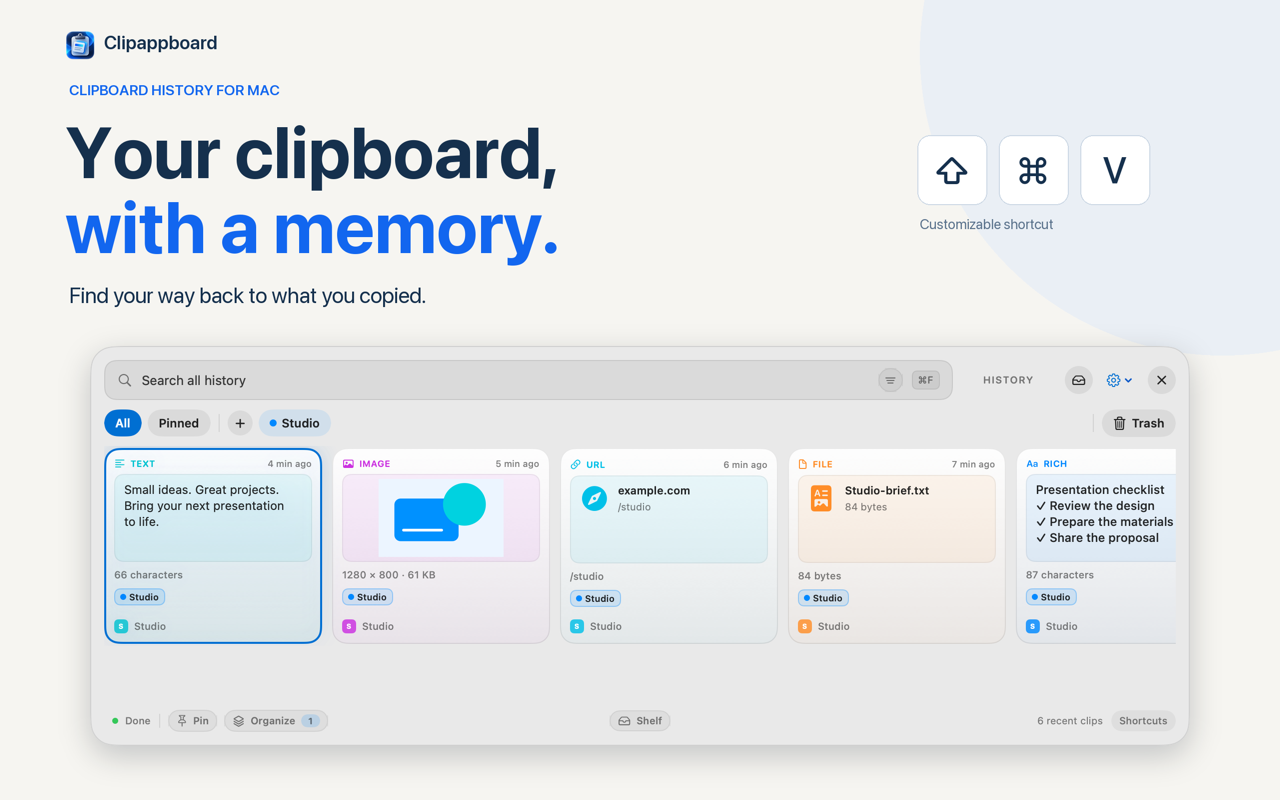
Clipappboard is a clipboard manager for Mac that keeps a visual history of what you copy, then lets you search it, filter it by type and reuse it from a panel or a floating shelf. The everyday features are free and do not expire; organisation and editing extras come from a single Pro payment. It needs macOS 12 or later and stores its history on your Mac.
What is Clipappboard?
Clipappboard is a freemium clipboard manager for Mac, released on 29 September 2026 by GRUPO EMPRESARIAL INNURE SL, a Spanish developer. It records what you copy into a local history, then adds collections, pins and a temporary shelf for gathering several items before you paste. It is closed source and distributed through the Mac App Store.
The app opens with a keyboard shortcut; each entry carries a type label, a timestamp and the source app, so a link copied in Safari reads differently from a file reference taken out of Finder. Deleted clips go to a Trash that keeps them for 30 days, and local backups cover the rest.
How does the clipboard history work?
Open the panel and the history lists what you copied, newest first. Search runs across the whole history, so you can find a snippet without returning to the app you copied it from. Pressing Space previews the selected clip, and ⌘C copies it without closing the panel. Stored types are text, links, images, files and code.
Type filters narrow the list with one click, and single-type filtering is free; combining type, source app and collection filters in one view needs Pro.
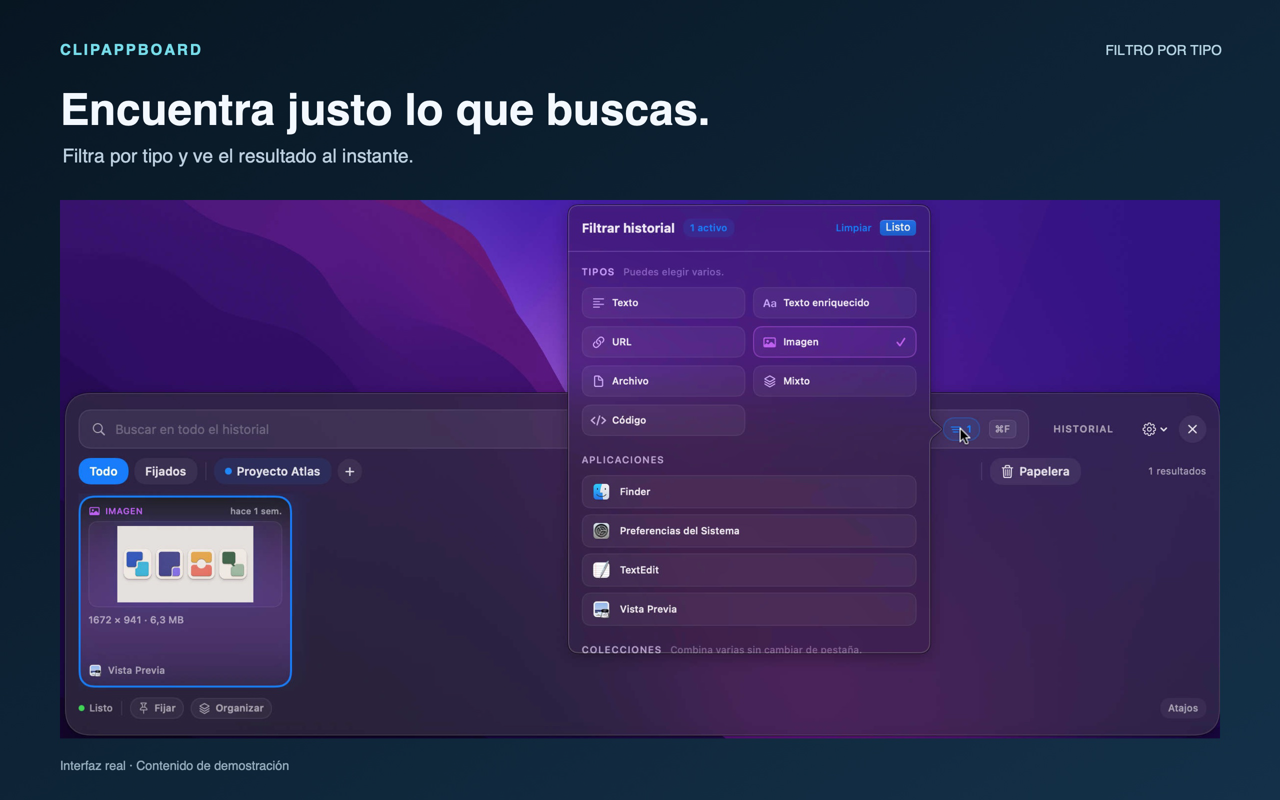
Image · Source: Clipappboard website
How do collections and pins keep clips in order?
A collection is a named group of clips for one piece of work; a pin is a clip you keep within reach. The free version includes one collection and up to five pins. Pro adds more collections and pins, aliases, and filter controls that combine types, apps and collections.
Pinned clips have their own tab beside the full history. Collections carry colours and checkmarks showing where a clip is saved, and a clip can be added to a collection — or used to create one — from its context menu. In a history of mixed text, links and images, that is the difference between a log and a workspace.
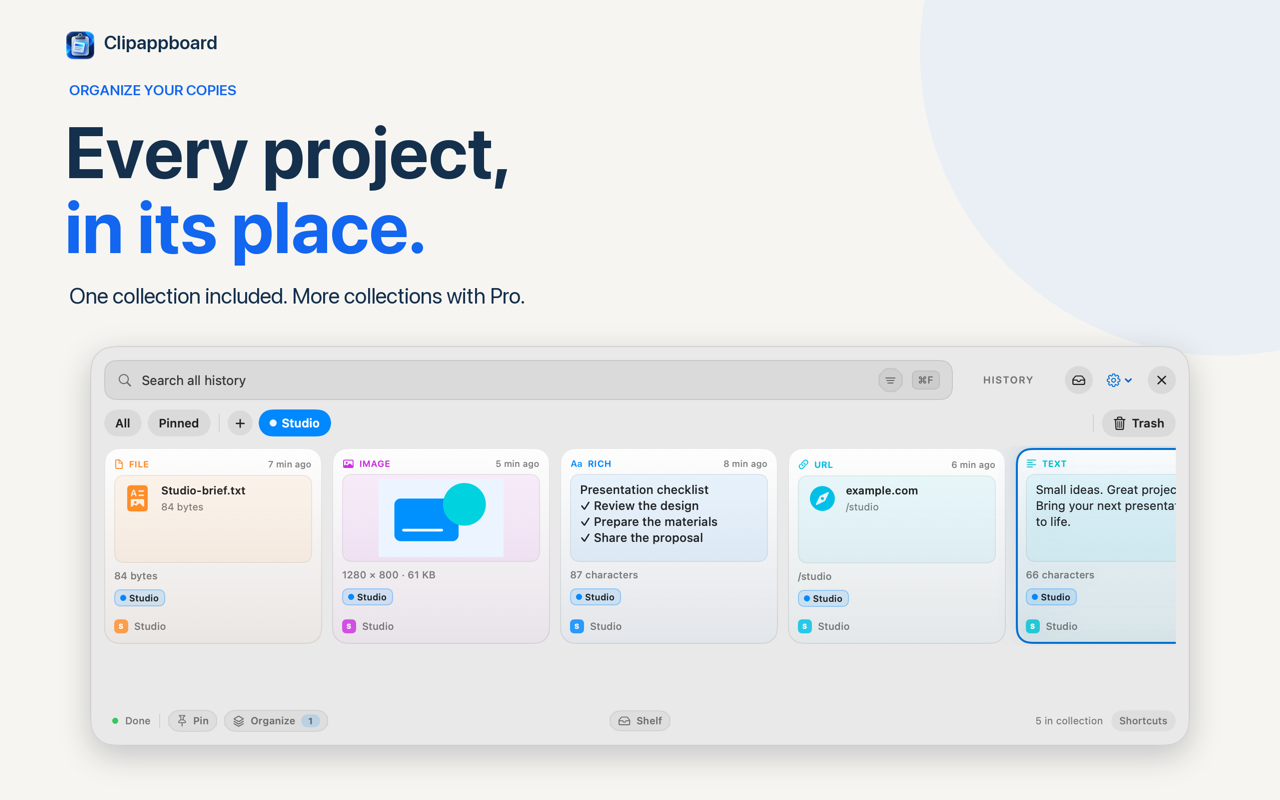
Image · Source: Clipappboard on the Mac App Store
What is the Shelf for?
The Shelf is a floating tray, included free, where you drop the text, images and files you want to reuse together. Drag a clip from the history onto the Shelf button, arrange the items, then copy or drag one item or the whole set. Closing the shelf keeps its items; quitting Clipappboard clears them.
You choose the shelf shortcut in Settings › Shortcuts. Removing an item leaves the original in the history, and each destination app decides what it accepts when you paste or drag, so a rich text clip may land as plain text in a simple field. For a heading, a link, a screenshot and a PDF, gathering once beats four trips back to the history.
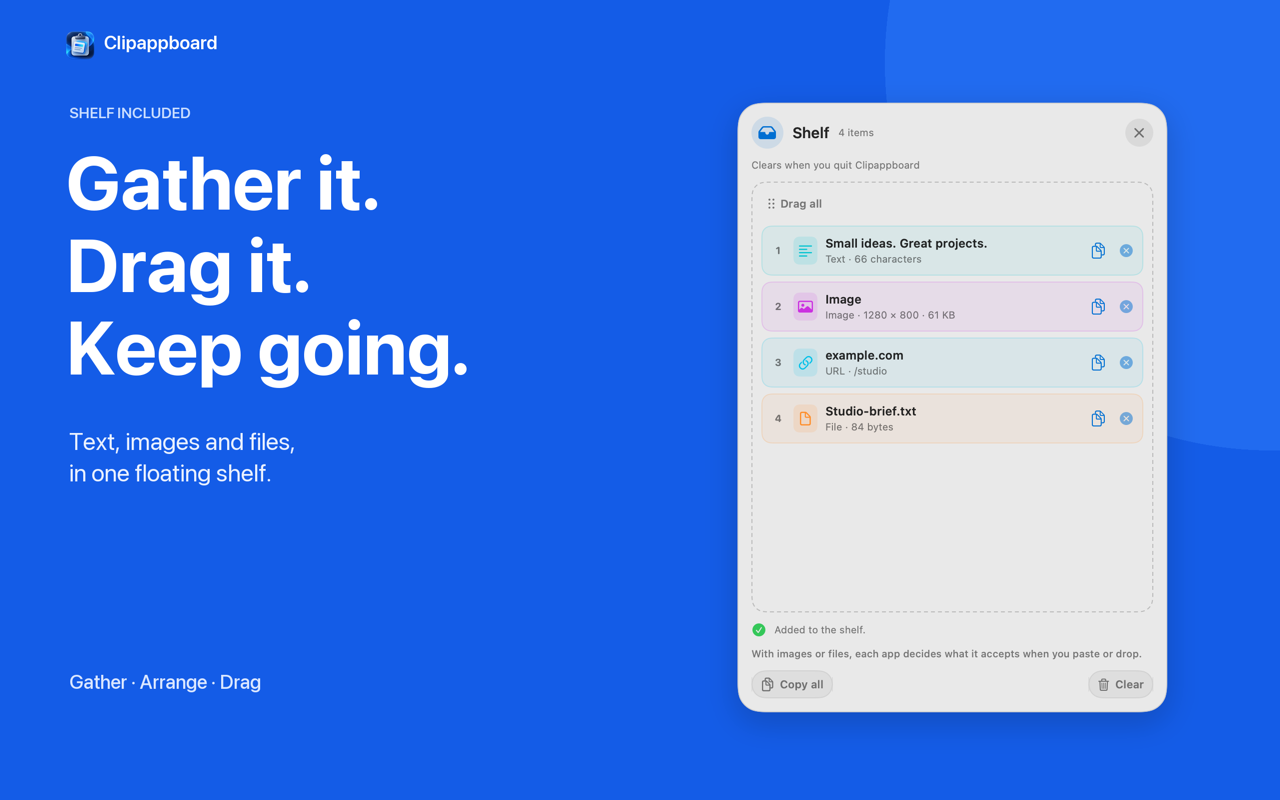
Image · Source: Clipappboard on the Mac App Store
Can you edit a clip before you paste it?
Yes, with Pro. Text clips can be edited and kept as a new copy, and image clips can be annotated with arrows, shapes and text, or cropped, before reuse. Quick Look and a resizable window that can stay on top also come with Pro.
Keeping the edit as a new copy is the useful part: the original stays in the history unchanged, so the cleaned-up paragraph and the draft both remain available.
Free and Pro: what the one-time purchase adds
| Free | Pro | |
|---|---|---|
| Price | Free to download | One-time purchase |
| History, search, previews | Included | Included |
| Filters | One content type at a time | Types, apps and collections combined |
| Collections and pins | One collection, five pins | More of both, plus aliases |
| Shelf | Included | Included |
| Trash recovery, backups | Included, 30 days | Included |
| Text editing, image annotation, cropping | — | Included |
| Quick Look, window mode | — | Included |
The free core never expires. Pro is a one-time purchase with no subscription. The optional Pro trial runs through Apple, and when it ends the app returns to the free limits with the library intact.
Where does Clipappboard keep your clipboard history?
On your Mac. Clipappboard stores and processes its history locally, needs no Clipappboard account and contains no advertising or developer analytics; the App Store privacy label says the developer collects no data from the app. It has no sync service of its own, so clips stay on the Mac they were copied on.
The developer also notes that a file clip may reference the original rather than copy it, so its preview depends on that file staying available and on macOS granting access.
What do you need to run Clipappboard?
macOS 12 or later, on Apple silicon or Intel. The App Store listing gives an English and Spanish interface. Installation is through the Mac App Store.
- Requirements: macOS 12.0 or later, Apple silicon and Intel Macs.
- Languages: English and Spanish; English is the fallback when the Mac language is not supported.
- Download: Clipappboard on the Mac App Store.
The Clipappboard website links to the same listing, and Clipappboard on OpenNavo carries the store link and requirements.
How does Clipappboard compare with Maccy and Paste?
Maccy is a free, open-source clipboard manager for macOS under the MIT licence, with a keyboard-first history; Clipappboard is a closed-source App Store app that wraps its history in a visual browser, collections, a shelf and image tools, with a one-time Pro purchase. Paste takes a third route and syncs through iCloud.
| Clipappboard | Maccy | Paste | |
|---|---|---|---|
| Price | Free core, one-time Pro | Free | Paid |
| Licence | Proprietary, closed source | MIT, open source | Proprietary |
| History | Visual browser, filters, collections | Keyboard-first list | Pinboards |
| Sync | None of its own | None of its own | iCloud |
Maccy is listed on OpenNavo as Maccy, and its MIT licence is stated in its public repository. Clipappboard's case is visual: previews, colours, collections and the Shelf sit in the free tier, and editing is one payment rather than a subscription.
FAQ
Is Clipappboard free?
The core is free and does not expire: history, search, filters by type, previews, copy, drag and Share, the Shelf, one collection, up to five pins, Trash recovery for 30 days and backups. Pro is a one-time purchase.
Does Clipappboard sync my clipboard to another Mac or an iPhone?
No. Clipappboard has no iCloud or cross-device sync of its own, and its history is stored and processed locally on each Mac. Two Macs mean two independent histories, and the iPhone is not part of it.
Is Clipappboard open source?
No. It is a proprietary, closed-source app sold through the Mac App Store, with a free core and a one-time Pro purchase. Maccy is the free, open-source counterpart in the same category, and its repository publishes an MIT licence.
Will Clipappboard run on an Intel Mac?
Yes. It requires macOS 12 or later and runs on Apple silicon and Intel Macs, with an English and Spanish interface.
Get Clipappboard
Clipappboard is free to download from the Mac App Store, and the Pro purchase is optional. Its page on OpenNavo, Clipappboard on OpenNavo, collects the store link and the system requirements in one place.