Best Homebrew GUI for Mac (2026): Applite vs Cork vs Cakebrew vs BrewUI vs OpenNavo
Compare Applite, Cork, Cakebrew, BrewUI, and OpenNavo as a Homebrew GUI for Mac. Check install, cleanup, ClamAV, license, menu bar, and price.
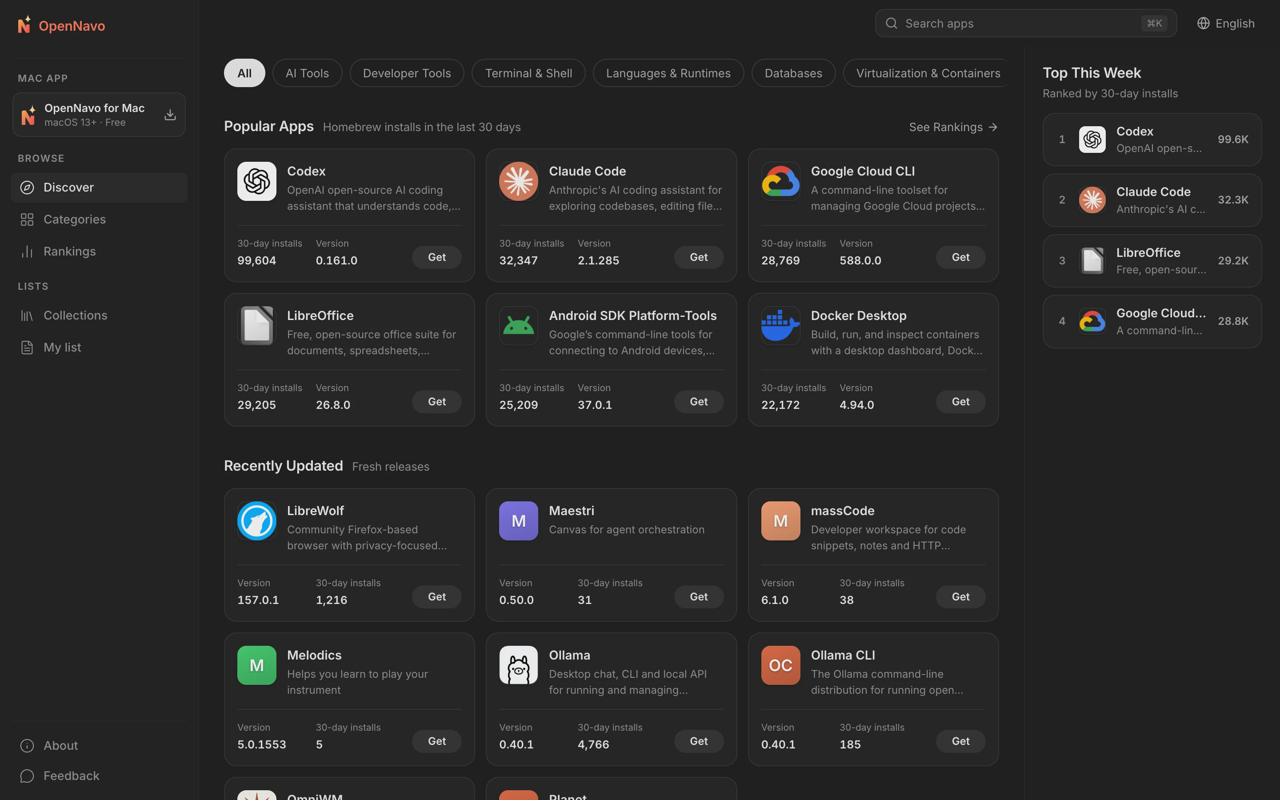
A Homebrew GUI for Mac gives you a graphical way to find, install, update, and remove software managed by Homebrew. Pick by the task: a simple Cask browser, broad Formulae and services support, or extra features such as local ClamAV scanning and Mac cleanup.
Applite is a focused, free Cask browser. Cork covers more of Homebrew, including Formulae, Casks, taps, and services. Cakebrew is a historical option whose public project and cask status now make it a legacy choice. OpenNavo combines a Homebrew GUI for Mac with local ClamAV scanning, app cleanup, and menu-bar monitoring.
What is a Homebrew GUI for Mac (and why Mac users want an “App Store” for brew)?
A Homebrew GUI for Mac is a graphical front end for finding, installing, updating, and removing software managed by Homebrew. It gives Mac users an App Store-like workflow, but the software still comes from Homebrew Casks or Formulae rather than Apple's Mac App Store.
Homebrew Casks generally distribute desktop applications, while Formulae cover command-line tools, libraries, and other packages. A broader Homebrew GUI for macOS may also expose taps, services, dependencies, and maintenance actions. The five products here differ mainly in that scope: Applite is Cask-focused, Cork is broader, Cakebrew is legacy, BrewUI is maintained by the Homebrew project, and OpenNavo adds scanning, cleanup, and monitoring.
Comparison matrix
“Unknown” means the available sources do not specify the feature or term.
| App | Install / update | Uninstall / zap | License | ClamAV | Cleanup | Menu bar | Price |
|---|---|---|---|---|---|---|---|
| Applite | One-click Cask installs and updates; bundled Homebrew or existing prefix | Uninstall and remove app data | MIT | No documented feature | App-related data removal; no general cleaner documented | No documented status item or system monitor | Free |
| Cork | Formulae and Casks; selective updates; requires existing Homebrew | GUI uninstall; zap: Unknown | Custom source-available license based on Commons Clause | No documented feature | Partial: Homebrew caches and maintenance | Outdated packages and updates | €25 one-time User License; purchases temporarily paused |
| Cakebrew | Historical Formula install/upgrade; requires Homebrew | Formula uninstall; zap: Unknown | GPL-3.0-or-later | No documented feature | Partial: brew cleanup | Unknown | Free historically |
| OpenNavo | Cask install/update; task queue; Update All; Homebrew setup assistance | Leftover review across Homebrew, App Store, DMG, pkg; shared files kept | GPL-3.0 | Local pre-install scanning; Quick, Full, Custom, Scheduled scans | Read-first scan; risk tiers and protected paths | System Monitor; pending updates; Update All | Free; no subscription |
| WailBrew | Formulae, Casks, taps, and services; bulk install, uninstall, and upgrade. Requires an existing Homebrew install. Source | brew uninstall --cask wailbrew; zap: Unknown. Source |
MIT. Source | No documented feature | Cleanup with a dry-run preview for old versions and caches. Source | No documented menu-bar item; Dock badge for available updates. Source | Free; optional donations. Source |
| Tappie | Formulae and Casks; one-click install, uninstall, upgrade, and reinstall; services window. Source | One-click uninstall. zap: Unknown. Source | Unknown | No documented feature | Per-version disk usage with one-click cleanup of leftovers from past upgrades. Source | Menu-bar outdated-count badge and upgrade-all; optional. Source | Free; donations accepted. No subscription price listed. Source |
| BrewDock | Menu-bar panel for Casks, Formulae, and services; one-click install; update all or one at a time. Requires Homebrew. Source | Uninstall from the app list. zap: Unknown. Source | GPL-3.0. Source | No documented feature | Clear old versions and cached downloads. Source | Menu-bar mug; orange dot when updates are waiting. Source | Free. Source |
The main dividing lines are not just install buttons. Check whether you need Formulae and services, whether you want a general Mac cleanup workflow, and whether local ClamAV scanning matters to you.
Applite
Applite is the clearest fit for someone who wants a simple, native-looking Homebrew GUI for Mac focused on desktop applications. Its scope is Homebrew Casks: browse apps, install them, update them, or remove them without learning the corresponding commands.
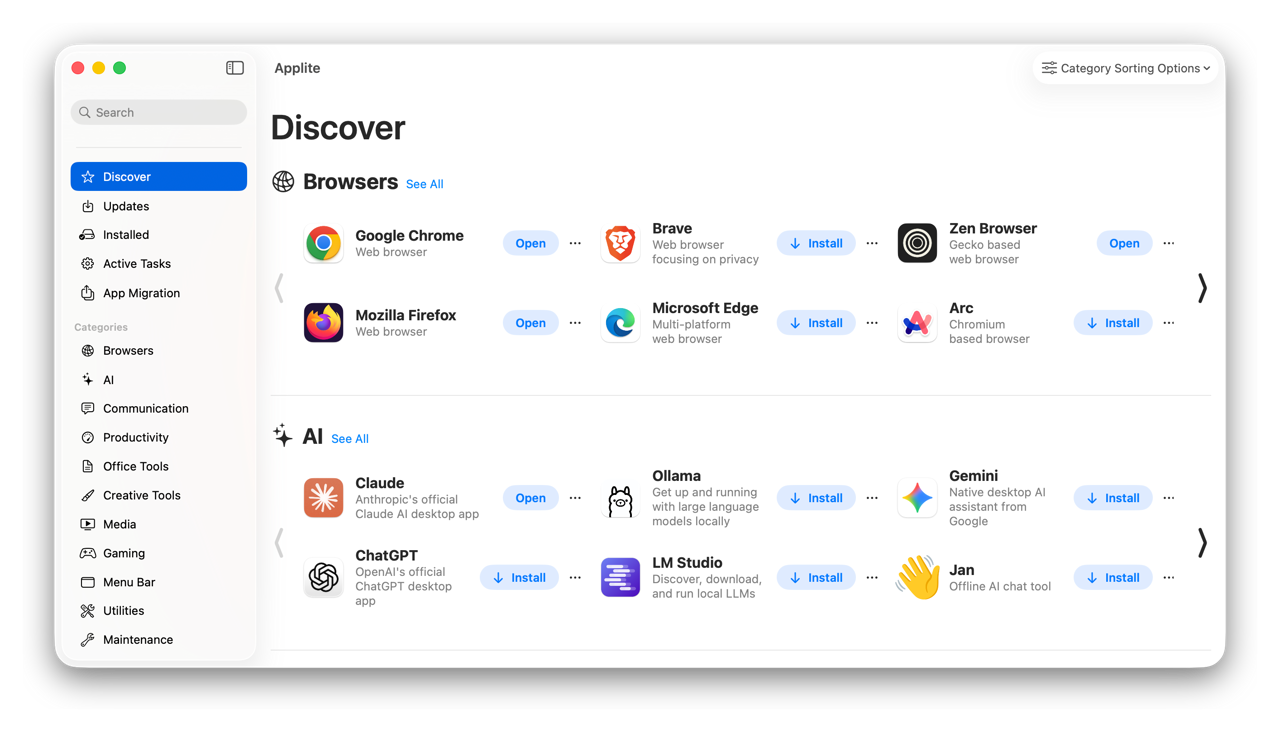
Screenshot · Source: applite.app
Applite includes its own Homebrew installation and can use an existing prefix instead. Its FAQ documents an “Uninstall & delete app data” option for removing settings and support files.
Applite is MIT-licensed and requires macOS 14 or later. Its repository is not archived; the latest release is v1.4.2, published September 5, 2026.
For more catalog context, see the Applite app page.
Cork
Cork takes a broader Homebrew approach, covering Formulae and Casks, taps, services, dependency inspection, selective updates, and Homebrew cache maintenance. That makes it more relevant to developers and power users who use Homebrew for command-line tools and services as well as GUI applications.
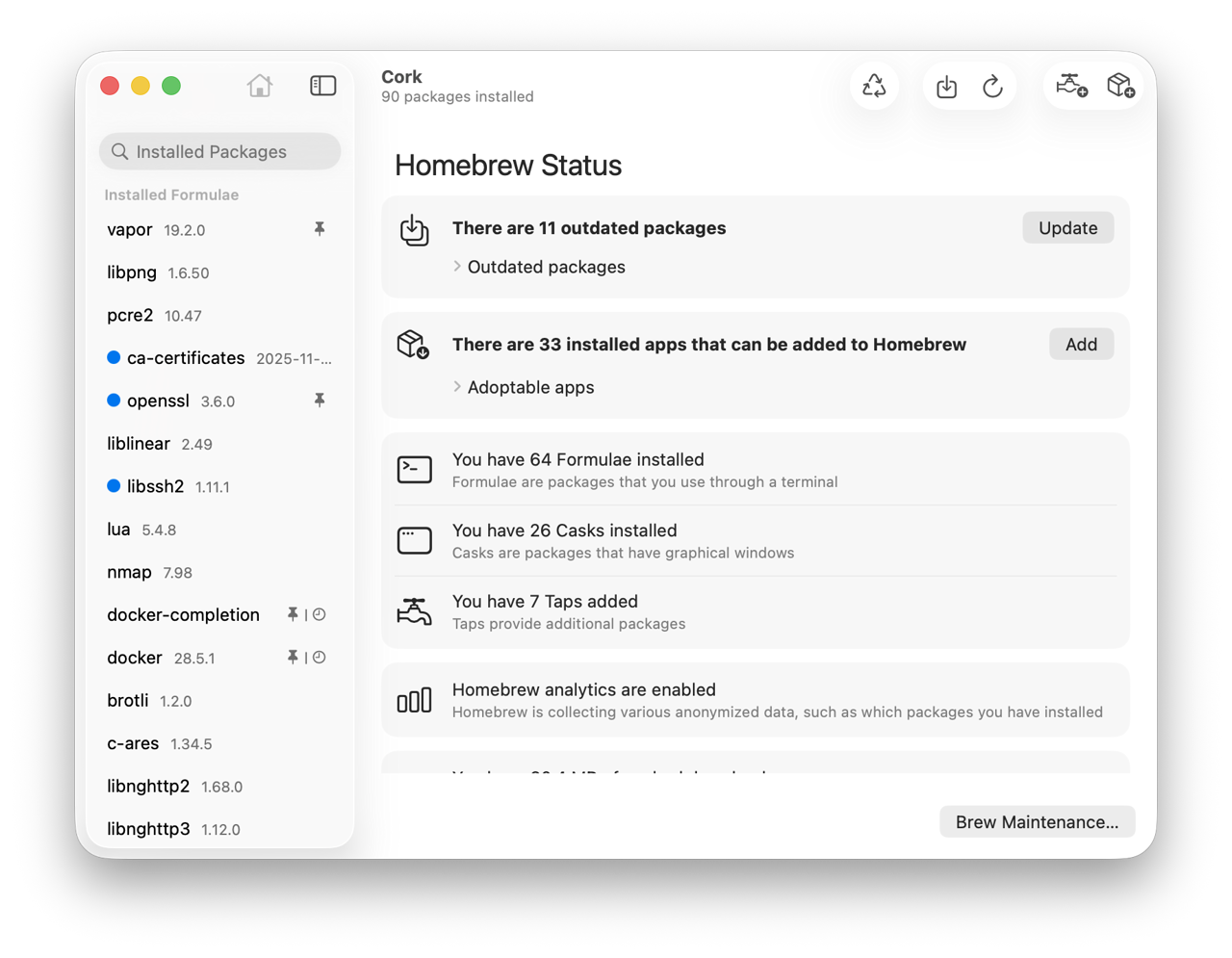
Screenshot · Source: corkmac.app
Cork also offers a menu-bar workflow for seeing outdated packages and updating them without opening the main window. If keeping a brew environment current is the main task, that small surface can be more useful than a large app catalog.
Cork uses a custom provisional source-available license based on the Commons Clause, with additional restrictions on competing products, redistribution, and compilation beyond individual use. It is not an OSI open-source license. The product sheet lists a €25 one-time User License for precompiled builds, including future updates and use on two Macs; businesses need a separate contract. The site currently says purchases are temporarily under maintenance. Cork remains active: v2.1.1 was released October 27, 2026, and the app requires macOS 14 or later.
See the Cork app page for catalog context.
Applite is free and focuses on Homebrew Casks. Cork also handles Formulae, taps, services, and maintenance. Cork’s source is available under a custom provisional license based on the Commons Clause; its €25 User License covers precompiled builds, with purchases temporarily paused.
Cakebrew: release history
Cakebrew helped establish the idea that Homebrew could be managed through a Mac GUI instead of only through Terminal. Its public repository is GPL-3.0, and its historical feature set included searching, installing, and upgrading Formulae, along with Homebrew update operations.
Cakebrew's latest release is v1.3, published March 12, 2021; its last repository push was January 7, 2024. The repository is not archived. Its license is GPL-3.0-or-later. The old Homebrew cask file is no longer present.
OpenNavo — Homebrew GUI for Mac plus ClamAV and cleanup
OpenNavo is a free, open-source Homebrew GUI for Mac that installs and updates Homebrew applications in one click. It adds local ClamAV scanning, app uninstall with leftover review, a broader Clean Up Mac workflow, and menu-bar system monitoring. OpenNavo is an independent project with no affiliation with Homebrew or Apple.
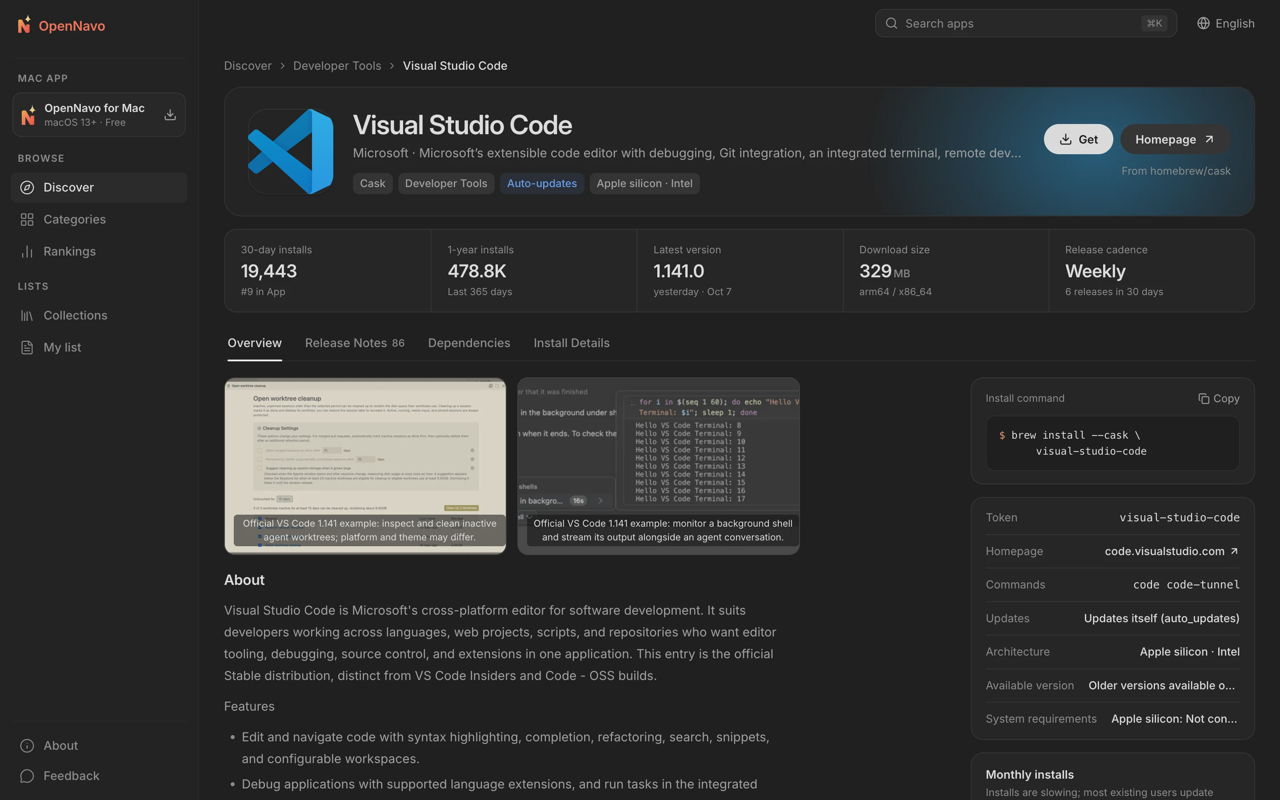
Screenshot · Source: OpenNavo GitHub repository
For Homebrew management, OpenNavo is focused on Casks. It can install, update, and uninstall Cask applications, queue tasks, retry failed tasks, and run Update All. It can help install Homebrew on first launch. Its uninstall workflow supports Homebrew, App Store, DMG, and pkg applications, reviews related files, and normally moves deletions to the Trash; shared files are kept by default.
The security distinction is the built-in ClamAV step. After a Homebrew download completes and before installation, OpenNavo scans the file locally and aborts the installation if it finds a threat. It also offers Quick, Full, Custom, and Scheduled scans. Files are not uploaded for these scans, and no account is required. See the ClamAV for Mac guide for the workflow and limits. ClamAV's coverage of Mac-specific malware is limited, and no antivirus can promise to catch everything. OpenNavo adds to the protection built into macOS; it does not replace it. It cannot yet block a program before its first run because that requires Apple Endpoint Security authorization that is not currently available to the project. Ordinary files larger than 100 MB, installers larger than 1 GB, or unpacked content larger than 2 GB may not be fully scanned. Scanning can use about 1.1 GB of memory.
OpenNavo's Clean Up Mac feature reads first, groups findings by risk, and protects sensitive paths such as browser credentials, keychains, VPNs, and virtual machines. It covers supported caches, logs, old Homebrew downloads, deleted-app leftovers, and installers.
The menu-bar System Monitor can show CPU, GPU, memory, disk, network, battery, temperature, and fan information. The menu bar can also show pending updates and start Update All. This is the clearest choice in the table if package management, scanning, cleanup, and system visibility belong in one app.
OpenNavo is free and licensed under GPL-3.0. Download the DMG from the OpenNavo download page, or get it from the project’s GitHub Releases.
OpenNavo itself supports macOS 13 or later on Apple silicon and Intel. Homebrew has separate requirements: its current installation guide specifies macOS 15 or later on Apple silicon; 64-bit Intel is Tier 3. Building Formulae from source requires Xcode Command Line Tools or Xcode. A GUI's minimum macOS version does not establish Homebrew support for that system.
Which Homebrew GUI for Mac should you pick?
Pick Applite if you want a free, focused Cask browser with a low setup barrier and a familiar app-store-style workflow. It is the simplest fit for browsing and updating desktop applications.
Pick OpenNavo if you want a Homebrew GUI for Mac that combines Cask management with local ClamAV scans, guided app removal, broader cleanup, and menu-bar monitoring.
BrewUI is the macOS GUI maintained by the Homebrew project, licensed AGPL-3.0 and distributed as the homebrew-app cask, with the Homebrew formula page listing macOS 26 or later; it is one of the five products compared here.
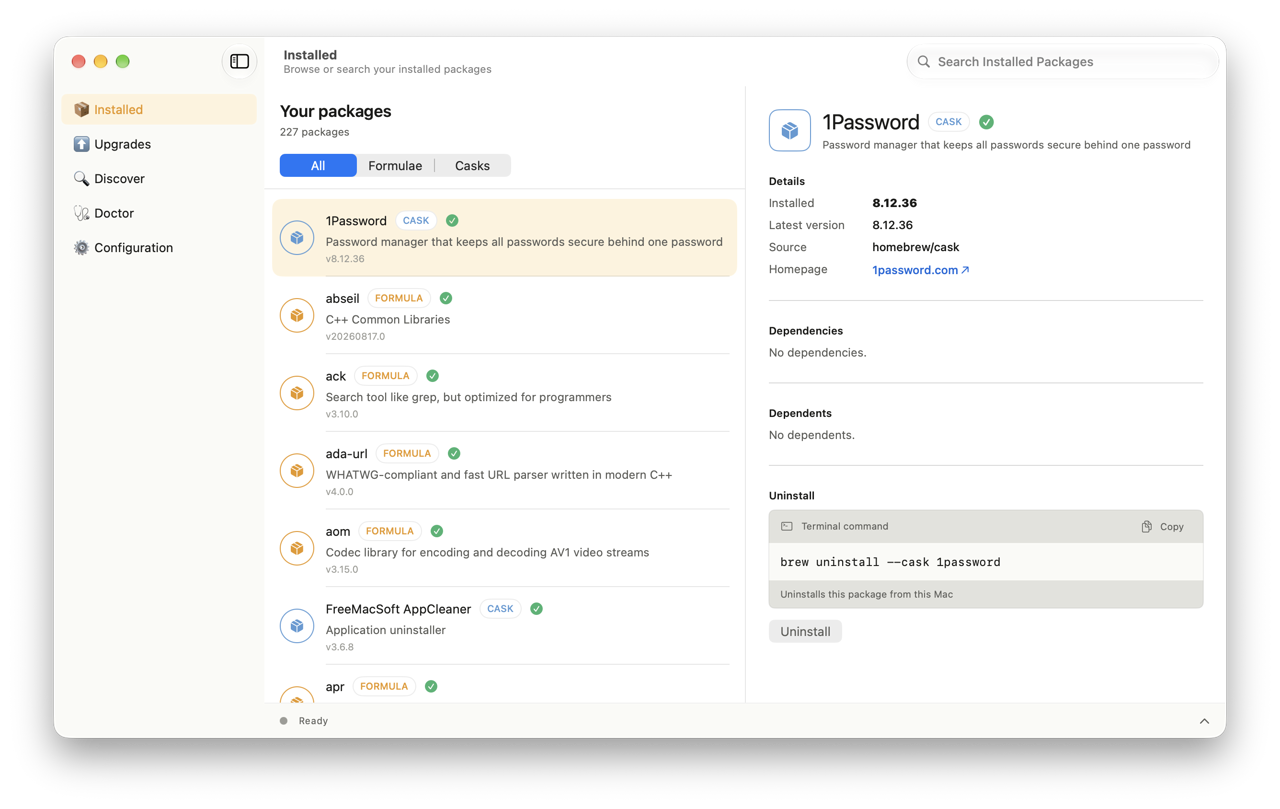
Screenshot · Source: BrewUI README (GitHub)
FAQ
Is Applite safe?
Applite is MIT-licensed and its FAQ explains its use of Homebrew Casks. macOS Gatekeeper and XProtect still apply. As with any software installed outside the Mac App Store, verify the download source and review the project's current documentation.
Applite vs Cork: what is the difference?
Applite is free and focuses on Homebrew Casks. Cork also handles Formulae, taps, services, and maintenance. Cork’s source is available under a custom provisional license based on the Commons Clause; its €25 User License covers precompiled builds, with purchases temporarily paused.
Does OpenNavo replace the Homebrew command line?
No. OpenNavo is a graphical front end focused on Homebrew Casks and related Mac workflows.
What is OpenNavo's license?
OpenNavo is free, open-source software licensed under GPL-3.0. Its source is available for inspection; source availability is not a claim that an independent security audit has taken place.
How to get started with OpenNavo
Download OpenNavo as a DMG from the OpenNavo download page, move it to Applications, and launch it. OpenNavo checks the local environment and can help install Homebrew if it is missing. You do not need an account for core use, and the project publishes its source under GPL-3.0 for inspection.
If you are comparing it with Applite or Cork, start with the feature matrix. Applite is optimized for Casks, Cork for broad Homebrew management, and OpenNavo for combining Cask management with local scanning, cleanup, and monitoring. The right GUI depends on the work you want it to do.
For cleanup and uninstalling, compare the free CleanMyMac alternatives.
Sources
- Applite repository and MIT license
- Applite MIT license text
- Applite requirements and features
- Applite latest release
- Cork product sheet and pricing
- Cork purchase status and features
- Cork provisional license
- Cork latest release
- Cakebrew repository and activity
- Cakebrew latest release
- Cakebrew license and historical features
- Homebrew installation requirements
- Homebrew license
- BrewUI documentation and status
- BrewUI license
- BrewUI cask requirements
- ClamAV license
- Applite FAQ
- WailBrew README
- WailBrew MIT license
- Tappie product page
- BrewDock README
- BrewDock GPL-3.0 license
Sources
- Applite repository and MIT license
- Applite requirements and features
- Applite latest release
- Cork product sheet and pricing
- Cork purchase status and features
- Cork provisional license
- Cork latest release
- Cakebrew repository and activity
- Cakebrew latest release
- Cakebrew license and historical features
- Homebrew installation requirements
- BrewUI documentation and status
- BrewUI license
- BrewUI cask requirements
- Applite FAQ
- WailBrew README
- WailBrew MIT license
- Tappie product page
- BrewDock README
- BrewDock GPL-3.0 license