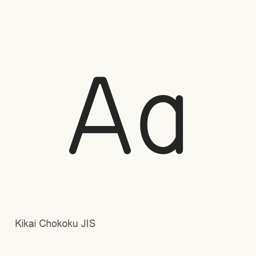
Kikai Chokoku JIS
Kim · A beta font recreating the look of Japanese mechanical engraving, based on the JIS standard engraving typeface.
- 30-day installs
- 0
- 1-year installs
- 30
- Last 365 days
- Latest version
- 0.320
- May 16 · May 16
- Download size
- 782KB
- arm64 / x86_64 · zip
- Release cadence
- Irregular
- 0 releases in 30 days
Kikai Chokoku JIS is a font you can install on a Mac. It is made by Kim.
Quick facts
- Font files
- 1 · OTF
- Installs to
~/Library/Fonts- Developer
- Kim
- Install
brew install --cask font-kikai-chokoku-jis- Homebrew
- Available; updated by Homebrew
- Also known as
- 機械彫刻用標準書体フォント, font-kikai-chokoku-jis
About
Kikai Chokoku JIS is a font that recreates lettering used in mechanical engraving, drawing on the Japanese JIS standard engraving typeface. Its strokes are designed with consistent width and rounded ends to evoke the appearance of letters cut by an engraving tool. The font is published as a beta, and its character set is limited.
- The design is based on the JIS mechanical-engraving typeface, with additional adjustments to some character shapes.
- OpenType stylistic sets provide alternate glyphs, including JIS simplified forms and other variants.
- The font is an OpenType PostScript file. The Homebrew cask installs
fkKikaiChokoku..otf
Install it with brew install --cask font-kikai-chokoku-jis. After installation, select the font by name in an application that supports installed fonts. Installing the font does not install a separate application. The font is intended to reproduce a particular engraving style; its beta status and limited character set may matter when choosing it for a project.
System requirements
| macOS | Version | Chips | Download | Source |
|---|---|---|---|---|
| Build for macOS 27, 26, 15, 14, 13, 12, 11 | 0.320 | Intel | font.kim/distribution/fk-kikaichokoku-v0320.zipSHA-256 8702e0e538a8ae423a8bf8ea60abdafa07414b04388adfdab8311afdfde1b1e4 | HomebrewChecked |
| Build for macOS 27, 26, 15, 14, 13, 12, 11 | 0.320 | Apple silicon | font.kim/distribution/fk-kikaichokoku-v0320.zipSHA-256 8702e0e538a8ae423a8bf8ea60abdafa07414b04388adfdab8311afdfde1b1e4 | HomebrewChecked |
How to install Kikai Chokoku JIS on Mac
- In Terminal, run:
brew install --cask font-kikai-chokoku-jis - Homebrew installs the font in ~/Library/Fonts, where Font Book can use it.
Install without Homebrew
Download the same file Homebrew uses: font.kim/distribution/fk-kikaichokoku-v0320.zip
SHA-256 only checks that the download is complete; it is not a security certification. See the SHA-256 and download address
Uninstall Kikai Chokoku JIS and optional data cleanup
brew uninstall --cask font-kikai-chokoku-jisA regular uninstall removes the app and keeps its settings and caches.
What’s new in 0.320
New OpenNavo editorial
Renames the font to f.k Kikai Chokoku and expands and revises its kanji glyphs.
Install Details
- Tap
- homebrew/cask
- Download URL
- https://font.kim/distribution/fk-kikaichokoku-v0320.zip
- SHA-256
- 8702e0e538a8ae423a8bf8ea60abdafa07414b04388adfdab8311afdfde1b1e4
- Homebrew definition
- github.com/homebrew/homebrew-cask/blob/HEAD/Casks/font/font-k/font-kikai-chokoku-jis.rb
- formulae.brew.sh
- formulae.brew.sh/cask/font-kikai-chokoku-jis
Installation and removal contents
Install
fontSource file: fkKikaiChokoku.
otf Declared destination: /
$HOME/ Library/ Fonts/ fkKikaiChokoku. otf View full declaration
{ "font": [ "fkKikaiChokoku.
otf" ], "target": "/$HOME/ }Library/ Fonts/ fkKikaiChokoku. otf"
Questions about Kikai Chokoku JIS
How do I completely uninstall Kikai Chokoku JIS on a Mac?
Run brew uninstall --cask font-kikai-chokoku-jis.
What is the latest version of Kikai Chokoku JIS?
The latest version is 0.320, added to Homebrew on May 16. Run brew upgrade --cask font-kikai-chokoku-jis to update it.
Sources
Every fact on this page names its source and check date. Facts past their validity read “as of” their date and are no longer stated as current.
- Homebrew definition: github.com/homebrew/homebrew-cask/blob/HEAD/Casks/font/font-k/font-kikai-chokoku-jis.rb · Checked
- formulae.brew.sh: formulae.brew.sh/cask/font-kikai-chokoku-jis