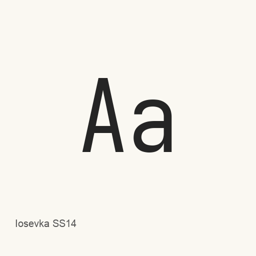
Iosevka SS14
Renzhi Li (be5invis) · A specific Iosevka font variant for code and technical text, installed as the IosevkaSS14.ttc font collection.
- 30-day installs
- 7
- 1-year installs
- 101
- Last 365 days
- Latest version
- 34.9.1
- 2 days ago · Oct 24
- Download size
- —
- arm64 / x86_64 · zip
- Release cadence
- Every 2 weeks
- 2 releases in 30 days
Iosevka SS14 is a font you can install on a Mac. It is made by Renzhi Li (be5invis).
Quick facts
- Font files
- 1 · TTC
- Installs to
~/Library/Fonts- Developer
- Renzhi Li (be5invis)
- Install
brew install --cask font-iosevka-ss14- Homebrew
- Available; updated by Homebrew
- Also known as
- font-iosevka-ss14
About
Iosevka SS14 is a font variant from the Iosevka typeface family, designed for code, terminal use, and technical documents. This Homebrew cask installs the specific SS14 variant as one TrueType Collection file, IosevkaSS14.; it does not install the full range of Iosevka variants.
- The installed artifact is a font collection, not a standalone application.
- The Iosevka family includes monospace and quasi-proportional typefaces, with sans-serif and slab-serif designs among its offerings.
- The family documentation describes OpenType stylistic sets and character variants for monospace Iosevka, as well as ligation support in its monospace subfamilies. These general family details do not establish which features are present or enabled in this specific SS14 file.
Install with Homebrew using brew install --cask font-iosevka-ss14. After installation, select the installed Iosevka SS14 font in a compatible application, such as a code editor or terminal, to use it; installing this cask does not install an application.
Sources: Iosevka project · Project README
System requirements
| macOS | Version | Chips | Download | Source |
|---|---|---|---|---|
| Build for macOS 27, 26, 15, 14, 13, 12, 11 | 34.9.1 | Intel | github.com/be5invis/Iosevka/releases/download/v34.9.1/SuperTTC-IosevkaSS14-34.9.1.zipSHA-256 81bccc9655df1d76517dd80b0488e51384dbbafc3f974e985c601abc9090a5d7 | HomebrewChecked |
| Build for macOS 27, 26, 15, 14, 13, 12, 11 | 34.9.1 | Apple silicon | github.com/be5invis/Iosevka/releases/download/v34.9.1/SuperTTC-IosevkaSS14-34.9.1.zipSHA-256 81bccc9655df1d76517dd80b0488e51384dbbafc3f974e985c601abc9090a5d7 | HomebrewChecked |
How to install Iosevka SS14 on Mac
- In Terminal, run:
brew install --cask font-iosevka-ss14 - Homebrew installs the font in ~/Library/Fonts, where Font Book can use it.
Install without Homebrew
Download the same file Homebrew uses: github.com/be5invis/Iosevka/releases/download/v34.9.1/SuperTTC-IosevkaSS14-34.9.1.zip
SHA-256 only checks that the download is complete; it is not a security certification. See the SHA-256 and download address
Uninstall Iosevka SS14 and optional data cleanup
brew uninstall --cask font-iosevka-ss14A regular uninstall removes the app and keeps its settings and caches.
What’s new in 34.9.1
New From Homebrew commits
This release has no separate notes.
Install Details
- Tap
- homebrew/cask
- Download URL
- https://github.com/be5invis/Iosevka/releases/download/v34.9.1/SuperTTC-IosevkaSS14-34.9.1.zip
- SHA-256
- 81bccc9655df1d76517dd80b0488e51384dbbafc3f974e985c601abc9090a5d7
- Homebrew definition
- github.com/homebrew/homebrew-cask/blob/HEAD/Casks/font/font-i/font-iosevka-ss14.rb
- formulae.brew.sh
- formulae.brew.sh/cask/font-iosevka-ss14
- Source code
- github.com/be5invis/Iosevka
Installation and removal contents
Install
fontSource file: IosevkaSS14.
ttc Declared destination: /
$HOME/ Library/ Fonts/ IosevkaSS14. ttc View full declaration
{ "font": [ "IosevkaSS14.
ttc" ], "target": "/$HOME/ }Library/ Fonts/ IosevkaSS14. ttc"
Questions about Iosevka SS14
How do I completely uninstall Iosevka SS14 on a Mac?
Run brew uninstall --cask font-iosevka-ss14.
What is the latest version of Iosevka SS14?
The latest version is 34.9.1, added to Homebrew on Oct 24. Run brew upgrade --cask font-iosevka-ss14 to update it.
Sources
Every fact on this page names its source and check date. Facts past their validity read “as of” their date and are no longer stated as current.
- Homebrew definition: github.com/homebrew/homebrew-cask/blob/HEAD/Casks/font/font-i/font-iosevka-ss14.rb · Checked
- formulae.brew.sh: formulae.brew.sh/cask/font-iosevka-ss14