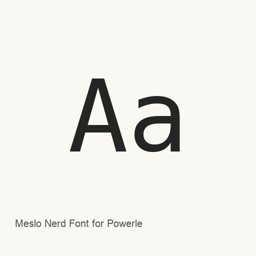
Meslo Nerd Font for Powerlevel10k
romkatv; Meslo by André Berg · The MesloLGS NF font family recommended by Powerlevel10k, with terminal-prompt glyphs and Regular, Bold, Italic and Bold Italic styles.
- Installazioni in 30 giorni
- 365
- Installazioni in un anno
- 3,2K
- Ultimi 365 giorni
- Ultima versione
- 2.3.3
- 11 feb 2024 · 11 feb 2024
- Dimensione del download
- 5,9MB
- arm64 / x86_64 · gz
- Frequenza di rilascio
- Irregolare
- 0 versioni in 30 giorni
Meslo Nerd Font for Powerlevel10k è un font che puoi installare su un Mac. Lo sviluppatore è romkatv; Meslo by André Berg.
Informazioni di base
- File dei font
- 4 · TTF
- Percorso di installazione
~/Library/Fonts- Sviluppatore
- romkatv; Meslo by André Berg
- Comando di installazione
brew install --cask font-meslo-for-powerlevel10k- Homebrew
- Installabile; aggiornato da Homebrew
- Altri nomi
- font-meslo-for-powerlevel10k
Descrizione
Meslo Nerd Font for Powerlevel10k installs the MesloLGS NF font family recommended by the Powerlevel10k project. It is a font package, not the Powerlevel10k shell theme, terminal emulator or standalone Mac application.
Typeface and glyphs
Powerlevel10k's documentation describes a monospace typeface originally designed by Jim Lyles for Bitstream, customized for Apple, further customized by André Berg and patched by romkatv using customized Nerd Fonts scripts. The resulting font contains the glyphs and symbols Powerlevel10k may need. This cask installs four TrueType styles: Regular, Bold, Italic and Bold Italic.
macOS setup
Install with brew install --cask font-meslo-for-powerlevel10k, then select MesloLGS NF in your terminal preferences. The official instructions describe iTerm2 Preferences → Profiles → Text and Apple Terminal Preferences → Profiles → Text. In Visual Studio Code, set terminal. to MesloLGS NF. Installing the font does not install or configure a shell theme. Users who separately install Powerlevel10k can run its configuration wizard; the documentation says iTerm2 users can also install the recommended font through that wizard.
Compatibility and scope
Powerlevel10k does not require a custom font, but its full choice of style options is available with Nerd Fonts. This listing describes the exact Meslo archive distributed by the official powerlevel10k-media repository, not the general Meslo Nerd Font package. The Homebrew archive is version 2.3.3, with one backend-recorded version. The official release body is empty, so no changes are invented for that archive.
Visual documentation
The attached official screenshot shows configuring this font in Visual Studio Code's integrated terminal settings. It is an IDE configuration example, not a standalone font application or an exact-version 2.3.3 interface. No application icon has been established for this font-only package.
Sources
Requisiti di sistema
| macOS | Versione dell’app | Chip | Download | Fonte |
|---|---|---|---|---|
| Versione per macOS 27, 26, 15, 14, 13, 12, 11 | 2.3.3 | Intel | github.com/romkatv/powerlevel10k-media/releases/download/v2.3.3/meslo-lgs-nf.tar.gzSHA-256 4b0bb4fc457df96d17aa85cfeda4fa92268dbb0651189f2923c68342ebb67cc7 | HomebrewVerificato il |
| Versione per macOS 27, 26, 15, 14, 13, 12, 11 | 2.3.3 | Apple silicon | github.com/romkatv/powerlevel10k-media/releases/download/v2.3.3/meslo-lgs-nf.tar.gzSHA-256 4b0bb4fc457df96d17aa85cfeda4fa92268dbb0651189f2923c68342ebb67cc7 | HomebrewVerificato il |
Come installare Meslo Nerd Font for Powerlevel10k sul Mac
- Esegui in “Terminale”:
brew install --cask font-meslo-for-powerlevel10k - Homebrew installa il font in ~/Library/Fonts, dove Libro Font può usarlo.
Installa senza Homebrew
Scarica lo stesso file usato da Homebrew: github.com/romkatv/powerlevel10k-media/releases/download/v2.3.3/meslo-lgs-nf.tar.gz
Lo SHA-256 serve solo a verificare che il download sia completo: non è una certificazione di sicurezza. Mostra lo SHA-256 e l’indirizzo di download
Disinstallazione di Meslo Nerd Font for Powerlevel10k e pulizia facoltativa dei dati
brew uninstall --cask font-meslo-for-powerlevel10kUna disinstallazione normale rimuove l’app e ne conserva impostazioni e cache.
Novità della versione 2.3.3
Nuova versione · Redazione OpenNavo
Questa versione non ha note di rilascio specifiche.
Dettagli di installazione
- Tap
- homebrew/cask
- URL di download
- https://github.com/romkatv/powerlevel10k-media/releases/download/v2.3.3/meslo-lgs-nf.tar.gz
- SHA-256
- 4b0bb4fc457df96d17aa85cfeda4fa92268dbb0651189f2923c68342ebb67cc7
- Definizione Homebrew
- github.com/homebrew/homebrew-cask/blob/HEAD/Casks/font/font-m/font-meslo-for-powerlevel10k.rb
- formulae.brew.sh
- formulae.brew.sh/cask/font-meslo-for-powerlevel10k
- Codice sorgente
- github.com/romkatv/powerlevel10k-media
Contenuti di installazione e rimozione
Installazione
fontFile di origine: MesloLGS NF Bold Italic.
ttf Destinazione dichiarata: /
$HOME/ NF Bold Italic.Library/ Fonts/ MesloLGS ttf Mostra la dichiarazione completa
{ "font": [ "MesloLGS NF Bold Italic.
ttf" ], "target": "/$HOME/ NF Bold Italic.Library/ Fonts/ MesloLGS ttf" }Installazione
fontFile di origine: MesloLGS NF Bold.
ttf Destinazione dichiarata: /
$HOME/ NF Bold.Library/ Fonts/ MesloLGS ttf Mostra la dichiarazione completa
{ "font": [ "MesloLGS NF Bold.
ttf" ], "target": "/$HOME/ NF Bold.Library/ Fonts/ MesloLGS ttf" }Installazione
fontFile di origine: MesloLGS NF Italic.
ttf Destinazione dichiarata: /
$HOME/ NF Italic.Library/ Fonts/ MesloLGS ttf Mostra la dichiarazione completa
{ "font": [ "MesloLGS NF Italic.
ttf" ], "target": "/$HOME/ NF Italic.Library/ Fonts/ MesloLGS ttf" }Installazione
fontFile di origine: MesloLGS NF Regular.
ttf Destinazione dichiarata: /
$HOME/ NF Regular.Library/ Fonts/ MesloLGS ttf Mostra la dichiarazione completa
{ "font": [ "MesloLGS NF Regular.
ttf" ], "target": "/$HOME/ NF Regular.Library/ Fonts/ MesloLGS ttf" }
Domande frequenti su Meslo Nerd Font for Powerlevel10k
Come disinstallare completamente Meslo Nerd Font for Powerlevel10k dal Mac?
Esegui brew uninstall --cask font-meslo-for-powerlevel10k.
Qual è l’ultima versione di Meslo Nerd Font for Powerlevel10k?
L’ultima versione è la 2.3.3. Per aggiornarlo, esegui brew upgrade --cask font-meslo-for-powerlevel10k.
Fonti
Ogni dato di questa pagina indica fonte e data di verifica. I dati scaduti riportano solo “Dati al” seguito dalla data e non vengono più presentati come attuali.
- Definizione Homebrew: github.com/homebrew/homebrew-cask/blob/HEAD/Casks/font/font-m/font-meslo-for-powerlevel10k.rb · Verificato il
- formulae.brew.sh: formulae.brew.sh/cask/font-meslo-for-powerlevel10k