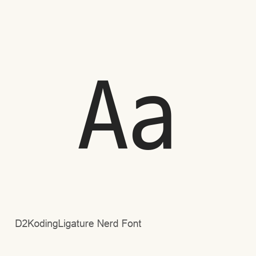
D2KodingLigature Nerd Font
Nerd Fonts project; NAVER (D2Coding) · The ligature-enabled D2Coding programming font patched with Nerd Fonts icons, with regular, Mono and Propo variants in regular and bold weights.
- Installazioni in 30 giorni
- 281
- Installazioni in un anno
- 4,5K
- Ultimi 365 giorni
- Ultima versione
- 3.5.1
- 21 ago · 21 ago
- Dimensione del download
- 5,4MB
- arm64 / x86_64 · xz
- Frequenza di rilascio
- Irregolare
- 0 versioni in 30 giorni
D2KodingLigature Nerd Font è un font che puoi installare su un Mac. Lo sviluppatore è Nerd Fonts project; NAVER (D2Coding).
Informazioni di base
- File dei font
- 6 · TTF
- Percorso di installazione
~/Library/Fonts- Sviluppatore
- Nerd Fonts project; NAVER (D2Coding)
- Comando di installazione
brew install --cask font-d2coding-nerd-font- Homebrew
- Installabile; aggiornato da Homebrew
- Altri nomi
- D2KodingLigature Nerd Font (D2Coding), font-d2coding-nerd-font
Descrizione
D2KodingLigature Nerd Font is the Nerd Fonts derivative of D2Coding, a programming font for Korean text. The official package documentation identifies the underlying D2Coding version as 1.3.2 and explains that the modified family name complies with the SIL Open Font License reserved-name mechanism. The Homebrew version 3.5.1 refers to the Nerd Fonts release, not to the original font version.
Nerd Fonts adds developer-oriented glyphs from collections including Codicons, Devicons, Font Awesome, Octicons, Powerline and Weather Icons. This cask installs six TrueType fonts: regular and bold weights in the Nerd Font, Nerd Font Mono and Nerd Font Propo families. Mono keeps added glyphs within a fixed-width cell for terminals that require monospacing; the standard family permits wider icons, while Propo is intended for proportional contexts. Ligatures are generally retained and can be disabled in a supporting terminal's settings.
Install with brew install --cask font-d2coding-nerd-font, then select the installed family in your terminal or editor. Homebrew places the fonts in the user's Library/Fonts directory. This is a font collection, not a standalone macOS application, and it has no application interface to launch.
Sources:
Requisiti di sistema
| macOS | Versione dell’app | Chip | Download | Fonte |
|---|---|---|---|---|
| Versione per macOS 27, 26, 15, 14, 13, 12, 11 | 3.5.1 | Intel | github.com/ryanoasis/nerd-fonts/releases/download/v3.5.1/D2Coding.tar.xzSHA-256 acdc66f5df6e64a7e1d41f89930b163da5345cf45f7dd08e41a98da255002c95 | HomebrewVerificato il |
| Versione per macOS 27, 26, 15, 14, 13, 12, 11 | 3.5.1 | Apple silicon | github.com/ryanoasis/nerd-fonts/releases/download/v3.5.1/D2Coding.tar.xzSHA-256 acdc66f5df6e64a7e1d41f89930b163da5345cf45f7dd08e41a98da255002c95 | HomebrewVerificato il |
Come installare D2KodingLigature Nerd Font sul Mac
- Esegui in “Terminale”:
brew install --cask font-d2coding-nerd-font - Homebrew installa il font in ~/Library/Fonts, dove Libro Font può usarlo.
Installa senza Homebrew
Scarica lo stesso file usato da Homebrew: github.com/ryanoasis/nerd-fonts/releases/download/v3.5.1/D2Coding.tar.xz
Lo SHA-256 serve solo a verificare che il download sia completo: non è una certificazione di sicurezza. Mostra lo SHA-256 e l’indirizzo di download
Disinstallazione di D2KodingLigature Nerd Font e pulizia facoltativa dei dati
brew uninstall --cask font-d2coding-nerd-fontUna disinstallazione normale rimuove l’app e ne conserva impostazioni e cache.
Novità della versione 3.5.1
Nuova versione · Redazione OpenNavo
Questa versione non ha note di rilascio specifiche.
Dettagli di installazione
- Tap
- homebrew/cask
- URL di download
- https://github.com/ryanoasis/nerd-fonts/releases/download/v3.5.1/D2Coding.tar.xz
- SHA-256
- acdc66f5df6e64a7e1d41f89930b163da5345cf45f7dd08e41a98da255002c95
- Definizione Homebrew
- github.com/homebrew/homebrew-cask/blob/HEAD/Casks/font/font-d/font-d2coding-nerd-font.rb
- formulae.brew.sh
- formulae.brew.sh/cask/font-d2coding-nerd-font
- Codice sorgente
- github.com/ryanoasis/nerd-fonts
Contenuti di installazione e rimozione
Installazione
fontFile di origine: D2KodingLigatureNerdFont-Bold.
ttf Destinazione dichiarata: /
$HOME/ Library/ Fonts/ D2KodingLigatureNerdFont-Bold. ttf Mostra la dichiarazione completa
{ "font": [ "D2KodingLigatureNerdFont-Bold.
ttf" ], "target": "/$HOME/ }Library/ Fonts/ D2KodingLigatureNerdFont-Bold. ttf" Installazione
fontFile di origine: D2KodingLigatureNerdFont-Regular.
ttf Destinazione dichiarata: /
$HOME/ Library/ Fonts/ D2KodingLigatureNerdFont-Regular. ttf Mostra la dichiarazione completa
{ "font": [ "D2KodingLigatureNerdFont-Regular.
ttf" ], "target": "/$HOME/ }Library/ Fonts/ D2KodingLigatureNerdFont-Regular. ttf" Installazione
fontFile di origine: D2KodingLigatureNerdFontMono-Bold.
ttf Destinazione dichiarata: /
$HOME/ Library/ Fonts/ D2KodingLigatureNerdFontMono-Bold. ttf Mostra la dichiarazione completa
{ "font": [ "D2KodingLigatureNerdFontMono-Bold.
ttf" ], "target": "/$HOME/ }Library/ Fonts/ D2KodingLigatureNerdFontMono-Bold. ttf" Installazione
fontFile di origine: D2KodingLigatureNerdFontMono-Regular.
ttf Destinazione dichiarata: /
$HOME/ Library/ Fonts/ D2KodingLigatureNerdFontMono-Regular. ttf Mostra la dichiarazione completa
{ "font": [ "D2KodingLigatureNerdFontMono-Regular.
ttf" ], "target": "/$HOME/ }Library/ Fonts/ D2KodingLigatureNerdFontMono-Regular. ttf" Installazione
fontFile di origine: D2KodingLigatureNerdFontPropo-Bold.
ttf Destinazione dichiarata: /
$HOME/ Library/ Fonts/ D2KodingLigatureNerdFontPropo-Bold. ttf Mostra la dichiarazione completa
{ "font": [ "D2KodingLigatureNerdFontPropo-Bold.
ttf" ], "target": "/$HOME/ }Library/ Fonts/ D2KodingLigatureNerdFontPropo-Bold. ttf" Installazione
fontFile di origine: D2KodingLigatureNerdFontPropo-Regular.
ttf Destinazione dichiarata: /
$HOME/ Library/ Fonts/ D2KodingLigatureNerdFontPropo-Regular. ttf Mostra la dichiarazione completa
{ "font": [ "D2KodingLigatureNerdFontPropo-Regular.
ttf" ], "target": "/$HOME/ }Library/ Fonts/ D2KodingLigatureNerdFontPropo-Regular. ttf"
Domande frequenti su D2KodingLigature Nerd Font
Come disinstallare completamente D2KodingLigature Nerd Font dal Mac?
Esegui brew uninstall --cask font-d2coding-nerd-font.
Qual è l’ultima versione di D2KodingLigature Nerd Font?
L’ultima versione è la 3.5.1. Per aggiornarlo, esegui brew upgrade --cask font-d2coding-nerd-font.
Fonti
Ogni dato di questa pagina indica fonte e data di verifica. I dati scaduti riportano solo “Dati al” seguito dalla data e non vengono più presentati come attuali.
- Definizione Homebrew: github.com/homebrew/homebrew-cask/blob/HEAD/Casks/font/font-d/font-d2coding-nerd-font.rb · Verificato il
- formulae.brew.sh: formulae.brew.sh/cask/font-d2coding-nerd-font