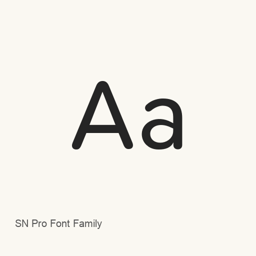
SN Pro Font Family
Supernotes · An open-source typeface with eight weights, italic styles, and support for Latin and Cyrillic text.
- Installations sur 30 jours
- 3
- Installations sur 1 an
- 106
- 365 derniers jours
- Dernière version
- 1.5.0
- 29 mai 2025 · 29 mai 2025
- Taille du téléchargement
- 7,5Mo
- arm64 / x86_64 · zip
- Rythme des versions
- Irrégulier
- 0 version en 30 jours
SN Pro Font Family est une police que vous pouvez installer sur un Mac. Développée par Supernotes.
Informations clés
- Fichiers de police
- 18 · OTF
- Emplacement d’installation
~/Library/Fonts- Développeur
- Supernotes
- Commande d’installation
brew install --cask font-sn-pro- Homebrew
- Disponible ; mises à jour par Homebrew
- Autres noms
- font-sn-pro
Présentation
SN Pro is a typeface based on Nunito and developed for reading and writing, including Markdown. The installed font files provide eight weights, from Thin to Black, with regular and italic styles. The font includes Markdown-oriented symbols and arrow ligatures. The official site states that Latin and Cyrillic are currently supported; it does not establish full Unicode coverage.
Install the font with brew install --cask font-sn-pro. The cask installs the font files into your user Fonts folder. After installation, select the SN Pro style you want in a compatible application to use it; this cask installs a font, not the Supernotes app. SN Pro is distributed under the SIL Open Font License 1.1, which the official site describes as allowing personal and commercial use.
Configuration requise
| macOS | Version | Puce | Téléchargement | Source |
|---|---|---|---|---|
| Version pour macOS 27, 26, 15, 14, 13, 12, 11 | 1.5.0 | Intel | github.com/supernotes/sn-pro/releases/download/1.5.0/SN-Pro.zipSHA-256 e8f7678e7b78a2ed9fd1efbbd7404e7722e6d1b93911550493f5381b1e7f0e31 | HomebrewVérifié le |
| Version pour macOS 27, 26, 15, 14, 13, 12, 11 | 1.5.0 | Apple silicon | github.com/supernotes/sn-pro/releases/download/1.5.0/SN-Pro.zipSHA-256 e8f7678e7b78a2ed9fd1efbbd7404e7722e6d1b93911550493f5381b1e7f0e31 | HomebrewVérifié le |
Comment installer SN Pro Font Family sur Mac
- Dans « Terminal », exécutez :
brew install --cask font-sn-pro - Homebrew installe la police dans ~/Library/Fonts, où Livre des polices peut l’utiliser.
Installer sans Homebrew
Téléchargez le même fichier que Homebrew : github.com/supernotes/sn-pro/releases/download/1.5.0/SN-Pro.zip
Le SHA-256 vérifie seulement que le téléchargement est complet ; ce n’est pas une certification de sécurité. Voir le SHA-256 et l’adresse de téléchargement
Désinstaller SN Pro Font Family et nettoyer éventuellement ses données
brew uninstall --cask font-sn-proUne désinstallation standard supprime l’app mais conserve ses réglages et ses caches.
Nouveautés de la version 1.5.0
Nouveau · Rédaction OpenNavo
Cette version n’a pas de notes dédiées.
Détails d’installation
- Tap
- homebrew/cask
- URL de téléchargement
- https://github.com/supernotes/sn-pro/releases/download/1.5.0/SN-Pro.zip
- SHA-256
- e8f7678e7b78a2ed9fd1efbbd7404e7722e6d1b93911550493f5381b1e7f0e31
- Définition Homebrew
- github.com/homebrew/homebrew-cask/blob/HEAD/Casks/font/font-s/font-sn-pro.rb
- formulae.brew.sh
- formulae.brew.sh/cask/font-sn-pro
- Code source
- github.com/supernotes/sn-pro
Contenu de l’installation et de la désinstallation
Installation
fontFichier source: SNPro/
SNPro-ThinItalic. otf Destination déclarée: /
$HOME/ Library/ Fonts/ SNPro-ThinItalic. otf Voir la déclaration complète
{ "font": [ "SNPro/
SNPro-ThinItalic. ], "target": "/otf" $HOME/ }Library/ Fonts/ SNPro-ThinItalic. otf" Installation
fontFichier source: SNPro/
SNPro-BlackItalic. otf Destination déclarée: /
$HOME/ Library/ Fonts/ SNPro-BlackItalic. otf Voir la déclaration complète
{ "font": [ "SNPro/
SNPro-BlackItalic. ], "target": "/otf" $HOME/ }Library/ Fonts/ SNPro-BlackItalic. otf" Installation
fontFichier source: SNPro/
SNPro-Bold. otf Destination déclarée: /
$HOME/ Library/ Fonts/ SNPro-Bold. otf Voir la déclaration complète
{ "font": [ "SNPro/
SNPro-Bold. ], "target": "/otf" $HOME/ }Library/ Fonts/ SNPro-Bold. otf" Installation
fontFichier source: SNPro/
SNPro-BoldItalic. otf Destination déclarée: /
$HOME/ Library/ Fonts/ SNPro-BoldItalic. otf Voir la déclaration complète
{ "font": [ "SNPro/
SNPro-BoldItalic. ], "target": "/otf" $HOME/ }Library/ Fonts/ SNPro-BoldItalic. otf" Installation
fontFichier source: SNPro/
SNPro-Book. otf Destination déclarée: /
$HOME/ Library/ Fonts/ SNPro-Book. otf Voir la déclaration complète
{ "font": [ "SNPro/
SNPro-Book. ], "target": "/otf" $HOME/ }Library/ Fonts/ SNPro-Book. otf" Installation
fontFichier source: SNPro/
SNPro-BookItalic. otf Destination déclarée: /
$HOME/ Library/ Fonts/ SNPro-BookItalic. otf Voir la déclaration complète
{ "font": [ "SNPro/
SNPro-BookItalic. ], "target": "/otf" $HOME/ }Library/ Fonts/ SNPro-BookItalic. otf" Installation
fontFichier source: SNPro/
SNPro-Heavy. otf Destination déclarée: /
$HOME/ Library/ Fonts/ SNPro-Heavy. otf Voir la déclaration complète
{ "font": [ "SNPro/
SNPro-Heavy. ], "target": "/otf" $HOME/ }Library/ Fonts/ SNPro-Heavy. otf" Installation
fontFichier source: SNPro/
SNPro-HeavyItalic. otf Destination déclarée: /
$HOME/ Library/ Fonts/ SNPro-HeavyItalic. otf Voir la déclaration complète
{ "font": [ "SNPro/
SNPro-HeavyItalic. ], "target": "/otf" $HOME/ }Library/ Fonts/ SNPro-HeavyItalic. otf" Installation
fontFichier source: SNPro/
SNPro-Light. otf Destination déclarée: /
$HOME/ Library/ Fonts/ SNPro-Light. otf Voir la déclaration complète
{ "font": [ "SNPro/
SNPro-Light. ], "target": "/otf" $HOME/ }Library/ Fonts/ SNPro-Light. otf" Installation
fontFichier source: SNPro/
SNPro-LightItalic. otf Destination déclarée: /
$HOME/ Library/ Fonts/ SNPro-LightItalic. otf Voir la déclaration complète
{ "font": [ "SNPro/
SNPro-LightItalic. ], "target": "/otf" $HOME/ }Library/ Fonts/ SNPro-LightItalic. otf" Installation
fontFichier source: SNPro/
SNPro-Medium. otf Destination déclarée: /
$HOME/ Library/ Fonts/ SNPro-Medium. otf Voir la déclaration complète
{ "font": [ "SNPro/
SNPro-Medium. ], "target": "/otf" $HOME/ }Library/ Fonts/ SNPro-Medium. otf" Installation
fontFichier source: SNPro/
SNPro-MediumItalic. otf Destination déclarée: /
$HOME/ Library/ Fonts/ SNPro-MediumItalic. otf Voir la déclaration complète
{ "font": [ "SNPro/
SNPro-MediumItalic. ], "target": "/otf" $HOME/ }Library/ Fonts/ SNPro-MediumItalic. otf" Installation
fontFichier source: SNPro/
SNPro-Regular. otf Destination déclarée: /
$HOME/ Library/ Fonts/ SNPro-Regular. otf Voir la déclaration complète
{ "font": [ "SNPro/
SNPro-Regular. ], "target": "/otf" $HOME/ }Library/ Fonts/ SNPro-Regular. otf" Installation
fontFichier source: SNPro/
SNPro-RegularItalic. otf Destination déclarée: /
$HOME/ Library/ Fonts/ SNPro-RegularItalic. otf Voir la déclaration complète
{ "font": [ "SNPro/
SNPro-RegularItalic. ], "target": "/otf" $HOME/ }Library/ Fonts/ SNPro-RegularItalic. otf" Installation
fontFichier source: SNPro/
SNPro-Semibold. otf Destination déclarée: /
$HOME/ Library/ Fonts/ SNPro-Semibold. otf Voir la déclaration complète
{ "font": [ "SNPro/
SNPro-Semibold. ], "target": "/otf" $HOME/ }Library/ Fonts/ SNPro-Semibold. otf" Installation
fontFichier source: SNPro/
SNPro-SemiboldItalic. otf Destination déclarée: /
$HOME/ Library/ Fonts/ SNPro-SemiboldItalic. otf Voir la déclaration complète
{ "font": [ "SNPro/
SNPro-SemiboldItalic. ], "target": "/otf" $HOME/ }Library/ Fonts/ SNPro-SemiboldItalic. otf" Installation
fontFichier source: SNPro/
SNPro-Thin. otf Destination déclarée: /
$HOME/ Library/ Fonts/ SNPro-Thin. otf Voir la déclaration complète
{ "font": [ "SNPro/
SNPro-Thin. ], "target": "/otf" $HOME/ }Library/ Fonts/ SNPro-Thin. otf" Installation
fontFichier source: SNPro/
SNPro-Black. otf Destination déclarée: /
$HOME/ Library/ Fonts/ SNPro-Black. otf Voir la déclaration complète
{ "font": [ "SNPro/
SNPro-Black. ], "target": "/otf" $HOME/ }Library/ Fonts/ SNPro-Black. otf"
Questions fréquentes sur SN Pro Font Family
Comment désinstaller complètement SN Pro Font Family sur Mac ?
Exécutez brew uninstall --cask font-sn-pro.
SN Pro Font Family : quelle est la dernière version ?
La dernière version est 1.5.0, ajoutée à Homebrew le 29 mai 2025. Exécutez brew upgrade --cask font-sn-pro pour le mettre à jour.
Sources
Chaque information de cette page indique sa source et sa date de vérification. Les informations dont la validité a expiré sont présentées comme valables « au » jour indiqué et ne sont plus données comme actuelles.
- Définition Homebrew : github.com/homebrew/homebrew-cask/blob/HEAD/Casks/font/font-s/font-sn-pro.rb · Vérifié le
- formulae.brew.sh : formulae.brew.sh/cask/font-sn-pro