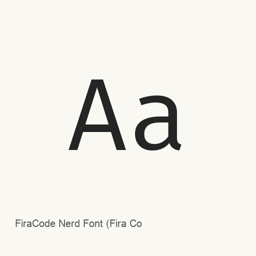
FiraCode Nerd Font (Fira Code)
Nerd Fonts project · Ein Fira Code Nerd Font-Paket mit nichtproportionalen, proportionalen und Mono-Varianten in ausgewählten Strichstärken.
- Installationen (30 Tage)
- 2.465
- Installationen (1 Jahr)
- 55.722
- Letzte 365 Tage
- Neueste Version
- 3.5.1
- 21. Aug. · 21. Aug.
- Downloadgröße
- 3,1MB
- arm64 / x86_64 · xz
- Update-Rhythmus
- Unregelmäßig
- 0 Versionen in 30 Tagen
FiraCode Nerd Font (Fira Code) ist eine Schriftart, die Sie auf einem Mac installieren können. Der Entwickler ist Nerd Fonts project.
Eckdaten
- Schriftdateien
- 18 · TTF
- Installationsort
~/Library/Fonts- Entwickler
- Nerd Fonts project
- Installationsbefehl
brew install --cask font-fira-code-nerd-font- Homebrew
- Installierbar; Updates über Homebrew
- Auch bekannt als
- font-fira-code-nerd-font
Beschreibung
KI-übersetztOriginal ansehenFiraCode Nerd Font ist ein auf Fira Code basierendes Schriftpaket, das vom Projekt Nerd Fonts um Glyphen für Symbole und Icons ergänzt wurde. Dieser Homebrew-Cask installiert Schriftdateien, keine Anwendung.
Die installierten Dateien enthalten Standard-, Mono- und Propo-Formen in ausgewählten Strichstärken wie Light, Regular, Medium, Retina, SemiBold und Bold. Die angepassten Schriften enthalten zusätzliche Glyphen aus Icon-Sammlungen wie Font Awesome, Material Design Icons, Octicons sowie Powerline-Symbole. Die verfügbaren Glyphen können je nach Schrift und Anpassung variieren.
Installieren Sie das Paket mit brew install --cask font-fira-code-nerd-font. Wählen Sie danach die installierte Schriftfamilie FiraCode Nerd Font oder eine bestimmte Variante in den Schrifteinstellungen Ihres Editors oder Terminals aus; der Cask wählt sie nicht automatisch aus. Dieses Paket installiert die aufgeführten Schriftdateien, nicht jede mögliche Fira Code- oder Nerd Font-Variante. Eine vollständige Unicode-Abdeckung und Ligaturunterstützung sind nicht belegt.
Systemvoraussetzungen
| macOS | App-Version | Chips | Download | Quelle |
|---|---|---|---|---|
| Build für macOS 27, 26, 15, 14, 13, 12, 11 | 3.5.1 | Intel | github.com/ryanoasis/nerd-fonts/releases/download/v3.5.1/FiraCode.tar.xzSHA-256 68e3bd6164864b8b514605bc34e3a87ac401c8c48682fcce6478c70263340207 | HomebrewGeprüft am |
| Build für macOS 27, 26, 15, 14, 13, 12, 11 | 3.5.1 | Apple silicon | github.com/ryanoasis/nerd-fonts/releases/download/v3.5.1/FiraCode.tar.xzSHA-256 68e3bd6164864b8b514605bc34e3a87ac401c8c48682fcce6478c70263340207 | HomebrewGeprüft am |
So installieren Sie FiraCode Nerd Font (Fira Code) auf dem Mac
- Führen Sie im Terminal Folgendes aus:
brew install --cask font-fira-code-nerd-font - Homebrew installiert die Schrift in ~/Library/Fonts, wo die App „Schriftsammlung“ sie verwenden kann.
Ohne Homebrew installieren
Laden Sie dieselbe Datei herunter, die Homebrew verwendet: github.com/ryanoasis/nerd-fonts/releases/download/v3.5.1/FiraCode.tar.xz
SHA-256 prüft nur, ob der Download vollständig ist; es ist keine Sicherheitszertifizierung. SHA-256 und Downloadadresse ansehen
FiraCode Nerd Font (Fira Code) deinstallieren und Daten optional bereinigen
brew uninstall --cask font-fira-code-nerd-fontEine normale Deinstallation entfernt die App, behält aber ihre Einstellungen und Caches.
Neu in 3.5.1
Neu · OpenNavo-Redaktion
Für diese Version gibt es keine eigenen Versionshinweise.
Installationsdetails
- Tap
- homebrew/cask
- Download-URL
- https://github.com/ryanoasis/nerd-fonts/releases/download/v3.5.1/FiraCode.tar.xz
- SHA-256
- 68e3bd6164864b8b514605bc34e3a87ac401c8c48682fcce6478c70263340207
- Homebrew-Definition
- github.com/homebrew/homebrew-cask/blob/HEAD/Casks/font/font-f/font-fira-code-nerd-font.rb
- formulae.brew.sh
- formulae.brew.sh/cask/font-fira-code-nerd-font
- Quellcode
- github.com/ryanoasis/nerd-fonts
Inhalte bei Installation und Deinstallation
Installation
fontQuelldatei: FiraCodeNerdFontPropo-SemiBold.
ttf Angegebenes Ziel: /
$HOME/ Library/ Fonts/ FiraCodeNerdFontPropo-SemiBold. ttf Vollständige Deklaration ansehen
{ "font": [ "FiraCodeNerdFontPropo-SemiBold.
ttf" ], "target": "/$HOME/ }Library/ Fonts/ FiraCodeNerdFontPropo-SemiBold. ttf" Installation
fontQuelldatei: FiraCodeNerdFont-Light.
ttf Angegebenes Ziel: /
$HOME/ Library/ Fonts/ FiraCodeNerdFont-Light. ttf Vollständige Deklaration ansehen
{ "font": [ "FiraCodeNerdFont-Light.
ttf" ], "target": "/$HOME/ }Library/ Fonts/ FiraCodeNerdFont-Light. ttf" Installation
fontQuelldatei: FiraCodeNerdFont-Medium.
ttf Angegebenes Ziel: /
$HOME/ Library/ Fonts/ FiraCodeNerdFont-Medium. ttf Vollständige Deklaration ansehen
{ "font": [ "FiraCodeNerdFont-Medium.
ttf" ], "target": "/$HOME/ }Library/ Fonts/ FiraCodeNerdFont-Medium. ttf" Installation
fontQuelldatei: FiraCodeNerdFont-Regular.
ttf Angegebenes Ziel: /
$HOME/ Library/ Fonts/ FiraCodeNerdFont-Regular. ttf Vollständige Deklaration ansehen
{ "font": [ "FiraCodeNerdFont-Regular.
ttf" ], "target": "/$HOME/ }Library/ Fonts/ FiraCodeNerdFont-Regular. ttf" Installation
fontQuelldatei: FiraCodeNerdFont-Retina.
ttf Angegebenes Ziel: /
$HOME/ Library/ Fonts/ FiraCodeNerdFont-Retina. ttf Vollständige Deklaration ansehen
{ "font": [ "FiraCodeNerdFont-Retina.
ttf" ], "target": "/$HOME/ }Library/ Fonts/ FiraCodeNerdFont-Retina. ttf" Installation
fontQuelldatei: FiraCodeNerdFont-SemiBold.
ttf Angegebenes Ziel: /
$HOME/ Library/ Fonts/ FiraCodeNerdFont-SemiBold. ttf Vollständige Deklaration ansehen
{ "font": [ "FiraCodeNerdFont-SemiBold.
ttf" ], "target": "/$HOME/ }Library/ Fonts/ FiraCodeNerdFont-SemiBold. ttf" Installation
fontQuelldatei: FiraCodeNerdFontMono-Bold.
ttf Angegebenes Ziel: /
$HOME/ Library/ Fonts/ FiraCodeNerdFontMono-Bold. ttf Vollständige Deklaration ansehen
{ "font": [ "FiraCodeNerdFontMono-Bold.
ttf" ], "target": "/$HOME/ }Library/ Fonts/ FiraCodeNerdFontMono-Bold. ttf" Installation
fontQuelldatei: FiraCodeNerdFontMono-Light.
ttf Angegebenes Ziel: /
$HOME/ Library/ Fonts/ FiraCodeNerdFontMono-Light. ttf Vollständige Deklaration ansehen
{ "font": [ "FiraCodeNerdFontMono-Light.
ttf" ], "target": "/$HOME/ }Library/ Fonts/ FiraCodeNerdFontMono-Light. ttf" Installation
fontQuelldatei: FiraCodeNerdFontMono-Medium.
ttf Angegebenes Ziel: /
$HOME/ Library/ Fonts/ FiraCodeNerdFontMono-Medium. ttf Vollständige Deklaration ansehen
{ "font": [ "FiraCodeNerdFontMono-Medium.
ttf" ], "target": "/$HOME/ }Library/ Fonts/ FiraCodeNerdFontMono-Medium. ttf" Installation
fontQuelldatei: FiraCodeNerdFontMono-Regular.
ttf Angegebenes Ziel: /
$HOME/ Library/ Fonts/ FiraCodeNerdFontMono-Regular. ttf Vollständige Deklaration ansehen
{ "font": [ "FiraCodeNerdFontMono-Regular.
ttf" ], "target": "/$HOME/ }Library/ Fonts/ FiraCodeNerdFontMono-Regular. ttf" Installation
fontQuelldatei: FiraCodeNerdFontMono-Retina.
ttf Angegebenes Ziel: /
$HOME/ Library/ Fonts/ FiraCodeNerdFontMono-Retina. ttf Vollständige Deklaration ansehen
{ "font": [ "FiraCodeNerdFontMono-Retina.
ttf" ], "target": "/$HOME/ }Library/ Fonts/ FiraCodeNerdFontMono-Retina. ttf" Installation
fontQuelldatei: FiraCodeNerdFontMono-SemiBold.
ttf Angegebenes Ziel: /
$HOME/ Library/ Fonts/ FiraCodeNerdFontMono-SemiBold. ttf Vollständige Deklaration ansehen
{ "font": [ "FiraCodeNerdFontMono-SemiBold.
ttf" ], "target": "/$HOME/ }Library/ Fonts/ FiraCodeNerdFontMono-SemiBold. ttf" Installation
fontQuelldatei: FiraCodeNerdFontPropo-Bold.
ttf Angegebenes Ziel: /
$HOME/ Library/ Fonts/ FiraCodeNerdFontPropo-Bold. ttf Vollständige Deklaration ansehen
{ "font": [ "FiraCodeNerdFontPropo-Bold.
ttf" ], "target": "/$HOME/ }Library/ Fonts/ FiraCodeNerdFontPropo-Bold. ttf" Installation
fontQuelldatei: FiraCodeNerdFontPropo-Light.
ttf Angegebenes Ziel: /
$HOME/ Library/ Fonts/ FiraCodeNerdFontPropo-Light. ttf Vollständige Deklaration ansehen
{ "font": [ "FiraCodeNerdFontPropo-Light.
ttf" ], "target": "/$HOME/ }Library/ Fonts/ FiraCodeNerdFontPropo-Light. ttf" Installation
fontQuelldatei: FiraCodeNerdFontPropo-Medium.
ttf Angegebenes Ziel: /
$HOME/ Library/ Fonts/ FiraCodeNerdFontPropo-Medium. ttf Vollständige Deklaration ansehen
{ "font": [ "FiraCodeNerdFontPropo-Medium.
ttf" ], "target": "/$HOME/ }Library/ Fonts/ FiraCodeNerdFontPropo-Medium. ttf" Installation
fontQuelldatei: FiraCodeNerdFontPropo-Regular.
ttf Angegebenes Ziel: /
$HOME/ Library/ Fonts/ FiraCodeNerdFontPropo-Regular. ttf Vollständige Deklaration ansehen
{ "font": [ "FiraCodeNerdFontPropo-Regular.
ttf" ], "target": "/$HOME/ }Library/ Fonts/ FiraCodeNerdFontPropo-Regular. ttf" Installation
fontQuelldatei: FiraCodeNerdFontPropo-Retina.
ttf Angegebenes Ziel: /
$HOME/ Library/ Fonts/ FiraCodeNerdFontPropo-Retina. ttf Vollständige Deklaration ansehen
{ "font": [ "FiraCodeNerdFontPropo-Retina.
ttf" ], "target": "/$HOME/ }Library/ Fonts/ FiraCodeNerdFontPropo-Retina. ttf" Installation
fontQuelldatei: FiraCodeNerdFont-Bold.
ttf Angegebenes Ziel: /
$HOME/ Library/ Fonts/ FiraCodeNerdFont-Bold. ttf Vollständige Deklaration ansehen
{ "font": [ "FiraCodeNerdFont-Bold.
ttf" ], "target": "/$HOME/ }Library/ Fonts/ FiraCodeNerdFont-Bold. ttf"
Häufige Fragen zu FiraCode Nerd Font (Fira Code)
Wie deinstalliere ich FiraCode Nerd Font (Fira Code) vollständig auf dem Mac?
Führen Sie brew uninstall --cask font-fira-code-nerd-font aus.
Was ist die aktuelle Version von FiraCode Nerd Font (Fira Code)?
Die aktuelle Version ist 3.5.1. Zum Aktualisieren führen Sie brew upgrade --cask font-fira-code-nerd-font aus.
Quellen
Jede Angabe auf dieser Seite nennt ihre Quelle und ihr Prüfdatum. Abgelaufene Angaben werden nur mit „Stand“ und Datum angezeigt und nicht mehr als aktuell dargestellt.
- Homebrew-Definition: github.com/homebrew/homebrew-cask/blob/HEAD/Casks/font/font-f/font-fira-code-nerd-font.rb · Geprüft am
- formulae.brew.sh: formulae.brew.sh/cask/font-fira-code-nerd-font