FlClash on Mac: separate profiles, proxies and TUN before troubleshooting
FlClash 0.9.1 brings profiles, exit selection and connection details into one client. Useful when you already have a configuration; it does not provide a proxy service.
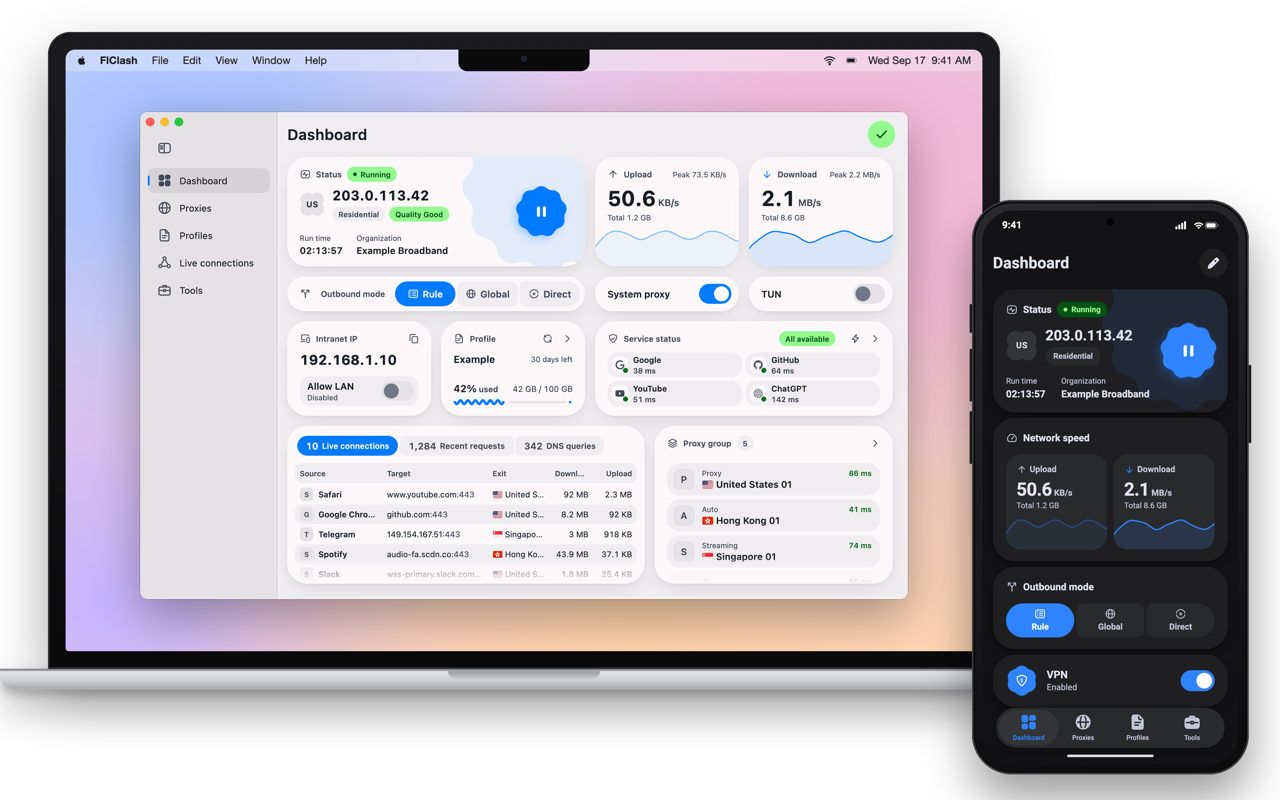
When a connection fails, changing the node, DNS and TUN together makes it hard to know what fixed it. FlClash offers a useful place to keep profiles, exit selection and connection details together. It suits people who already have a legitimate working configuration, not those expecting an included service. This article is based on official sources, not hands-on testing; it makes no speed, battery or stability claims.
Start with a working profile
- Choose the Apple Silicon or Intel download for your Mac. The official requirement is macOS 12 or later; use the official download page.
- Import a subscription URL or file from a trusted source. Inspect groups and rules. Never publish subscription URLs, node credentials or logs containing private domains.
- Select an exit in a proxy group and test latency. Latency does not establish website availability or throughput.
- Decide which traffic you need to handle before choosing system proxy or TUN. More switches are not automatically better. Whether an individual application respects system proxy settings must be checked in your environment.
- Inspect connections, requests, DNS queries and logs. Change one variable at a time and repeat the same access attempt.
The useful output is a reproducible record: profile, exit, interception mode, and what changed—not just a dashboard.
The official device mockup illustrates Rule/Global/Direct selection, system proxy, TUN and traffic cards. Its IP addresses, latency and traffic figures are illustrative, not our measurements or proof of live synchronization.
What matters in 0.9.1
Released October 17, 2026, 0.9.1 redesigns the dashboard and proxy-group cards and adds sortable connection, request and DNS tables. The operational change deserves more attention: desktop TUN values follow the profile unless explicitly selected; changed values carry over. If switching profiles behaves unexpectedly, inspect retained settings before blaming the subscription.
The official 0.9.0 notes also say custom overwrites were removed and must be rebuilt as custom profiles. Before upgrading an older installation, make a local or WebDAV backup and read the relevant migration notes. Creating a backup is not proof that a lossless restore has been tested.
What it replaces—and what it does not
Compared with entering a proxy address in system settings, FlClash adds profile import, rule-based routing, groups and connection inspection. That is a workflow comparison, not a benchmark against other clients. If your current client is reliable and these views add little, there is no reason to migrate for appearance alone.
It is not a bundled managed VPN subscription. Service quality, terms and external costs remain the responsibility of the chosen provider. People needing ready-to-use accounts, centralized enterprise policy or independently verified privacy guarantees should not decide on the word “open source” alone.
Cost and compatibility
The official site explicitly says free, open source and ad-free; the license is GPL-3.0. Platforms include macOS, Windows, Linux and Android. Mac downloads are separate architecture-specific DMGs, not a universal installer. Cross-platform does not mean identical features: Android per-app proxy support is not evidence of that feature on Mac.
Try one trusted profile and a repeatable access-and-diagnosis task before moving your daily setup. A polished interface is not proof that traffic is routed correctly.
See the FlClash app page or download from the official site.
Sources and verification
Checked October 19, 2026: official README, 0.9.1 release, website and changelog, GPL-3.0 license. The image is the official illustrative device demonstration, not our hands-on capture.