
教學
Clop 使用指南:在 Mac 上压缩图片、录屏和 PDF
用 Clop 在 Mac 本地压缩截图、录屏和 PDF:从拖放副本开始,了解剪贴板优化、大小限制、免费额度与隐私注意事项。
10月18日 · 閱讀約 5 分鐘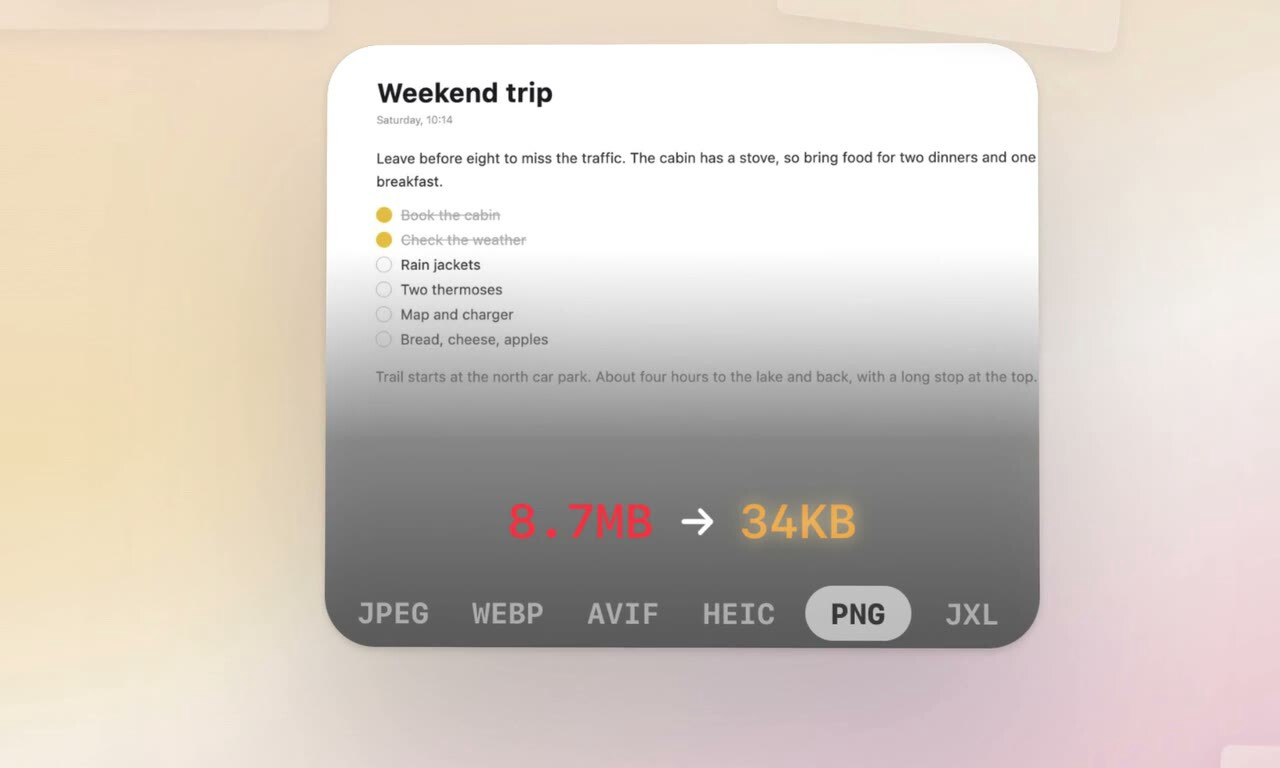
Low-Tech Guys · Mac clipboard and file optimizer for images, videos, PDFs and audio, with local compression, conversions, pipelines and optional Pro automation.
Clop 是一款影音類 Mac 應用。開發者是 Low-Tech Guys。
brew install --cask clop以上資訊最早核查於 。檢視各項來源
Clop is a macOS image, video, PDF and clipboard optimizer from Low-Tech Guys. It reduces file sizes for sharing, documents and publishing, using local encoders and configurable compression, conversion and resizing workflows. It suits people handling screenshots, recordings, photos and attachments; achievable savings depend on the source and settings, and lossy operations can alter quality.
Install with brew install --cask clop, or download the official DMG and move Clop.app into Applications. Launch the app, review settings and configure which clipboard content and folders it should watch. Current publisher information requires macOS 14 Sonoma or later; the catalog raw requirement still says macOS 13. Follow the newer publisher requirement for current 3.5.0 rather than assuming Ventura support from the cask. The official source project also sets the main application deployment target to 14.0.
Clop is a Mac application, not a Windows or Linux application. Apple Silicon's Media Engine can accelerate supported video encoding; available hardware acceleration and codecs depend on the Mac and macOS. HDR conversion/cropping has feature-specific requirements: AVIF HDR preservation and HDR cropping described in 3.5.0 require macOS 15 or later. The official 3.5.0 DMG was verified against the catalog SHA-256. Its application executable is Universal, containing x86_64 and arm64 slices for native Intel and Apple Silicon execution; Rosetta is not required for the native Apple Silicon main application. The packaged Info.plist declares macOS 13.0, while the publisher's current support statement requires macOS 14 or later. Use the publisher's supported baseline rather than interpreting the lower bundle declaration as a support guarantee.
Automatic clipboard optimization examines supported copied content while enabled. Watched folders process matching files automatically. Review the selected folders, destinations, compression and metadata settings before enabling automation, especially for originals or shared folders. Optimization can replace files in place. The publisher provides an originals backup folder and restore controls; keep independent backups for important media and verify the result before deleting backups.
Conversion and stronger compression can change file format, resolution, HDR, metadata or audio/video quality. Some operations intentionally remove metadata, and different formats preserve transparency differently. Verify color, transparency, playback and required camera/location metadata for your use case. File-size targets cannot guarantee every source remains visually identical.
Clop needs access to the files and folders being processed. Review macOS access prompts and enable only the clipboard, Finder, folder and integration features you intend to use. The official material examined does not establish blanket Full Disk Access or Screen Recording permission as a prerequisite for ordinary optimization; optimizing a saved screen recording is distinct from recording the screen itself. Custom pipeline script steps execute user-specified code, and agent integrations can manipulate files and settings: use trusted scripts and review automation permissions.
The publisher lists pngquant, jpegoptim, gifsicle, ffmpeg, libvips, gifski and Ghostscript among its encoder tools. The 3.5.0 notes explicitly describe bundled utilities exposed to script steps through CLOP_BIN. Ordinary app installation does not require separately installing every listed encoder through Homebrew. Source builds are a separate development workflow. The cask lists no additional formula dependency or explicit conflicting cask.
Dropshare uploads and file-shelf integrations require the corresponding external application and configuration; they are optional rather than included cloud storage. Avoid having multiple optimizers automatically rewrite the same watched files, which can trigger repeated processing or surprising results. The optional MCP server requires Pro and its Enable MCP setting; connecting an AI client does not mean that client or its model service is included in Clop's price.
Media optimization runs locally. This does not mean every feature is offline: URL drops download files, optional upload integrations send data to their configured services, and updates/licensing require network access. The privacy policy describes Sentry crash reporting that may include OS/Mac information, IP address and a consented contact email; Paddle handles checkout and licensing. Review both the policy and optional integrations for sensitive files.
The publisher offers free features that continue after a 14-day Pro trial. Its current website advertises a lifetime Pro license at EUR 15, subject to checkout terms and applicable taxes. Pro adds features including larger batch workflows and the MCP server; the current page says free drops can contain up to five files. Do not treat the older repository feature table as a complete current entitlement list. An online service account is not documented as necessary for ordinary local free optimization; paid activation uses a license and network verification through Paddle.
The application source is licensed under GPLv3, while bundled components have their own licenses. Open-source licensing does not mean every feature in the publisher's distributed Pro offering is free of charge. The separate Clop SDK uses MIT terms, which are not the application license.
The official 3.5.0 DMG is 101,204,159 bytes according to HTTP HEAD metadata. Installed storage, temporary processing files and originals backups require additional space.
Sources: Official product and current requirements, Privacy policy, Official source and license, 3.5.0 announcement.
OpenNavo 按地區、版本和計費週期記錄核查過的價格,並註明來源和日期;不記錄歷史價格,也不判斷是否最低。
| 版本 | 價格 | 地區 | 購買渠道 | 核查日期 |
|---|---|---|---|---|
| — | 免費,含應用內購買 | — | 官網lowtechguys.com/clop |
| macOS | 應用版本 | 晶片 | 下載 | 來源 |
|---|---|---|---|---|
| macOS 13 起 | 3.6.2 | Intel | files.lowtechguys.com/releases/Clop-3.6.2.dmgSHA-256 e2ac6f79dd98a36d44192377345cfff762429ac8d88d8896ff27f0f8cc6fd26b | Homebrew核查於 |
| macOS 13 起 | 3.6.2 | Apple 晶片 | files.lowtechguys.com/releases/Clop-3.6.2.dmgSHA-256 e2ac6f79dd98a36d44192377345cfff762429ac8d88d8896ff27f0f8cc6fd26b | Homebrew核查於 |
brew install --cask clop直接下載 Homebrew 使用的同一個檔案: files.lowtechguys.com/releases/Clop-3.6.2.dmg
SHA-256 只用來核對下載的檔案是否完整,不代表安全認證。 檢視 SHA-256 和下載網址
brew uninstall --cask clop普通解除安裝會刪除應用本身,設定和快取會保留。
brew uninstall --zap --cask clop--zap 還會刪除 Homebrew 定義裡列出的設定、快取等檔案,其中可能有其他應用共用的資料,刪除後無法恢復;它也不保證沒有任何殘留。請先備份需要保留的資料;如要保留設定和快取,請不要加 --zap。
~/.clop-debug-logs~/Library/Application Scripts/com.lowtechguys.Clop~/Library/Application Scripts/com.lowtechguys.Clop.FinderOptimiser~/Library/Application Support/Clop~/Library/Caches/Clop~/Library/Caches/com.lowtechguys.Clop~/Library/Containers/com.lowtechguys.Clop.FinderOptimiser~/Library/Daemon Containers/54F7B6C1*/Data/com.apple.kvs/ChangeTokens/NoEncryption/Clop/*.com.lowtechguys.Clop~/Library/HTTPStorages/com.lowtechguys.Clop~/Library/HTTPStorages/com.lowtechguys.Clop.binarycookies~/Library/Preferences/com.lowtechguys.Clop.plist以上條目來自 Homebrew 定義,核查於 ;它們只說明定義宣告會刪除什麼,不代表你的 Mac 上都有。
新版本 OpenNavo 編輯
這個版本沒有單獨的更新說明。
這裡只列可以核驗的事實,並註明來源和日期,不是安全認證。要檢查你下載的檔案,可以用 OpenNavo 在本機掃描。
安裝 app
來源檔案: Clop.
宣告的目標位置: /
{ "app": [ "Clop.app" ], "target": "/Applications/ }Clop. app"
清理使用者資料 zap
{ "zap": [ { "trash": [ "~/. "~/clop-debug-logs", Library/ Scripts/Application com. "~/lowtechguys. Clop", Library/ Scripts/Application com. "~/lowtechguys. Clop. FinderOptimiser", Library/ Support/Application Clop", "~/Library/ "~/Caches/ Clop", Library/ "~/Caches/ com. lowtechguys. Clop", Library/ "~/Containers/ com. lowtechguys. Clop. FinderOptimiser", Library/ Containers/Daemon 54F7B6C1*/ "~/Data/ com. apple. kvs/ ChangeTokens/ NoEncryption/ Clop/ *. com. lowtechguys. Clop", Library/ "~/HTTPStorages/ com. lowtechguys. Clop", Library/ "~/HTTPStorages/ com. lowtechguys. Clop. binarycookies", Library/ ] } ] }Preferences/ com. lowtechguys. Clop. plist"
Clop 收錄在 Homebrew 官方軟體庫中,沒有被停用。自 2026 年 9 月起,Homebrew 會停用沒有通過 macOS Gatekeeper 檢查的應用。安裝時,Homebrew 會用 SHA-256 校驗值核對來自 files.lowtechguys.com 的安裝檔。過去 30 天,它透過 Homebrew 安裝了 1,345 次。
Clop 可以免費下載,但提供應用內購買。來源:lowtechguys.com/clop,核查於 10月18日。
Clop 的原始碼公開在 GitHub 上(FuzzyIdeas/Clop),使用 GPL-3.0 授權。
執行 brew uninstall --cask clop。要連設定和快取一起刪除,執行 brew uninstall --zap --cask clop。--zap 還會刪除 Homebrew 定義裡列出的設定、快取等檔案,其中可能有其他應用共用的資料,刪除後無法恢復;它也不保證沒有任何殘留。請先備份需要保留的資料;如要保留設定和快取,請不要加 --zap。這會再刪除 11 處檔案和資料夾,包括 ~/。
Apple 晶片和 Intel 晶片的 Mac 都能用 Homebrew 安裝,兩者使用同一個安裝檔。需要 macOS 13 或更高版本。
設定儲存在 ~/。資料儲存在 ~/、~/和~/。這些位置來自 Homebrew 的清理清單。
最新版本是 3.6.2,Homebrew 收錄於 10月20日。Clop 會自動更新;想用 Homebrew 更新時,執行 brew upgrade --cask --greedy clop。
用 Clop 在 Mac 本地压缩截图、录屏和 PDF:从拖放副本开始,了解剪贴板优化、大小限制、免费额度与隐私注意事项。
10月18日 · 閱讀約 5 分鐘頁面上的每項資料都註明來源和核查日期;過期的資料只寫「截至」某日,不再當作當前事實。