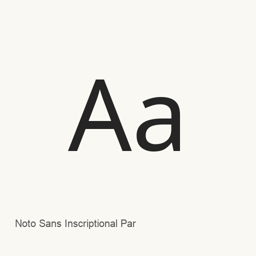
Noto Sans Inscriptional Parthian
Monotype Imaging Inc. · Noto Sans Inscriptional Parthian の Regular フォントファイルを1つ、macOS のユーザー用 Fonts フォルダにインストールします。
- 過去 30 日間のインストール数
- 0
- 過去1年間のインストール数
- 32
- 過去365日間の合計
- 最新バージョン
- latest
- ダウンロードサイズ
- 55KB
- arm64 / x86_64 · ttf
- 更新頻度
- 不定期
- 過去30日間に0回リリース
Noto Sans Inscriptional Parthian は Mac にインストールできるフォントです。開発元は Monotype Imaging Inc. です。
基本情報
- フォントファイル
- 1 · TTF
- インストール先
~/Library/Fonts- 開発元
- Monotype Imaging Inc.
- インストールコマンド
brew install --cask font-noto-sans-inscriptional-parthian- Homebrew
- インストール可能、Homebrew で更新
- その他の名前
- font-noto-sans-inscriptional-parthian
紹介
AI 翻訳原文を表示Noto Sans Inscriptional Parthian は、Inscriptional Parthian の名を冠したフォントファミリーです。この Homebrew cask がインストールするのは、Regular スタイルのフォントファイル NotoSansInscriptionalParthian-Regular. 1つです。独立したアプリケーションはインストールしません。
インストール後は、フォントを選択できる対応アプリケーションで、フォント名を指定して使用します。ファイルは macOS のユーザー用 Fonts フォルダに配置され、インストール済みフォントを利用するアプリケーションから選択できます。この cask に含まれるのは記載の Regular ファイルのみで、ほかのスタイルやバリエーションはインストールされません。文字の完全な収録範囲や合字のサポートについては、ここで確認できる情報からは判断できません。
次のコマンドでインストールします。
brew install --cask font-noto-sans-inscriptional-parthian
システム要件
| macOS | アプリのバージョン | チップ | ダウンロード | 出典 |
|---|---|---|---|---|
| macOS 27, 26, 15, 14, 13, 12, 11 向けのビルド | latest | Intel | github.com/google/fonts/raw/main/ofl/notosansinscriptionalparthian/NotoSansInscriptionalParthian-Regular.ttf | Homebrew に確認 |
| macOS 27, 26, 15, 14, 13, 12, 11 向けのビルド | latest | Apple シリコン | github.com/google/fonts/raw/main/ofl/notosansinscriptionalparthian/NotoSansInscriptionalParthian-Regular.ttf | Homebrew に確認 |
Mac に Noto Sans Inscriptional Parthian をインストールする方法
- 「ターミナル」で次のコマンドを実行します:
brew install --cask font-noto-sans-inscriptional-parthian - Homebrew はフォントを ~/Library/Fonts にインストールし、「Font Book」で使えるようにします。
Homebrew を使わずにインストール
Homebrew が使うのと同じファイルをダウンロード: github.com/google/fonts/raw/main/ofl/notosansinscriptionalparthian/NotoSansInscriptionalParthian-Regular.ttf
Noto Sans Inscriptional Parthian のアンインストールと任意のデータ削除
brew uninstall --cask font-noto-sans-inscriptional-parthian通常のアンインストールではアプリ本体だけを削除し、設定とキャッシュは残ります。
latestの更新内容
新バージョン OpenNavo編集部 · AI翻訳
- フォントNotoSansInscriptionalParthian-Regular.ttfをVersion 2.004として追加。
インストール詳細
- ソースリポジトリ
- homebrew/cask
- ダウンロードURL
- https://github.com/google/fonts/raw/main/ofl/notosansinscriptionalparthian/NotoSansInscriptionalParthian-Regular.ttf
- Homebrew定義ファイル
- github.com/homebrew/homebrew-cask/blob/HEAD/Casks/font/font-n/font-noto-sans-inscriptional-parthian.rb
- formulae.brew.sh
- formulae.brew.sh/cask/font-noto-sans-inscriptional-parthian
- ソースコード
- github.com/google/fonts
インストールとアンインストールの内容
インストール
fontソースファイル: NotoSansInscriptionalParthian-Regular.
ttf 宣言された保存先: /
$HOME/ Library/ Fonts/ NotoSansInscriptionalParthian-Regular. ttf 宣言全体を表示
{ "font": [ "NotoSansInscriptionalParthian-Regular.
ttf" ], "target": "/$HOME/ }Library/ Fonts/ NotoSansInscriptionalParthian-Regular. ttf"
Noto Sans Inscriptional Parthian についてよくある質問
Mac から Noto Sans Inscriptional Parthian を完全にアンインストールするには?
brew uninstall --cask font-noto-sans-inscriptional-parthian を実行します。
出典
このページの情報には、それぞれ出典と確認日を記載しています。有効期限が過ぎた情報は日付に「時点」を付けて示し、現在の事実としては扱いません。