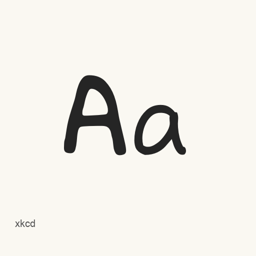
xkcd
Randall Munroe · A handwriting-derived font inspired by the xkcd webcomic; this package installs the more uniform xkcd font, not xkcd Script.
- Installazioni in 30 giorni
- 5
- Installazioni in un anno
- 109
- Ultimi 365 giorni
- Ultima versione
- latest
- Dimensione del download
- 115kB
- arm64 / x86_64 · otf
- Frequenza di rilascio
- Irregolare
- 0 versioni in 30 giorni
xkcd è un font che puoi installare su un Mac. Lo sviluppatore è Randall Munroe.
Informazioni di base
- File dei font
- 1 · OTF
- Percorso di installazione
~/Library/Fonts- Sviluppatore
- Randall Munroe
- Comando di installazione
brew install --cask font-xkcd- Homebrew
- Installabile; aggiornato da Homebrew
- Altri nomi
- font-xkcd
Descrizione
xkcd is a font derived from the handwriting of Randall Munroe, creator of the xkcd webcomic. This Homebrew package installs the xkcd font, which is more uniform than the separate xkcd Script font; the project notes that this can improve legibility while looking somewhat less like the comic’s original lettering.
- Includes the single font file
xkcd..otf - The font was used in the xkcd comic “The Pace of Modern Life.”
- The project describes the font as handwriting-derived and notes that it has its own characteristics and limitations.
- The project’s stated license is Creative Commons Attribution-NonCommercial 3.0.
Install it with brew install --cask font-xkcd. This installs a font, not an application. After installation, select the xkcd font in a compatible application that lets you choose installed fonts. This package does not install the separately available xkcd Script font.
Sources: Project repository · Project README
Version changes: Unknown.
Requisiti di sistema
| macOS | Versione dell’app | Chip | Download | Fonte |
|---|---|---|---|---|
| Versione per macOS 27, 26, 15, 14, 13, 12, 11 | latest | Intel | github.com/ipython/xkcd-font/raw/master/xkcd/build/xkcd.otf | HomebrewVerificato il |
| Versione per macOS 27, 26, 15, 14, 13, 12, 11 | latest | Apple silicon | github.com/ipython/xkcd-font/raw/master/xkcd/build/xkcd.otf | HomebrewVerificato il |
Come installare xkcd sul Mac
- Esegui in “Terminale”:
brew install --cask font-xkcd - Homebrew installa il font in ~/Library/Fonts, dove Libro Font può usarlo.
Installa senza Homebrew
Scarica lo stesso file usato da Homebrew: github.com/ipython/xkcd-font/raw/master/xkcd/build/xkcd.otf
Disinstallazione di xkcd e pulizia facoltativa dei dati
brew uninstall --cask font-xkcdUna disinstallazione normale rimuove l’app e ne conserva impostazioni e cache.
Novità della versione latest
Nuova versione Dai commit di Homebrew
Questa versione non ha note di rilascio specifiche.
Dettagli di installazione
- Tap
- homebrew/cask
- URL di download
- https://github.com/ipython/xkcd-font/raw/master/xkcd/build/xkcd.otf
- Definizione Homebrew
- github.com/homebrew/homebrew-cask/blob/HEAD/Casks/font/font-x/font-xkcd.rb
- formulae.brew.sh
- formulae.brew.sh/cask/font-xkcd
- Codice sorgente
- github.com/ipython/xkcd-font
Contenuti di installazione e rimozione
Installazione
fontFile di origine: xkcd.
otf Destinazione dichiarata: /
$HOME/ Library/ Fonts/ xkcd. otf Mostra la dichiarazione completa
{ "font": [ "xkcd.
otf" ], "target": "/$HOME/ }Library/ Fonts/ xkcd. otf"
Domande frequenti su xkcd
Come disinstallare completamente xkcd dal Mac?
Esegui brew uninstall --cask font-xkcd.
Fonti
Ogni dato di questa pagina indica fonte e data di verifica. I dati scaduti riportano solo “Dati al” seguito dalla data e non vengono più presentati come attuali.
- Definizione Homebrew: github.com/homebrew/homebrew-cask/blob/HEAD/Casks/font/font-x/font-xkcd.rb · Verificato il
- formulae.brew.sh: formulae.brew.sh/cask/font-xkcd