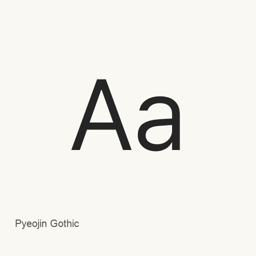
Pyeojin Gothic
Suh Ji-hwan · A Korean sans-serif font family with seven installed OTF weights, from Light to Black.
- Installazioni in 30 giorni
- 1
- Installazioni in un anno
- 1
- Ultimi 365 giorni
- Ultima versione
- 1.3
- 24 gen · 24 gen
- Dimensione del download
- 39MB
- arm64 / x86_64 · zip
- Frequenza di rilascio
- Irregolare
- 0 versioni in 30 giorni
Pyeojin Gothic è un font che puoi installare su un Mac. Lo sviluppatore è Suh Ji-hwan.
Informazioni di base
- File dei font
- 7 · OTF
- Percorso di installazione
~/Library/Fonts- Sviluppatore
- Suh Ji-hwan
- Comando di installazione
brew install --cask font-pyeojin-gothic- Homebrew
- Installabile; aggiornato da Homebrew
- Altri nomi
- 펴진고딕, font-pyeojin-gothic
Descrizione
Pyeojin Gothic is a Korean sans-serif font family designed around clean, straight strokes and a neutral appearance. Its creator describes it as a redesign based on Pretendard, with adjustments intended to balance Korean, Latin letters, and symbols visually.
The Homebrew cask installs seven OTF files: Light, Regular, Medium, Semibold, Bold, Extrabold, and Black. These provide a range of weights for different text roles. The font is presented for uses including web and app interfaces, body text, captions, and headlines. The creator reports revising 2,780 characters plus additional glyphs within a stated 11,172-character system; this does not establish complete coverage for every language or character.
Install with brew install --cask font-pyeojin-gothic. After installation, select the installed Pyeojin Gothic style you want in a font-aware application, such as a document editor or design tool. This package installs font files, not an application. The cask includes the seven OTF styles listed above; other formats mentioned by the creator are not part of this cask’s installed file set.
Sources: Pyeojin Gothic official page
Requisiti di sistema
| macOS | Versione dell’app | Chip | Download | Fonte |
|---|---|---|---|---|
| Versione per macOS 27, 26, 15, 14, 13, 12, 11 | 1.3 | Intel | github.com/Jihwan-Suh/PyeojinGothic/releases/download/v1.3/PyeojinGothic.v1.3.zipSHA-256 8e7b4ade193fb7be158d9245fb54b6dfd27e3425de6df4170992c1b5fbb05bcc | HomebrewVerificato il |
| Versione per macOS 27, 26, 15, 14, 13, 12, 11 | 1.3 | Apple silicon | github.com/Jihwan-Suh/PyeojinGothic/releases/download/v1.3/PyeojinGothic.v1.3.zipSHA-256 8e7b4ade193fb7be158d9245fb54b6dfd27e3425de6df4170992c1b5fbb05bcc | HomebrewVerificato il |
Come installare Pyeojin Gothic sul Mac
- Esegui in “Terminale”:
brew install --cask font-pyeojin-gothic - Homebrew installa il font in ~/Library/Fonts, dove Libro Font può usarlo.
Installa senza Homebrew
Scarica lo stesso file usato da Homebrew: github.com/Jihwan-Suh/PyeojinGothic/releases/download/v1.3/PyeojinGothic.v1.3.zip
Lo SHA-256 serve solo a verificare che il download sia completo: non è una certificazione di sicurezza. Mostra lo SHA-256 e l’indirizzo di download
Disinstallazione di Pyeojin Gothic e pulizia facoltativa dei dati
brew uninstall --cask font-pyeojin-gothicUna disinstallazione normale rimuove l’app e ne conserva impostazioni e cache.
Novità della versione 1.3
Nuova versione · Redazione OpenNavo
Questa versione non ha note di rilascio specifiche.
Dettagli di installazione
- Tap
- homebrew/cask
- URL di download
- https://github.com/Jihwan-Suh/PyeojinGothic/releases/download/v1.3/PyeojinGothic.v1.3.zip
- SHA-256
- 8e7b4ade193fb7be158d9245fb54b6dfd27e3425de6df4170992c1b5fbb05bcc
- Definizione Homebrew
- github.com/homebrew/homebrew-cask/blob/HEAD/Casks/font/font-p/font-pyeojin-gothic.rb
- formulae.brew.sh
- formulae.brew.sh/cask/font-pyeojin-gothic
- Codice sorgente
- github.com/Jihwan-Suh/PyeojinGothic
Contenuti di installazione e rimozione
Installazione
fontFile di origine: static/
otf/ PyeojinGothic-Black. otf Destinazione dichiarata: /
$HOME/ Library/ Fonts/ PyeojinGothic-Black. otf Mostra la dichiarazione completa
{ "font": [ "static/
otf/ ], "target": "/PyeojinGothic-Black. otf" $HOME/ }Library/ Fonts/ PyeojinGothic-Black. otf" Installazione
fontFile di origine: static/
otf/ PyeojinGothic-Bold. otf Destinazione dichiarata: /
$HOME/ Library/ Fonts/ PyeojinGothic-Bold. otf Mostra la dichiarazione completa
{ "font": [ "static/
otf/ ], "target": "/PyeojinGothic-Bold. otf" $HOME/ }Library/ Fonts/ PyeojinGothic-Bold. otf" Installazione
fontFile di origine: static/
otf/ PyeojinGothic-Extrabold. otf Destinazione dichiarata: /
$HOME/ Library/ Fonts/ PyeojinGothic-Extrabold. otf Mostra la dichiarazione completa
{ "font": [ "static/
otf/ ], "target": "/PyeojinGothic-Extrabold. otf" $HOME/ }Library/ Fonts/ PyeojinGothic-Extrabold. otf" Installazione
fontFile di origine: static/
otf/ PyeojinGothic-Light. otf Destinazione dichiarata: /
$HOME/ Library/ Fonts/ PyeojinGothic-Light. otf Mostra la dichiarazione completa
{ "font": [ "static/
otf/ ], "target": "/PyeojinGothic-Light. otf" $HOME/ }Library/ Fonts/ PyeojinGothic-Light. otf" Installazione
fontFile di origine: static/
otf/ PyeojinGothic-Medium. otf Destinazione dichiarata: /
$HOME/ Library/ Fonts/ PyeojinGothic-Medium. otf Mostra la dichiarazione completa
{ "font": [ "static/
otf/ ], "target": "/PyeojinGothic-Medium. otf" $HOME/ }Library/ Fonts/ PyeojinGothic-Medium. otf" Installazione
fontFile di origine: static/
otf/ PyeojinGothic-Regular. otf Destinazione dichiarata: /
$HOME/ Library/ Fonts/ PyeojinGothic-Regular. otf Mostra la dichiarazione completa
{ "font": [ "static/
otf/ ], "target": "/PyeojinGothic-Regular. otf" $HOME/ }Library/ Fonts/ PyeojinGothic-Regular. otf" Installazione
fontFile di origine: static/
otf/ PyeojinGothic-Semibold. otf Destinazione dichiarata: /
$HOME/ Library/ Fonts/ PyeojinGothic-Semibold. otf Mostra la dichiarazione completa
{ "font": [ "static/
otf/ ], "target": "/PyeojinGothic-Semibold. otf" $HOME/ }Library/ Fonts/ PyeojinGothic-Semibold. otf"
Domande frequenti su Pyeojin Gothic
Come disinstallare completamente Pyeojin Gothic dal Mac?
Esegui brew uninstall --cask font-pyeojin-gothic.
Qual è l’ultima versione di Pyeojin Gothic?
L’ultima versione è la 1.3, aggiunta a Homebrew il 8 set. Per aggiornarlo, esegui brew upgrade --cask font-pyeojin-gothic.
Fonti
Ogni dato di questa pagina indica fonte e data di verifica. I dati scaduti riportano solo “Dati al” seguito dalla data e non vengono più presentati come attuali.
- Definizione Homebrew: github.com/homebrew/homebrew-cask/blob/HEAD/Casks/font/font-p/font-pyeojin-gothic.rb · Verificato il
- formulae.brew.sh: formulae.brew.sh/cask/font-pyeojin-gothic