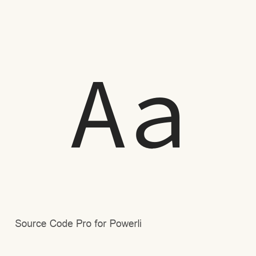
Source Code Pro for Powerline
Anwar · A monospaced OpenType font family derived from Source Code Pro and adapted for Powerline users.
- Installations sur 30 jours
- 61
- Installations sur 1 an
- 1,3 k
- 365 derniers jours
- Dernière version
- latest
- Taille du téléchargement
- —
- arm64 / x86_64 · git
- Rythme des versions
- Irrégulier
- 0 version en 30 jours
Source Code Pro for Powerline est une police que vous pouvez installer sur un Mac. Développée par Anwar.
Informations clés
- Fichiers de police
- 14 · OTF
- Emplacement d’installation
~/Library/Fonts- Développeur
- Anwar
- Commande d’installation
brew install --cask font-source-code-pro-for-powerline- Homebrew
- Disponible ; mises à jour par Homebrew
- Autres noms
- font-source-code-pro-for-powerline
Présentation
Source Code Pro for Powerline is a monospaced OpenType font family derived from Adobe’s Source Code Pro and adapted for Powerline users. The project describes the family as designed to work well in coding environments.
The Homebrew cask installs 14 font files: upright regular, extra-light, light, medium, bold, semibold, and black styles, plus italic regular, extra-light, light, medium, semibold, bold, and black styles. This is the specific set of installed font files, not a promise that every possible style or weight is included. The project notes that Powerline symbols are made by Kim Silkebækken.
Install the font with:
brew install --cask font-source-code-pro-for-powerline
After installation, select the installed Source Code Pro for Powerline font in a compatible application. For coding or terminal use, choose it in an editor or terminal’s font settings. This installs font files; it does not install a separate application. The project describes the font files as distributed under the SIL Open Font License 1.1.
Download size: Unknown.
Version changes: Unknown.
Configuration requise
| macOS | Version | Puce | Téléchargement | Source |
|---|---|---|---|---|
| Version pour macOS 27, 26, 15, 14, 13, 12, 11 | latest | Intel | github.com/powerline/fonts.git | HomebrewVérifié le |
| Version pour macOS 27, 26, 15, 14, 13, 12, 11 | latest | Apple silicon | github.com/powerline/fonts.git | HomebrewVérifié le |
Comment installer Source Code Pro for Powerline sur Mac
- Dans « Terminal », exécutez :
brew install --cask font-source-code-pro-for-powerline - Homebrew installe la police dans ~/Library/Fonts, où Livre des polices peut l’utiliser.
Installer sans Homebrew
Téléchargez le même fichier que Homebrew : github.com/powerline/fonts.git
Désinstaller Source Code Pro for Powerline et nettoyer éventuellement ses données
brew uninstall --cask font-source-code-pro-for-powerlineUne désinstallation standard supprime l’app mais conserve ses réglages et ses caches.
Nouveautés de la version latest
Nouveau Depuis les commits Homebrew
Cette version n’a pas de notes dédiées.
Détails d’installation
- Tap
- homebrew/cask
- URL de téléchargement
- https://github.com/powerline/fonts.git
- Définition Homebrew
- github.com/homebrew/homebrew-cask/blob/HEAD/Casks/font/font-s/font-source-code-pro-for-powerline.rb
- formulae.brew.sh
- formulae.brew.sh/cask/font-source-code-pro-for-powerline
- Code source
- github.com/powerline/fonts
Contenu de l’installation et de la désinstallation
Installation
fontFichier source: Source Code Pro for Powerline.
otf Destination déclarée: /
$HOME/ Code Pro for Powerline.Library/ Fonts/ Source otf Voir la déclaration complète
{ "font": [ "Source Code Pro for Powerline.
otf" ], "target": "/$HOME/ Code Pro for Powerline.Library/ Fonts/ Source otf" }Installation
fontFichier source: Source Code Pro Bold for Powerline.
otf Destination déclarée: /
$HOME/ Code Pro Bold for Powerline.Library/ Fonts/ Source otf Voir la déclaration complète
{ "font": [ "Source Code Pro Bold for Powerline.
otf" ], "target": "/$HOME/ Code Pro Bold for Powerline.Library/ Fonts/ Source otf" }Installation
fontFichier source: Source Code Pro ExtraLight for Powerline.
otf Destination déclarée: /
$HOME/ Code Pro ExtraLight for Powerline.Library/ Fonts/ Source otf Voir la déclaration complète
{ "font": [ "Source Code Pro ExtraLight for Powerline.
otf" ], "target": "/$HOME/ Code Pro ExtraLight for Powerline.Library/ Fonts/ Source otf" }Installation
fontFichier source: Source Code Pro Light for Powerline.
otf Destination déclarée: /
$HOME/ Code Pro Light for Powerline.Library/ Fonts/ Source otf Voir la déclaration complète
{ "font": [ "Source Code Pro Light for Powerline.
otf" ], "target": "/$HOME/ Code Pro Light for Powerline.Library/ Fonts/ Source otf" }Installation
fontFichier source: Source Code Pro Medium for Powerline.
otf Destination déclarée: /
$HOME/ Code Pro Medium for Powerline.Library/ Fonts/ Source otf Voir la déclaration complète
{ "font": [ "Source Code Pro Medium for Powerline.
otf" ], "target": "/$HOME/ Code Pro Medium for Powerline.Library/ Fonts/ Source otf" }Installation
fontFichier source: Source Code Pro Powerline BlackItalic.
otf Destination déclarée: /
$HOME/ Code Pro Powerline BlackItalic.Library/ Fonts/ Source otf Voir la déclaration complète
{ "font": [ "Source Code Pro Powerline BlackItalic.
otf" ], "target": "/$HOME/ Code Pro Powerline BlackItalic.Library/ Fonts/ Source otf" }Installation
fontFichier source: Source Code Pro Powerline BoldItalic.
otf Destination déclarée: /
$HOME/ Code Pro Powerline BoldItalic.Library/ Fonts/ Source otf Voir la déclaration complète
{ "font": [ "Source Code Pro Powerline BoldItalic.
otf" ], "target": "/$HOME/ Code Pro Powerline BoldItalic.Library/ Fonts/ Source otf" }Installation
fontFichier source: Source Code Pro Powerline ExtraLightItalic.
otf Destination déclarée: /
$HOME/ Code Pro Powerline ExtraLightItalic.Library/ Fonts/ Source otf Voir la déclaration complète
{ "font": [ "Source Code Pro Powerline ExtraLightItalic.
otf" ], "target": "/$HOME/ Code Pro Powerline ExtraLightItalic.Library/ Fonts/ Source otf" }Installation
fontFichier source: Source Code Pro Powerline Italic.
otf Destination déclarée: /
$HOME/ Code Pro Powerline Italic.Library/ Fonts/ Source otf Voir la déclaration complète
{ "font": [ "Source Code Pro Powerline Italic.
otf" ], "target": "/$HOME/ Code Pro Powerline Italic.Library/ Fonts/ Source otf" }Installation
fontFichier source: Source Code Pro Powerline LightItalic.
otf Destination déclarée: /
$HOME/ Code Pro Powerline LightItalic.Library/ Fonts/ Source otf Voir la déclaration complète
{ "font": [ "Source Code Pro Powerline LightItalic.
otf" ], "target": "/$HOME/ Code Pro Powerline LightItalic.Library/ Fonts/ Source otf" }Installation
fontFichier source: Source Code Pro Powerline MediumItalic.
otf Destination déclarée: /
$HOME/ Code Pro Powerline MediumItalic.Library/ Fonts/ Source otf Voir la déclaration complète
{ "font": [ "Source Code Pro Powerline MediumItalic.
otf" ], "target": "/$HOME/ Code Pro Powerline MediumItalic.Library/ Fonts/ Source otf" }Installation
fontFichier source: Source Code Pro Powerline SemiboldItalic.
otf Destination déclarée: /
$HOME/ Code Pro Powerline SemiboldItalic.Library/ Fonts/ Source otf Voir la déclaration complète
{ "font": [ "Source Code Pro Powerline SemiboldItalic.
otf" ], "target": "/$HOME/ Code Pro Powerline SemiboldItalic.Library/ Fonts/ Source otf" }Installation
fontFichier source: Source Code Pro Semibold for Powerline.
otf Destination déclarée: /
$HOME/ Code Pro Semibold for Powerline.Library/ Fonts/ Source otf Voir la déclaration complète
{ "font": [ "Source Code Pro Semibold for Powerline.
otf" ], "target": "/$HOME/ Code Pro Semibold for Powerline.Library/ Fonts/ Source otf" }Installation
fontFichier source: Source Code Pro Black for Powerline.
otf Destination déclarée: /
$HOME/ Code Pro Black for Powerline.Library/ Fonts/ Source otf Voir la déclaration complète
{ "font": [ "Source Code Pro Black for Powerline.
otf" ], "target": "/$HOME/ Code Pro Black for Powerline.Library/ Fonts/ Source otf" }
Questions fréquentes sur Source Code Pro for Powerline
Comment désinstaller complètement Source Code Pro for Powerline sur Mac ?
Exécutez brew uninstall --cask font-source-code-pro-for-powerline.
Sources
Chaque information de cette page indique sa source et sa date de vérification. Les informations dont la validité a expiré sont présentées comme valables « au » jour indiqué et ne sont plus données comme actuelles.
- Définition Homebrew : github.com/homebrew/homebrew-cask/blob/HEAD/Casks/font/font-s/font-source-code-pro-for-powerline.rb · Vérifié le
- formulae.brew.sh : formulae.brew.sh/cask/font-source-code-pro-for-powerline