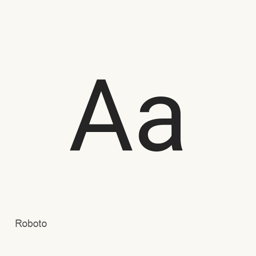
Roboto
Christian Robertson, ParaType, Font Bureau · A variable sans-serif typeface with geometric forms, open curves, weight and width axes, and upright and italic styles for text and interface design.
- Installations sur 30 jours
- 427
- Installations sur 1 an
- 4,5 k
- 365 derniers jours
- Dernière version
- latest
- 7 oct. · 7 oct.
- Taille du téléchargement
- —
- arm64 / x86_64 · git
- Rythme des versions
- Irrégulier
- 1 version en 30 jours
Roboto est une police que vous pouvez installer sur un Mac. Développée par Christian Robertson, ParaType, Font Bureau.
Informations clés
- Fichiers de police
- 2 · TTF
- Emplacement d’installation
~/Library/Fonts- Développeur
- Christian Robertson, ParaType, Font Bureau
- Commande d’installation
brew install --cask font-roboto- Homebrew
- Disponible ; mises à jour par Homebrew
- Autres noms
- font-roboto
Présentation
Roboto is a sans-serif typeface distributed through Google Fonts. Its official description combines a mechanical, largely geometric skeleton with friendly, open curves. Letterforms retain their natural width rather than being forced into a rigid rhythm, supporting a more natural reading rhythm.
Variable fonts
The Google Fonts package provides upright and italic TrueType variable fonts. The recorded metadata defines a weight axis from 100 to 900 and a width axis from 75 to 100. Supported subsets include Latin, extended Latin, Greek, Cyrillic, Vietnamese, mathematical characters and symbols; actual character availability depends on the installed font file.
macOS installation
The Homebrew cask installs Roboto[wdth,wght]. and Roboto-Italic[wdth,wght]. into the user font library. It is a font package, not a standalone graphical application. Select Roboto in a compatible application after installation; variable-axis controls depend on the application. Roboto Slab and Roboto Mono are related families but are not installed by this cask.
License and provenance
Google Fonts records the designers as Christian Robertson, ParaType and Font Bureau and the license as the SIL Open Font License. Its metadata links the source to the Roboto Classic project; the descriptive page also links to TypeNetwork/Roboto for contributions and other builds.
Unversioned package
Homebrew records the version as latest, uses no_check, and retrieves only ofl/ from the main branch of the Google Fonts Git repository. This is not an immutable release archive. A numbered upstream changelog or exact-version download size cannot be attributed to this moving package snapshot.
Sources
- https://fonts.google.com/specimen/Roboto
- https://github.com/google/fonts/tree/main/ofl/roboto
- https://github.com/google/fonts/blob/main/ofl/roboto/METADATA.pb
- https://github.com/google/fonts/blob/main/ofl/roboto/DESCRIPTION.en_us.html
- https://github.com/Homebrew/homebrew-cask/blob/HEAD/Casks/font/font-r/font-roboto.rb
Download size: Unknown.
Configuration requise
| macOS | Version | Puce | Téléchargement | Source |
|---|---|---|---|---|
| Version pour macOS 27, 26, 15, 14, 13, 12, 11 | latest | Intel | github.com/google/fonts.git | HomebrewVérifié le |
| Version pour macOS 27, 26, 15, 14, 13, 12, 11 | latest | Apple silicon | github.com/google/fonts.git | HomebrewVérifié le |
Comment installer Roboto sur Mac
- Dans « Terminal », exécutez :
brew install --cask font-roboto - Homebrew installe la police dans ~/Library/Fonts, où Livre des polices peut l’utiliser.
Installer sans Homebrew
Téléchargez le même fichier que Homebrew : github.com/google/fonts.git
Désinstaller Roboto et nettoyer éventuellement ses données
brew uninstall --cask font-robotoUne désinstallation standard supprime l’app mais conserve ses réglages et ses caches.
Nouveautés de la version latest
Nouveau · Rédaction OpenNavo
Cette version n’a pas de notes dédiées.
Détails d’installation
- Tap
- homebrew/cask
- URL de téléchargement
- https://github.com/google/fonts.git
- Définition Homebrew
- github.com/homebrew/homebrew-cask/blob/HEAD/Casks/font/font-r/font-roboto.rb
- formulae.brew.sh
- formulae.brew.sh/cask/font-roboto
- Code source
- github.com/googlefonts/roboto-classic
Contenu de l’installation et de la désinstallation
Installation
fontFichier source: Roboto-Italic[wdth,wght].
ttf Destination déclarée: /
$HOME/ Library/ Fonts/ Roboto-Italic[wdth,wght]. ttf Voir la déclaration complète
{ "font": [ "Roboto-Italic[wdth,wght].
ttf" ], "target": "/$HOME/ }Library/ Fonts/ Roboto-Italic[wdth,wght]. ttf" Installation
fontFichier source: Roboto[wdth,wght].
ttf Destination déclarée: /
$HOME/ Library/ Fonts/ Roboto[wdth,wght]. ttf Voir la déclaration complète
{ "font": [ "Roboto[wdth,wght].
ttf" ], "target": "/$HOME/ }Library/ Fonts/ Roboto[wdth,wght]. ttf"
Questions fréquentes sur Roboto
Comment désinstaller complètement Roboto sur Mac ?
Exécutez brew uninstall --cask font-roboto.
Sources
Chaque information de cette page indique sa source et sa date de vérification. Les informations dont la validité a expiré sont présentées comme valables « au » jour indiqué et ne sont plus données comme actuelles.
- Définition Homebrew : github.com/homebrew/homebrew-cask/blob/HEAD/Casks/font/font-r/font-roboto.rb · Vérifié le
- formulae.brew.sh : formulae.brew.sh/cask/font-roboto