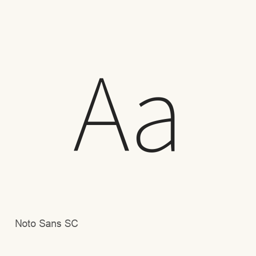
Noto Sans SC
Google · Open-source sans-serif variable font for Simplified Chinese, with weights from 100 to 900 and additional Latin, Cyrillic and Vietnamese coverage.
- Installations sur 30 jours
- 226
- Installations sur 1 an
- 1,3 k
- 365 derniers jours
- Dernière version
- latest
- 7 oct. · 7 oct.
- Taille du téléchargement
- 18Mo
- arm64 / x86_64 · ttf
- Rythme des versions
- Irrégulier
- 1 version en 30 jours
Noto Sans SC est une police que vous pouvez installer sur un Mac. Développée par Google.
Informations clés
- Fichiers de police
- 1 · TTF
- Emplacement d’installation
~/Library/Fonts- Développeur
- Commande d’installation
brew install --cask font-noto-sans-sc- Homebrew
- Disponible ; mises à jour par Homebrew
- Autres noms
- font-noto-sans-sc
Présentation
Noto Sans SC is the Simplified Chinese member of the Noto sans-serif font collection. Google Fonts identifies its designer as Google, its primary script as Simplified Han, and its license as the SIL Open Font License. The font metadata also lists Latin, Latin Extended, Cyrillic and Vietnamese subsets.
The Homebrew cask installs the single NotoSansSC[wght].ttf variable font into the user font library. Its weight axis ranges from 100 to 900, allowing applications with variable-font support to select intermediate weights. This is a typeface installation, not a standalone macOS application or font-management utility.
The Google Fonts source metadata points to the official Noto CJK repository. That repository maintains separate Sans and Serif release histories; a Noto CJK release number must not be assumed to be the version of this Google Fonts file. Homebrew records this cask as latest and downloads from the mutable main branch without a checksum, so its record does not establish an exact numbered upstream release.
Sources: https://github.com/google/fonts/tree/main/ofl/notosanssc | https://github.com/notofonts/noto-cjk | https://formulae.brew.sh/cask/font-noto-sans-sc
Configuration requise
| macOS | Version | Puce | Téléchargement | Source |
|---|---|---|---|---|
| Version pour macOS 27, 26, 15, 14, 13, 12, 11 | latest | Intel | github.com/google/fonts/raw/main/ofl/notosanssc/NotoSansSC%5Bwght%5D.ttf | HomebrewVérifié le |
| Version pour macOS 27, 26, 15, 14, 13, 12, 11 | latest | Apple silicon | github.com/google/fonts/raw/main/ofl/notosanssc/NotoSansSC%5Bwght%5D.ttf | HomebrewVérifié le |
Comment installer Noto Sans SC sur Mac
- Dans « Terminal », exécutez :
brew install --cask font-noto-sans-sc - Homebrew installe la police dans ~/Library/Fonts, où Livre des polices peut l’utiliser.
Installer sans Homebrew
Téléchargez le même fichier que Homebrew : github.com/google/fonts/raw/main/ofl/notosanssc/NotoSansSC%5Bwght%5D.ttf
Désinstaller Noto Sans SC et nettoyer éventuellement ses données
brew uninstall --cask font-noto-sans-scUne désinstallation standard supprime l’app mais conserve ses réglages et ses caches.
Nouveautés de la version latest
Nouveau · Rédaction OpenNavo
Cette version n’a pas de notes dédiées.
Détails d’installation
- Tap
- homebrew/cask
- URL de téléchargement
- https://github.com/google/fonts/raw/main/ofl/notosanssc/NotoSansSC%5Bwght%5D.ttf
- Définition Homebrew
- github.com/homebrew/homebrew-cask/blob/HEAD/Casks/font/font-n/font-noto-sans-sc.rb
- formulae.brew.sh
- formulae.brew.sh/cask/font-noto-sans-sc
- Code source
- github.com/notofonts/noto-cjk
Contenu de l’installation et de la désinstallation
Installation
fontFichier source: NotoSansSC[wght].
ttf Destination déclarée: /
$HOME/ Library/ Fonts/ NotoSansSC[wght]. ttf Voir la déclaration complète
{ "font": [ "NotoSansSC[wght].
ttf" ], "target": "/$HOME/ }Library/ Fonts/ NotoSansSC[wght]. ttf"
Questions fréquentes sur Noto Sans SC
Comment désinstaller complètement Noto Sans SC sur Mac ?
Exécutez brew uninstall --cask font-noto-sans-sc.
Sources
Chaque information de cette page indique sa source et sa date de vérification. Les informations dont la validité a expiré sont présentées comme valables « au » jour indiqué et ne sont plus données comme actuelles.
- Définition Homebrew : github.com/homebrew/homebrew-cask/blob/HEAD/Casks/font/font-n/font-noto-sans-sc.rb · Vérifié le
- formulae.brew.sh : formulae.brew.sh/cask/font-noto-sans-sc