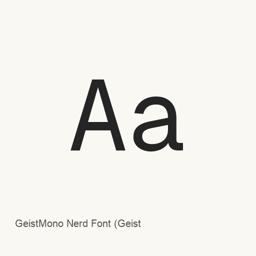
GeistMono Nerd Font
Nerd Fonts contributors; Geist by Vercel · Geist Mono patched with Nerd Fonts icons for code editors, terminals and developer interfaces, with fixed-width, standard and proportional glyph variants.
- Installations sur 30 jours
- 302
- Installations sur 1 an
- 4,4 k
- 365 derniers jours
- Dernière version
- 3.5.1
- 21 août · 21 août
- Taille du téléchargement
- 5,3Mo
- arm64 / x86_64 · xz
- Rythme des versions
- Irrégulier
- 0 version en 30 jours
GeistMono Nerd Font est une police que vous pouvez installer sur un Mac. Développée par Nerd Fonts contributors; Geist by Vercel.
Informations clés
- Fichiers de police
- 54 · OTF
- Emplacement d’installation
~/Library/Fonts- Développeur
- Nerd Fonts contributors; Geist by Vercel
- Commande d’installation
brew install --cask font-geist-mono-nerd-font- Homebrew
- Disponible ; mises à jour par Homebrew
- Autres noms
- GeistMono Nerd Font (Geist Mono), font-geist-mono-nerd-font
Présentation
GeistMono Nerd Font is the Nerd Fonts-patched edition of Geist Mono. It combines the coding typeface with extra developer-oriented symbols used by terminal prompts, status lines and editor integrations. This Homebrew package installs font files, not a standalone graphical application.
Font variants
The official family documentation describes Geist Mono as a monospaced typeface for code editors, diagrams, terminals and other text-based interfaces. Nerd Fonts adds glyphs from collections such as Codicons, Devicons, Font Awesome, Octicons, Powerline and Weather Icons. Choose the Nerd Font Mono variant for strictly fixed-width icon cells, the standard Nerd Font variant for larger icons where supported, or Nerd Font Propo for proportional contexts. These suffixes describe the patched glyph widths.
Installation and use
Install with brew install --cask font-geist-mono-nerd-font, then select an installed GeistMono Nerd Font variant in your terminal or editor font settings. Homebrew's recorded artifact installs OTF styles including thin, regular, bold, black and italic forms in the user's Library/Fonts directory. Font selection and ligature settings are handled by the host application.
Version scope
The recorded package version 3.5.1 is the Nerd Fonts distribution version, not a claim that the original Geist typeface has that version. The project-level 3.5.1 release fixes Devicons inclusion, removes SpaceMono fi/fl ligatures and flattens forgotten font subdirectories. The SpaceMono-specific change is not a Geist Mono change. No separate GeistMono-specific 3.5.1 changelog is supplied by that release.
Sources
Configuration requise
| macOS | Version | Puce | Téléchargement | Source |
|---|---|---|---|---|
| Version pour macOS 27, 26, 15, 14, 13, 12, 11 | 3.5.1 | Intel | github.com/ryanoasis/nerd-fonts/releases/download/v3.5.1/GeistMono.tar.xzSHA-256 d3ba4a7418cde16963fda0caa4f7ae866c509e0a864ec21e393455e1906e070c | HomebrewVérifié le |
| Version pour macOS 27, 26, 15, 14, 13, 12, 11 | 3.5.1 | Apple silicon | github.com/ryanoasis/nerd-fonts/releases/download/v3.5.1/GeistMono.tar.xzSHA-256 d3ba4a7418cde16963fda0caa4f7ae866c509e0a864ec21e393455e1906e070c | HomebrewVérifié le |
Comment installer GeistMono Nerd Font sur Mac
- Dans « Terminal », exécutez :
brew install --cask font-geist-mono-nerd-font - Homebrew installe la police dans ~/Library/Fonts, où Livre des polices peut l’utiliser.
Installer sans Homebrew
Téléchargez le même fichier que Homebrew : github.com/ryanoasis/nerd-fonts/releases/download/v3.5.1/GeistMono.tar.xz
Le SHA-256 vérifie seulement que le téléchargement est complet ; ce n’est pas une certification de sécurité. Voir le SHA-256 et l’adresse de téléchargement
Désinstaller GeistMono Nerd Font et nettoyer éventuellement ses données
brew uninstall --cask font-geist-mono-nerd-fontUne désinstallation standard supprime l’app mais conserve ses réglages et ses caches.
Nouveautés de la version 3.5.1
Nouveau · Rédaction OpenNavo
Cette version n’a pas de notes dédiées.
Détails d’installation
- Tap
- homebrew/cask
- URL de téléchargement
- https://github.com/ryanoasis/nerd-fonts/releases/download/v3.5.1/GeistMono.tar.xz
- SHA-256
- d3ba4a7418cde16963fda0caa4f7ae866c509e0a864ec21e393455e1906e070c
- Définition Homebrew
- github.com/homebrew/homebrew-cask/blob/HEAD/Casks/font/font-g/font-geist-mono-nerd-font.rb
- formulae.brew.sh
- formulae.brew.sh/cask/font-geist-mono-nerd-font
- Code source
- github.com/ryanoasis/nerd-fonts
Contenu de l’installation et de la désinstallation
Installation
fontFichier source: GeistMonoNerdFontPropo-ThinItalic.
otf Destination déclarée: /
$HOME/ Library/ Fonts/ GeistMonoNerdFontPropo-ThinItalic. otf Voir la déclaration complète
{ "font": [ "GeistMonoNerdFontPropo-ThinItalic.
otf" ], "target": "/$HOME/ }Library/ Fonts/ GeistMonoNerdFontPropo-ThinItalic. otf" Installation
fontFichier source: GeistMonoNerdFont-BlackItalic.
otf Destination déclarée: /
$HOME/ Library/ Fonts/ GeistMonoNerdFont-BlackItalic. otf Voir la déclaration complète
{ "font": [ "GeistMonoNerdFont-BlackItalic.
otf" ], "target": "/$HOME/ }Library/ Fonts/ GeistMonoNerdFont-BlackItalic. otf" Installation
fontFichier source: GeistMonoNerdFont-Bold.
otf Destination déclarée: /
$HOME/ Library/ Fonts/ GeistMonoNerdFont-Bold. otf Voir la déclaration complète
{ "font": [ "GeistMonoNerdFont-Bold.
otf" ], "target": "/$HOME/ }Library/ Fonts/ GeistMonoNerdFont-Bold. otf" Installation
fontFichier source: GeistMonoNerdFont-BoldItalic.
otf Destination déclarée: /
$HOME/ Library/ Fonts/ GeistMonoNerdFont-BoldItalic. otf Voir la déclaration complète
{ "font": [ "GeistMonoNerdFont-BoldItalic.
otf" ], "target": "/$HOME/ }Library/ Fonts/ GeistMonoNerdFont-BoldItalic. otf" Installation
fontFichier source: GeistMonoNerdFont-ExtraBold.
otf Destination déclarée: /
$HOME/ Library/ Fonts/ GeistMonoNerdFont-ExtraBold. otf Voir la déclaration complète
{ "font": [ "GeistMonoNerdFont-ExtraBold.
otf" ], "target": "/$HOME/ }Library/ Fonts/ GeistMonoNerdFont-ExtraBold. otf" Installation
fontFichier source: GeistMonoNerdFont-ExtraBoldItalic.
otf Destination déclarée: /
$HOME/ Library/ Fonts/ GeistMonoNerdFont-ExtraBoldItalic. otf Voir la déclaration complète
{ "font": [ "GeistMonoNerdFont-ExtraBoldItalic.
otf" ], "target": "/$HOME/ }Library/ Fonts/ GeistMonoNerdFont-ExtraBoldItalic. otf" Installation
fontFichier source: GeistMonoNerdFont-ExtraLight.
otf Destination déclarée: /
$HOME/ Library/ Fonts/ GeistMonoNerdFont-ExtraLight. otf Voir la déclaration complète
{ "font": [ "GeistMonoNerdFont-ExtraLight.
otf" ], "target": "/$HOME/ }Library/ Fonts/ GeistMonoNerdFont-ExtraLight. otf" Installation
fontFichier source: GeistMonoNerdFont-ExtraLightItalic.
otf Destination déclarée: /
$HOME/ Library/ Fonts/ GeistMonoNerdFont-ExtraLightItalic. otf Voir la déclaration complète
{ "font": [ "GeistMonoNerdFont-ExtraLightItalic.
otf" ], "target": "/$HOME/ }Library/ Fonts/ GeistMonoNerdFont-ExtraLightItalic. otf" Installation
fontFichier source: GeistMonoNerdFont-Italic.
otf Destination déclarée: /
$HOME/ Library/ Fonts/ GeistMonoNerdFont-Italic. otf Voir la déclaration complète
{ "font": [ "GeistMonoNerdFont-Italic.
otf" ], "target": "/$HOME/ }Library/ Fonts/ GeistMonoNerdFont-Italic. otf" Installation
fontFichier source: GeistMonoNerdFont-Light.
otf Destination déclarée: /
$HOME/ Library/ Fonts/ GeistMonoNerdFont-Light. otf Voir la déclaration complète
{ "font": [ "GeistMonoNerdFont-Light.
otf" ], "target": "/$HOME/ }Library/ Fonts/ GeistMonoNerdFont-Light. otf" Installation
fontFichier source: GeistMonoNerdFont-LightItalic.
otf Destination déclarée: /
$HOME/ Library/ Fonts/ GeistMonoNerdFont-LightItalic. otf Voir la déclaration complète
{ "font": [ "GeistMonoNerdFont-LightItalic.
otf" ], "target": "/$HOME/ }Library/ Fonts/ GeistMonoNerdFont-LightItalic. otf" Installation
fontFichier source: GeistMonoNerdFont-Medium.
otf Destination déclarée: /
$HOME/ Library/ Fonts/ GeistMonoNerdFont-Medium. otf Voir la déclaration complète
{ "font": [ "GeistMonoNerdFont-Medium.
otf" ], "target": "/$HOME/ }Library/ Fonts/ GeistMonoNerdFont-Medium. otf" Installation
fontFichier source: GeistMonoNerdFont-MediumItalic.
otf Destination déclarée: /
$HOME/ Library/ Fonts/ GeistMonoNerdFont-MediumItalic. otf Voir la déclaration complète
{ "font": [ "GeistMonoNerdFont-MediumItalic.
otf" ], "target": "/$HOME/ }Library/ Fonts/ GeistMonoNerdFont-MediumItalic. otf" Installation
fontFichier source: GeistMonoNerdFont-Regular.
otf Destination déclarée: /
$HOME/ Library/ Fonts/ GeistMonoNerdFont-Regular. otf Voir la déclaration complète
{ "font": [ "GeistMonoNerdFont-Regular.
otf" ], "target": "/$HOME/ }Library/ Fonts/ GeistMonoNerdFont-Regular. otf" Installation
fontFichier source: GeistMonoNerdFont-SemiBold.
otf Destination déclarée: /
$HOME/ Library/ Fonts/ GeistMonoNerdFont-SemiBold. otf Voir la déclaration complète
{ "font": [ "GeistMonoNerdFont-SemiBold.
otf" ], "target": "/$HOME/ }Library/ Fonts/ GeistMonoNerdFont-SemiBold. otf" Installation
fontFichier source: GeistMonoNerdFont-SemiBoldItalic.
otf Destination déclarée: /
$HOME/ Library/ Fonts/ GeistMonoNerdFont-SemiBoldItalic. otf Voir la déclaration complète
{ "font": [ "GeistMonoNerdFont-SemiBoldItalic.
otf" ], "target": "/$HOME/ }Library/ Fonts/ GeistMonoNerdFont-SemiBoldItalic. otf" Installation
fontFichier source: GeistMonoNerdFont-Thin.
otf Destination déclarée: /
$HOME/ Library/ Fonts/ GeistMonoNerdFont-Thin. otf Voir la déclaration complète
{ "font": [ "GeistMonoNerdFont-Thin.
otf" ], "target": "/$HOME/ }Library/ Fonts/ GeistMonoNerdFont-Thin. otf" Installation
fontFichier source: GeistMonoNerdFont-ThinItalic.
otf Destination déclarée: /
$HOME/ Library/ Fonts/ GeistMonoNerdFont-ThinItalic. otf Voir la déclaration complète
{ "font": [ "GeistMonoNerdFont-ThinItalic.
otf" ], "target": "/$HOME/ }Library/ Fonts/ GeistMonoNerdFont-ThinItalic. otf" Installation
fontFichier source: GeistMonoNerdFontMono-Black.
otf Destination déclarée: /
$HOME/ Library/ Fonts/ GeistMonoNerdFontMono-Black. otf Voir la déclaration complète
{ "font": [ "GeistMonoNerdFontMono-Black.
otf" ], "target": "/$HOME/ }Library/ Fonts/ GeistMonoNerdFontMono-Black. otf" Installation
fontFichier source: GeistMonoNerdFontMono-BlackItalic.
otf Destination déclarée: /
$HOME/ Library/ Fonts/ GeistMonoNerdFontMono-BlackItalic. otf Voir la déclaration complète
{ "font": [ "GeistMonoNerdFontMono-BlackItalic.
otf" ], "target": "/$HOME/ }Library/ Fonts/ GeistMonoNerdFontMono-BlackItalic. otf"
Questions fréquentes sur GeistMono Nerd Font
Comment désinstaller complètement GeistMono Nerd Font sur Mac ?
Exécutez brew uninstall --cask font-geist-mono-nerd-font.
GeistMono Nerd Font : quelle est la dernière version ?
La dernière version est 3.5.1. Exécutez brew upgrade --cask font-geist-mono-nerd-font pour le mettre à jour.
Sources
Chaque information de cette page indique sa source et sa date de vérification. Les informations dont la validité a expiré sont présentées comme valables « au » jour indiqué et ne sont plus données comme actuelles.
- Définition Homebrew : github.com/homebrew/homebrew-cask/blob/HEAD/Casks/font/font-g/font-geist-mono-nerd-font.rb · Vérifié le
- formulae.brew.sh : formulae.brew.sh/cask/font-geist-mono-nerd-font