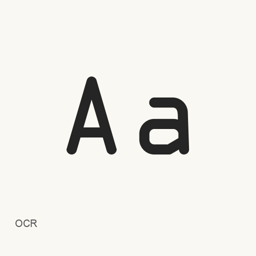
OCR
Matthew Skala · A font package with OCR-A and OCR-B typefaces, installed as seven OpenType font files.
- Installationen (30 Tage)
- 8
- Installationen (1 Jahr)
- 101
- Letzte 365 Tage
- Neueste Version
- 0.3.1
- Downloadgröße
- 645kB
- arm64 / x86_64 · zip
- Update-Rhythmus
- Unregelmäßig
- 0 Versionen in 30 Tagen
OCR ist eine Schriftart, die Sie auf einem Mac installieren können. Der Entwickler ist Matthew Skala.
Eckdaten
- Schriftdateien
- 7 · OTF
- Installationsort
~/Library/Fonts- Entwickler
- Matthew Skala
- Installationsbefehl
brew install --cask font-ocr- Homebrew
- Installierbar; Updates über Homebrew
- Auch bekannt als
- font-ocr
Beschreibung
OCR is a font package from the Tsukurimashou Project, containing OCR-A and OCR-B typefaces. The project describes OCR-A as the typeface used for ISBNs on books and OCR-B as the typeface used for human-readable digits on UPC/EAN barcodes.
- Includes seven OpenType font files:
OCRA.,otf OCRB.,otf OCRBE.,otf OCRBF.,otf OCRBL.,otf OCRBS., andotf OCRBX..otf - The project says the fonts are free to use, including in commercial applications.
- This package installs fonts, not an OCR application. To use them, select an installed font in an application that supports custom fonts; these typefaces are intended for OCR-related lettering and are not presented as coding fonts.
Install with Homebrew:
brew install --cask font-ocr
After installation, choose the desired OCR font in a compatible application. The included file list identifies the installed font files; it does not establish complete character coverage or additional font features.
Sources: Tsukurimashou Project: OCR A and OCR B
Version changes: Unknown.
Systemvoraussetzungen
| macOS | App-Version | Chips | Download | Quelle |
|---|---|---|---|---|
| Build für macOS 27, 26, 15, 14, 13, 12, 11 | 0.3.1 | Intel | tsukurimashou.org/files/ocr-0.3.1.zipSHA-256 58136fccfdee0923cc83a20996a067b98bae054570ee41bf896d7ca8224399bf | HomebrewGeprüft am |
| Build für macOS 27, 26, 15, 14, 13, 12, 11 | 0.3.1 | Apple silicon | tsukurimashou.org/files/ocr-0.3.1.zipSHA-256 58136fccfdee0923cc83a20996a067b98bae054570ee41bf896d7ca8224399bf | HomebrewGeprüft am |
So installieren Sie OCR auf dem Mac
- Führen Sie im Terminal Folgendes aus:
brew install --cask font-ocr - Homebrew installiert die Schrift in ~/Library/Fonts, wo die App „Schriftsammlung“ sie verwenden kann.
Ohne Homebrew installieren
Laden Sie dieselbe Datei herunter, die Homebrew verwendet: tsukurimashou.org/files/ocr-0.3.1.zip
SHA-256 prüft nur, ob der Download vollständig ist; es ist keine Sicherheitszertifizierung. SHA-256 und Downloadadresse ansehen
OCR deinstallieren und Daten optional bereinigen
brew uninstall --cask font-ocrEine normale Deinstallation entfernt die App, behält aber ihre Einstellungen und Caches.
Neu in 0.3.1
Neu Aus Homebrew-Commits
Für diese Version gibt es keine eigenen Versionshinweise.
Installationsdetails
- Tap
- homebrew/cask
- Download-URL
- https://tsukurimashou.org/files/ocr-0.3.1.zip
- SHA-256
- 58136fccfdee0923cc83a20996a067b98bae054570ee41bf896d7ca8224399bf
- Homebrew-Definition
- github.com/homebrew/homebrew-cask/blob/HEAD/Casks/font/font-o/font-ocr.rb
- formulae.brew.sh
- formulae.brew.sh/cask/font-ocr
Inhalte bei Installation und Deinstallation
Installation
fontQuelldatei: ocr-0.
3. 1/ OCRA. otf Angegebenes Ziel: /
$HOME/ Library/ Fonts/ OCRA. otf Vollständige Deklaration ansehen
{ "font": [ "ocr-0.
3. ], "target": "/1/ OCRA. otf" $HOME/ }Library/ Fonts/ OCRA. otf" Installation
fontQuelldatei: ocr-0.
3. 1/ OCRB. otf Angegebenes Ziel: /
$HOME/ Library/ Fonts/ OCRB. otf Vollständige Deklaration ansehen
{ "font": [ "ocr-0.
3. ], "target": "/1/ OCRB. otf" $HOME/ }Library/ Fonts/ OCRB. otf" Installation
fontQuelldatei: ocr-0.
3. 1/ OCRBE. otf Angegebenes Ziel: /
$HOME/ Library/ Fonts/ OCRBE. otf Vollständige Deklaration ansehen
{ "font": [ "ocr-0.
3. ], "target": "/1/ OCRBE. otf" $HOME/ }Library/ Fonts/ OCRBE. otf" Installation
fontQuelldatei: ocr-0.
3. 1/ OCRBF. otf Angegebenes Ziel: /
$HOME/ Library/ Fonts/ OCRBF. otf Vollständige Deklaration ansehen
{ "font": [ "ocr-0.
3. ], "target": "/1/ OCRBF. otf" $HOME/ }Library/ Fonts/ OCRBF. otf" Installation
fontQuelldatei: ocr-0.
3. 1/ OCRBL. otf Angegebenes Ziel: /
$HOME/ Library/ Fonts/ OCRBL. otf Vollständige Deklaration ansehen
{ "font": [ "ocr-0.
3. ], "target": "/1/ OCRBL. otf" $HOME/ }Library/ Fonts/ OCRBL. otf" Installation
fontQuelldatei: ocr-0.
3. 1/ OCRBS. otf Angegebenes Ziel: /
$HOME/ Library/ Fonts/ OCRBS. otf Vollständige Deklaration ansehen
{ "font": [ "ocr-0.
3. ], "target": "/1/ OCRBS. otf" $HOME/ }Library/ Fonts/ OCRBS. otf" Installation
fontQuelldatei: ocr-0.
3. 1/ OCRBX. otf Angegebenes Ziel: /
$HOME/ Library/ Fonts/ OCRBX. otf Vollständige Deklaration ansehen
{ "font": [ "ocr-0.
3. ], "target": "/1/ OCRBX. otf" $HOME/ }Library/ Fonts/ OCRBX. otf"
Häufige Fragen zu OCR
Wie deinstalliere ich OCR vollständig auf dem Mac?
Führen Sie brew uninstall --cask font-ocr aus.
Was ist die aktuelle Version von OCR?
Die aktuelle Version ist 0.3.1. Zum Aktualisieren führen Sie brew upgrade --cask font-ocr aus.
Quellen
Jede Angabe auf dieser Seite nennt ihre Quelle und ihr Prüfdatum. Abgelaufene Angaben werden nur mit „Stand“ und Datum angezeigt und nicht mehr als aktuell dargestellt.
- Homebrew-Definition: github.com/homebrew/homebrew-cask/blob/HEAD/Casks/font/font-o/font-ocr.rb · Geprüft am
- formulae.brew.sh: formulae.brew.sh/cask/font-ocr