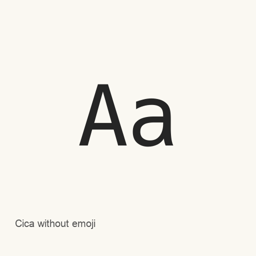
Cica without emoji
Takahiro Minami · A Japanese monospaced programming font; this Homebrew variant is the “without emoji” package and installs regular, bold, italic, and bold italic font files.
- 30-day installs
- 1
- 1-year installs
- 29
- Last 365 days
- Latest version
- 5.0.3
- Mar 26, 2022 · Mar 26, 2022
- Download size
- 22MB
- arm64 / x86_64 · zip
- Release cadence
- Irregular
- 0 releases in 30 days
Cica without emoji is a font you can install on a Mac. It is made by Takahiro Minami.
Quick facts
- Font files
- 4 · TTF
- Installs to
~/Library/Fonts- Developer
- Takahiro Minami
- Install
brew install --cask font-cica-without-emoji- Homebrew
- Available; updated by Homebrew
- Also known as
- font-cica-without-emoji
About
Cica is a Japanese monospaced font designed for programming. This Homebrew variant is the “without emoji” package and installs four font files: regular, bold, italic, and bold italic.
- Combines designs including Hack, DejaVu Sans Mono, and Rounded Mgen+, with adjustments for programming use.
- Includes Nerd Fonts glyphs and Icons for Devs; the project excludes Pomicons.
- Designed to support tmux pane dividers and to improve the readability of characters such as subscripts and superscripts.
- The project describes adjustments to the lowercase
mto make it easier to distinguish fromrn.
Install with brew install --cask font-cica-without-emoji. After installation, select the installed Cica font in a compatible application’s font settings; this package installs fonts, not an application. The installed files are Cica-Regular., Cica-Bold., Cica-RegularItalic., and Cica-BoldItalic.. Select the style you want in the application.
System requirements
| macOS | Version | Chips | Download | Source |
|---|---|---|---|---|
| Build for macOS 27, 26, 15, 14, 13, 12, 11 | 5.0.3 | Intel | github.com/miiton/Cica/releases/download/v5.0.3/Cica_v5.0.3_without_emoji.zipSHA-256 e14c95c8c3e98d3778632f577a2cafa69ee82cd8c2efdb1f38c821e37c487dbf | HomebrewChecked |
| Build for macOS 27, 26, 15, 14, 13, 12, 11 | 5.0.3 | Apple silicon | github.com/miiton/Cica/releases/download/v5.0.3/Cica_v5.0.3_without_emoji.zipSHA-256 e14c95c8c3e98d3778632f577a2cafa69ee82cd8c2efdb1f38c821e37c487dbf | HomebrewChecked |
How to install Cica without emoji on Mac
- In Terminal, run:
brew install --cask font-cica-without-emoji - Homebrew installs the font in ~/Library/Fonts, where Font Book can use it.
Install without Homebrew
Download the same file Homebrew uses: github.com/miiton/Cica/releases/download/v5.0.3/Cica_v5.0.3_without_emoji.zip
SHA-256 only checks that the download is complete; it is not a security certification. See the SHA-256 and download address
Uninstall Cica without emoji and optional data cleanup
brew uninstall --cask font-cica-without-emojiA regular uninstall removes the app and keeps its settings and caches.
What’s new in 5.0.3
New · OpenNavo editorial
- ChangesAdded missing characters U+E0A0 and U+F4A8.
Install Details
- Tap
- homebrew/cask
- Download URL
- https://github.com/miiton/Cica/releases/download/v5.0.3/Cica_v5.0.3_without_emoji.zip
- SHA-256
- e14c95c8c3e98d3778632f577a2cafa69ee82cd8c2efdb1f38c821e37c487dbf
- Homebrew definition
- github.com/homebrew/homebrew-cask/blob/HEAD/Casks/font/font-c/font-cica-without-emoji.rb
- formulae.brew.sh
- formulae.brew.sh/cask/font-cica-without-emoji
- Source code
- github.com/miiton/Cica
Installation and removal contents
Install
fontSource file: Cica-Bold.
ttf Declared destination: /
$HOME/ Library/ Fonts/ Cica-Bold. ttf View full declaration
{ "font": [ "Cica-Bold.
ttf" ], "target": "/$HOME/ }Library/ Fonts/ Cica-Bold. ttf" Install
fontSource file: Cica-BoldItalic.
ttf Declared destination: /
$HOME/ Library/ Fonts/ Cica-BoldItalic. ttf View full declaration
{ "font": [ "Cica-BoldItalic.
ttf" ], "target": "/$HOME/ }Library/ Fonts/ Cica-BoldItalic. ttf" Install
fontSource file: Cica-Regular.
ttf Declared destination: /
$HOME/ Library/ Fonts/ Cica-Regular. ttf View full declaration
{ "font": [ "Cica-Regular.
ttf" ], "target": "/$HOME/ }Library/ Fonts/ Cica-Regular. ttf" Install
fontSource file: Cica-RegularItalic.
ttf Declared destination: /
$HOME/ Library/ Fonts/ Cica-RegularItalic. ttf View full declaration
{ "font": [ "Cica-RegularItalic.
ttf" ], "target": "/$HOME/ }Library/ Fonts/ Cica-RegularItalic. ttf"
Questions about Cica without emoji
How do I completely uninstall Cica without emoji on a Mac?
Run brew uninstall --cask font-cica-without-emoji.
What is the latest version of Cica without emoji?
The latest version is 5.0.3. Run brew upgrade --cask font-cica-without-emoji to update it.
Sources
Every fact on this page names its source and check date. Facts past their validity read “as of” their date and are no longer stated as current.
- Homebrew definition: github.com/homebrew/homebrew-cask/blob/HEAD/Casks/font/font-c/font-cica-without-emoji.rb · Checked
- formulae.brew.sh: formulae.brew.sh/cask/font-cica-without-emoji