来自 homebrew/cask
- 近 30 天安装
- 0
- 近一年安装
- 19
- 365 天累计
- 最新版本
- latest
- 下载大小
- 80KB
- arm64 / x86_64 · ttf
- 更新节奏
- 不定期
- 近 30 天 0 个版本
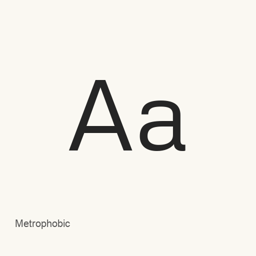
Metrophobic 是可以安装在 Mac 上的字体。开发者是 Vernon Adams。
基本信息
- 字体文件
- 1 · TTF
- 安装位置
~/Library/Fonts- 开发者
- Vernon Adams
- 安装命令
brew install --cask font-metrophobic- Homebrew
- 可以安装,由 Homebrew 更新
- 其他名称
- font-metrophobic
介绍
AI 翻译查看原文Metrophobic 是通过 Google Fonts 发布的字体。此 Homebrew Cask 只安装一个文件:常规样式的 Metrophobic-Regular.,不会安装独立应用。
运行 brew install --cask font-metrophobic 即可安装。安装后,在支持自定义字体的应用程序字体菜单中选择 Metrophobic。只有在其字形适合编程或等宽文本需求时,才将其用于编辑器或终端;所安装文件标示为常规字体,并非编程字体或等宽字体变体。
此 cask 仅安装所列的常规字体文件,因此不应假定它包含其他字重或样式。现有产品信息未说明 Unicode 覆盖范围或连字支持情况。
系统要求
| macOS | 应用版本 | 芯片 | 下载 | 来源 |
|---|---|---|---|---|
| 适用于 macOS 27, 26, 15, 14, 13, 12, 11 的版本 | latest | Intel | github.com/google/fonts/raw/main/ofl/metrophobic/Metrophobic-Regular.ttf | Homebrew核查于 |
| 适用于 macOS 27, 26, 15, 14, 13, 12, 11 的版本 | latest | Apple 芯片 | github.com/google/fonts/raw/main/ofl/metrophobic/Metrophobic-Regular.ttf | Homebrew核查于 |
如何在 Mac 上安装 Metrophobic
- 在“终端”中运行:
brew install --cask font-metrophobic - Homebrew 会把字体安装到 ~/Library/Fonts,之后可以在“字体册”中使用。
不用 Homebrew 安装
直接下载 Homebrew 使用的同一个文件: github.com/google/fonts/raw/main/ofl/metrophobic/Metrophobic-Regular.ttf
卸载 Metrophobic 与可选的数据清理
卸载命令
brew uninstall --cask font-metrophobic普通卸载会删除应用本身,设置和缓存会保留。
latest 更新内容
新版本 OpenNavo 编辑 · AI 翻译
- 字体分发仓库中的 Metrophobic-Regular.ttf 已更新。
安装细节
安装与卸载内容
安装
font来源文件: Metrophobic-Regular.
ttf 声明的目标位置: /
$HOME/ Library/ Fonts/ Metrophobic-Regular. ttf 查看完整声明
{ "font": [ "Metrophobic-Regular.
ttf" ], "target": "/$HOME/ }Library/ Fonts/ Metrophobic-Regular. ttf"
关于 Metrophobic 的常见问题
怎样在 Mac 上彻底卸载 Metrophobic?
运行 brew uninstall --cask font-metrophobic。
来源
页面上的每项资料都注明来源和核查日期;过期的资料只写“截至”某日,不再当作当前事实。
- Homebrew 定义:github.com/homebrew/homebrew-cask/blob/HEAD/Casks/font/font-m/font-metrophobic.rb · 核查于
- formulae.brew.sh:formulae.brew.sh/cask/font-metrophobic