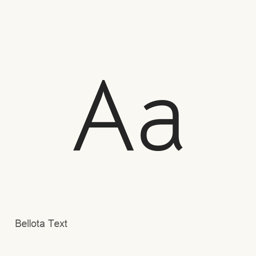
Bellota Text
Kemie Guaida · 通过 Homebrew 安装的文本字体系列,包含 Light、Regular 和 Bold 三种字重及其斜体,共六个字体文件。
Cask字体Apple 芯片 · Intel
来自 homebrew/cask
近 30 天安装4
近一年安装25365 天累计
最新版本latest
下载大小—arm64 / x86_64 · git
更新节奏不定期近 30 天 0 个版本
- 来源仓库
- homebrew/cask
- 其他名称
- Bellota Text · font-bellota-text
- formulae.brew.sh
- formulae.brew.sh/cask/font-bellota-text
安装与卸载内容
安装
font来源文件: BellotaText-Bold.
ttf 声明的目标位置: /
$HOME/ Library/ Fonts/ BellotaText-Bold. ttf 查看完整声明
{ "font": [ "BellotaText-Bold.
ttf" ], "target": "/$HOME/ }Library/ Fonts/ BellotaText-Bold. ttf" 安装
font来源文件: BellotaText-BoldItalic.
ttf 声明的目标位置: /
$HOME/ Library/ Fonts/ BellotaText-BoldItalic. ttf 查看完整声明
{ "font": [ "BellotaText-BoldItalic.
ttf" ], "target": "/$HOME/ }Library/ Fonts/ BellotaText-BoldItalic. ttf" 安装
font来源文件: BellotaText-Italic.
ttf 声明的目标位置: /
$HOME/ Library/ Fonts/ BellotaText-Italic. ttf 查看完整声明
{ "font": [ "BellotaText-Italic.
ttf" ], "target": "/$HOME/ }Library/ Fonts/ BellotaText-Italic. ttf" 安装
font来源文件: BellotaText-Light.
ttf 声明的目标位置: /
$HOME/ Library/ Fonts/ BellotaText-Light. ttf 查看完整声明
{ "font": [ "BellotaText-Light.
ttf" ], "target": "/$HOME/ }Library/ Fonts/ BellotaText-Light. ttf" 安装
font来源文件: BellotaText-LightItalic.
ttf 声明的目标位置: /
$HOME/ Library/ Fonts/ BellotaText-LightItalic. ttf 查看完整声明
{ "font": [ "BellotaText-LightItalic.
ttf" ], "target": "/$HOME/ }Library/ Fonts/ BellotaText-LightItalic. ttf" 安装
font来源文件: BellotaText-Regular.
ttf 声明的目标位置: /
$HOME/ Library/ Fonts/ BellotaText-Regular. ttf 查看完整声明
{ "font": [ "BellotaText-Regular.
ttf" ], "target": "/$HOME/ }Library/ Fonts/ BellotaText-Regular. ttf"