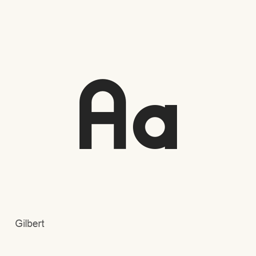
Gilbert
NewFest, NYC Pride, Ogilvy & Mather, and Fontself · 受彩虹旗啟發的預覽 alpha 版 OpenType 字型,包含粗體和彩色粗體字型檔案。
- 近 30 天安裝
- 0
- 近一年安裝
- 20
- 365 天累計
- 最新版本
- 1.005
- 2019年5月28日 · 2019年5月28日
- 下載大小
- 207kB
- arm64 / x86_64 · zip
- 更新節奏
- 不定期
- 近 30 天 0 個版本
Gilbert 是可以安裝在 Mac 上的字型。開發者是 NewFest, NYC Pride, Ogilvy & Mather, and Fontself。
基本資訊
- 字型檔案
- 2 · OTF
- 安裝位置
~/Library/Fonts- 開發者
- NewFest, NYC Pride, Ogilvy & Mather, and Fontself
- 安裝命令
brew install --cask font-gilbert- Homebrew
- 可以安裝,由 Homebrew 更新
- 其他名稱
- font-gilbert
介紹
AI 翻譯檢視原文Gilbert 是一款受彩虹旗設計語言啟發的字型專案,以彩虹旗創作者 Gilbert Baker 命名。此 Homebrew cask 安裝兩個預覽字型檔案:一個粗體 OpenType 字型和一個彩色粗體字型。專案說明彩色版本採用 OpenType-SVG 彩色字型格式。
包含的檔案:
Gilbert-Bold Preview5.otf Gilbert-Color Bold Preview5.otf
專案將 Gilbert 標為預覽 alpha 版,因此安裝的是預覽字型,並不代表完整字型家族。兩個檔案僅能說明包含粗體和彩色粗體樣式,不能據此推斷更廣泛的樣式、Unicode 字元覆蓋範圍或連字支援。
使用 brew install --cask font-gilbert 安裝。安裝後,在相容的應用程式中選擇已安裝的 Gilbert 字型即可使用;此軟體包安裝的是字型,而不是應用程式。彩色字型能否正確呈現取決於應用程式的字型支援情況。
專案依據 Creative Commons Attribution-ShareAlike 4.0 International License 釋出該字型。
來源:Gilbert 專案 · 專案 README
系統要求
| macOS | 應用版本 | 晶片 | 下載 | 來源 |
|---|---|---|---|---|
| 適用於 macOS 27, 26, 15, 14, 13, 12, 11 的版本 | 1.005,alpha | Intel | github.com/Fontself/TypeWithPride/releases/download/1.005/Gilbert_1.005_alpha.zipSHA-256 d3ac3075efe00bf4302264b2e626f548e3549740d359a43991605b2a180d8cbe | Homebrew核查於 |
| 適用於 macOS 27, 26, 15, 14, 13, 12, 11 的版本 | 1.005,alpha | Apple 晶片 | github.com/Fontself/TypeWithPride/releases/download/1.005/Gilbert_1.005_alpha.zipSHA-256 d3ac3075efe00bf4302264b2e626f548e3549740d359a43991605b2a180d8cbe | Homebrew核查於 |
如何在 Mac 上安裝 Gilbert
- 在“終端”中執行:
brew install --cask font-gilbert - Homebrew 會把字型安裝到 ~/Library/Fonts,之後可以在“字型冊”中使用。
不用 Homebrew 安裝
直接下載 Homebrew 使用的同一個檔案: github.com/Fontself/TypeWithPride/releases/download/1.005/Gilbert_1.005_alpha.zip
SHA-256 只用來核對下載的檔案是否完整,不代表安全認證。 檢視 SHA-256 和下載地址
解除安裝 Gilbert 與可選的資料清理
brew uninstall --cask font-gilbert普通解除安裝會刪除應用本身,設定和快取會保留。
1.005 更新內容
新版本 · OpenNavo 編輯 · AI 翻譯
- 字元新增片假名字元。
安裝細節
- 來源倉庫
- homebrew/cask
- 下載地址
- https://github.com/Fontself/TypeWithPride/releases/download/1.005/Gilbert_1.005_alpha.zip
- SHA-256
- d3ac3075efe00bf4302264b2e626f548e3549740d359a43991605b2a180d8cbe
- Homebrew 定義檔案
- github.com/homebrew/homebrew-cask/blob/HEAD/Casks/font/font-g/font-gilbert.rb
- formulae.brew.sh
- formulae.brew.sh/cask/font-gilbert
- 原始碼
- github.com/Fontself/TypeWithPride
安裝與解除安裝內容
安裝
font來原始檔: Gilbert-Bold Preview5.
otf 宣告的目標位置: /
$HOME/ Preview5.Library/ Fonts/ Gilbert-Bold otf 檢視完整宣告
{ "font": [ "Gilbert-Bold Preview5.
otf" ], "target": "/$HOME/ Preview5.Library/ Fonts/ Gilbert-Bold otf" }安裝
font來原始檔: Gilbert-Color Bold Preview5.
otf 宣告的目標位置: /
$HOME/ Bold Preview5.Library/ Fonts/ Gilbert-Color otf 檢視完整宣告
{ "font": [ "Gilbert-Color Bold Preview5.
otf" ], "target": "/$HOME/ Bold Preview5.Library/ Fonts/ Gilbert-Color otf" }
關於 Gilbert 的常見問題
怎樣在 Mac 上徹底解除安裝 Gilbert?
執行 brew uninstall --cask font-gilbert。
Gilbert 的最新版本是多少?
最新版本是 1.005。執行 brew upgrade --cask font-gilbert 即可更新。
來源
頁面上的每項資料都註明來源和核查日期;過期的資料只寫“截至”某日,不再當作當前事實。
- Homebrew 定義:github.com/homebrew/homebrew-cask/blob/HEAD/Casks/font/font-g/font-gilbert.rb · 核查於
- formulae.brew.sh:formulae.brew.sh/cask/font-gilbert