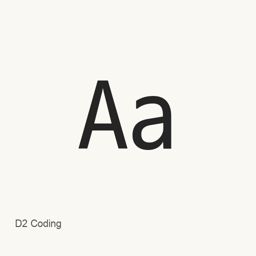
D2 Coding
FONTRIX · A monospaced coding font designed for clear character distinction and aligned Latin, Hangul, and CJK text.
- 近 30 天安裝
- 737
- 近一年安裝
- 7013
- 365 天累計
- 最新版本
- 1.4.0
- 10月3日 · 10月3日
- 下載大小
- 21MB
- arm64 / x86_64 · zip
- 更新節奏
- 每月
- 近 30 天 2 個版本
D2 Coding 是可以安裝在 Mac 上的字型。開發者是 FONTRIX。
基本資訊
- 字型檔案
- 1 · TTC
- 安裝位置
~/Library/Fonts- 開發者
- FONTRIX
- 安裝命令
brew install --cask font-d2coding- Homebrew
- 可以安裝,由 Homebrew 更新
- 其他名稱
- font-d2coding
介紹
D2 Coding is a monospaced typeface for source code and other text where consistent character spacing is useful. Based on Nanum Barun Gothic, it combines Latin letterforms with Hangul and is designed to make easily confused letters, digits, Hangul characters, and punctuation more distinguishable.
- Its monospaced spacing keeps code columns aligned; Hangul syllables and included ideographs occupy twice the advance width of a Latin character.
- The typeface includes all Hangul syllables, Latin and extended characters, and CJK Unified and compatibility ideographs described by the project. This is a specified character set, not a claim of complete Unicode coverage.
- A separate ligature build supports programming-operator ligatures. The Homebrew cask installs the standard D2Coding font file, not that separate ligature build.
- The font includes a dotted-zero option through OpenType features; it is off by default.
Install the font with brew install --cask font-d2coding. After installation, select the installed D2Coding font by name in your editor or terminal’s font settings; restart the application if needed for it to detect the font. This installs a font file, not an application.
系統要求
| macOS | 應用版本 | 晶片 | 下載 | 來源 |
|---|---|---|---|---|
| 適用於 macOS 27, 26, 15, 14, 13, 12, 11 的版本 | 1.4.0,20261003 | Intel | github.com/naver/d2codingfont/releases/download/VER1.4.0/D2Coding-Ver1.4.0-20261003.zipSHA-256 17e2da5e2879006eb725b87943f7988736ef8b6c9f8b84bc8e3bdbcb8dd46744 | Homebrew核查於 |
| 適用於 macOS 27, 26, 15, 14, 13, 12, 11 的版本 | 1.4.0,20261003 | Apple 晶片 | github.com/naver/d2codingfont/releases/download/VER1.4.0/D2Coding-Ver1.4.0-20261003.zipSHA-256 17e2da5e2879006eb725b87943f7988736ef8b6c9f8b84bc8e3bdbcb8dd46744 | Homebrew核查於 |
如何在 Mac 上安裝 D2 Coding
- 在「終端機」中執行:
brew install --cask font-d2coding - Homebrew 會把字型安裝到 ~/Library/Fonts,之後可以在「字型冊」中使用。
不用 Homebrew 安裝
直接下載 Homebrew 使用的同一個檔案: github.com/naver/d2codingfont/releases/download/VER1.4.0/D2Coding-Ver1.4.0-20261003.zip
SHA-256 只用來核對下載的檔案是否完整,不代表安全認證。 檢視 SHA-256 和下載網址
解除安裝 D2 Coding 與可選的資料清理
brew uninstall --cask font-d2coding普通解除安裝會刪除應用本身,設定和快取會保留。
1.4.0 更新內容
新版本 · OpenNavo 編輯
這個版本沒有單獨的更新說明。
安裝細節
- 來源倉庫
- homebrew/cask
- 下載網址
- https://github.com/naver/d2codingfont/releases/download/VER1.4.0/D2Coding-Ver1.4.0-20261003.zip
- SHA-256
- 17e2da5e2879006eb725b87943f7988736ef8b6c9f8b84bc8e3bdbcb8dd46744
- Homebrew 定義檔案
- github.com/homebrew/homebrew-cask/blob/HEAD/Casks/font/font-d/font-d2coding.rb
- formulae.brew.sh
- formulae.brew.sh/cask/font-d2coding
- 原始碼
- github.com/naver/d2codingfont
安裝與解除安裝內容
安裝
font來源檔案: D2Coding/
D2Coding-Ver1. 4. 0-20261003. ttc 宣告的目標位置: /
$HOME/ Library/ Fonts/ D2Coding-Ver1. 4. 0-20261003. ttc 檢視完整宣告
{ "font": [ "D2Coding/
D2Coding-Ver1. ], "target": "/4. 0-20261003. ttc" $HOME/ }Library/ Fonts/ D2Coding-Ver1. 4. 0-20261003. ttc"
關於 D2 Coding 的常見問題
如何在 Mac 上徹底解除安裝 D2 Coding?
執行 brew uninstall --cask font-d2coding。
D2 Coding 的最新版本是多少?
最新版本是 1.4.0。執行 brew upgrade --cask font-d2coding 即可更新。
來源
頁面上的每項資料都註明來源和核查日期;過期的資料只寫「截至」某日,不再當作當前事實。
- Homebrew 定義:github.com/homebrew/homebrew-cask/blob/HEAD/Casks/font/font-d/font-d2coding.rb · 核查於
- formulae.brew.sh:formulae.brew.sh/cask/font-d2coding