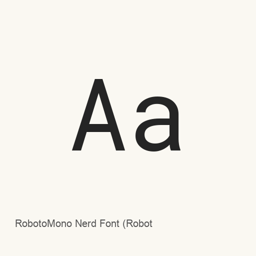
RobotoMono Nerd Font (Roboto Mono)
Nerd Fonts project · A Roboto Mono typeface patched with additional glyphs from Nerd Fonts for use in compatible applications.
- Installationen (30 Tage)
- 155
- Installationen (1 Jahr)
- 3928
- Letzte 365 Tage
- Neueste Version
- 3.5.1
- 21. Aug. · 21. Aug.
- Downloadgröße
- 4,2MB
- arm64 / x86_64 · xz
- Update-Rhythmus
- Unregelmäßig
- 0 Versionen in 30 Tagen
RobotoMono Nerd Font (Roboto Mono) ist eine Schriftart, die Sie auf einem Mac installieren können. Der Entwickler ist Nerd Fonts project.
Eckdaten
- Schriftdateien
- 36 · TTF
- Installationsort
~/Library/Fonts- Entwickler
- Nerd Fonts project
- Installationsbefehl
brew install --cask font-roboto-mono-nerd-font- Homebrew
- Installierbar; Updates über Homebrew
- Auch bekannt als
- font-roboto-mono-nerd-font
Beschreibung
RobotoMono Nerd Font is a Roboto Mono font variant enhanced with additional glyphs from the Nerd Fonts project. It is a font package, not a separate application.
- Based on the Roboto Mono typeface.
- Adds glyphs from icon collections such as Font Awesome, Material Design Icons, and Octicons.
- Nerd Fonts provides patched fonts with monospaced or other glyph-width options; these describe the added Nerd Font glyphs and do not establish the width of every character in the font.
- The available glyphs do not imply complete Unicode coverage or ligature support.
Install with brew install --cask font-roboto-mono-nerd-font. Then select the installed RobotoMono Nerd Font face in a compatible application’s font settings. For coding, choose it in an editor or terminal that supports custom fonts; installing the font does not install an application or select the font automatically.
Source: Nerd Fonts project
Systemvoraussetzungen
| macOS | App-Version | Chips | Download | Quelle |
|---|---|---|---|---|
| Build für macOS 27, 26, 15, 14, 13, 12, 11 | 3.5.1 | Intel | github.com/ryanoasis/nerd-fonts/releases/download/v3.5.1/RobotoMono.tar.xzSHA-256 61f53438b240a00c87c92dc2c372db0bbb264473b36a8144ea62babf787f8383 | HomebrewGeprüft am |
| Build für macOS 27, 26, 15, 14, 13, 12, 11 | 3.5.1 | Apple silicon | github.com/ryanoasis/nerd-fonts/releases/download/v3.5.1/RobotoMono.tar.xzSHA-256 61f53438b240a00c87c92dc2c372db0bbb264473b36a8144ea62babf787f8383 | HomebrewGeprüft am |
So installieren Sie RobotoMono Nerd Font (Roboto Mono) auf dem Mac
- Führen Sie im Terminal Folgendes aus:
brew install --cask font-roboto-mono-nerd-font - Homebrew installiert die Schrift in ~/Library/Fonts, wo die App „Schriftsammlung“ sie verwenden kann.
Ohne Homebrew installieren
Laden Sie dieselbe Datei herunter, die Homebrew verwendet: github.com/ryanoasis/nerd-fonts/releases/download/v3.5.1/RobotoMono.tar.xz
SHA-256 prüft nur, ob der Download vollständig ist; es ist keine Sicherheitszertifizierung. SHA-256 und Downloadadresse ansehen
RobotoMono Nerd Font (Roboto Mono) deinstallieren und Daten optional bereinigen
brew uninstall --cask font-roboto-mono-nerd-fontEine normale Deinstallation entfernt die App, behält aber ihre Einstellungen und Caches.
Neu in 3.5.1
Neu · OpenNavo-Redaktion
Für diese Version gibt es keine eigenen Versionshinweise.
Installationsdetails
- Tap
- homebrew/cask
- Download-URL
- https://github.com/ryanoasis/nerd-fonts/releases/download/v3.5.1/RobotoMono.tar.xz
- SHA-256
- 61f53438b240a00c87c92dc2c372db0bbb264473b36a8144ea62babf787f8383
- Homebrew-Definition
- github.com/homebrew/homebrew-cask/blob/HEAD/Casks/font/font-r/font-roboto-mono-nerd-font.rb
- formulae.brew.sh
- formulae.brew.sh/cask/font-roboto-mono-nerd-font
- Quellcode
- github.com/ryanoasis/nerd-fonts
Inhalte bei Installation und Deinstallation
Installation
fontQuelldatei: RobotoMonoNerdFontPropo-ThinItalic.
ttf Angegebenes Ziel: /
$HOME/ Library/ Fonts/ RobotoMonoNerdFontPropo-ThinItalic. ttf Vollständige Deklaration ansehen
{ "font": [ "RobotoMonoNerdFontPropo-ThinItalic.
ttf" ], "target": "/$HOME/ }Library/ Fonts/ RobotoMonoNerdFontPropo-ThinItalic. ttf" Installation
fontQuelldatei: RobotoMonoNerdFont-BoldItalic.
ttf Angegebenes Ziel: /
$HOME/ Library/ Fonts/ RobotoMonoNerdFont-BoldItalic. ttf Vollständige Deklaration ansehen
{ "font": [ "RobotoMonoNerdFont-BoldItalic.
ttf" ], "target": "/$HOME/ }Library/ Fonts/ RobotoMonoNerdFont-BoldItalic. ttf" Installation
fontQuelldatei: RobotoMonoNerdFont-Italic.
ttf Angegebenes Ziel: /
$HOME/ Library/ Fonts/ RobotoMonoNerdFont-Italic. ttf Vollständige Deklaration ansehen
{ "font": [ "RobotoMonoNerdFont-Italic.
ttf" ], "target": "/$HOME/ }Library/ Fonts/ RobotoMonoNerdFont-Italic. ttf" Installation
fontQuelldatei: RobotoMonoNerdFont-Light.
ttf Angegebenes Ziel: /
$HOME/ Library/ Fonts/ RobotoMonoNerdFont-Light. ttf Vollständige Deklaration ansehen
{ "font": [ "RobotoMonoNerdFont-Light.
ttf" ], "target": "/$HOME/ }Library/ Fonts/ RobotoMonoNerdFont-Light. ttf" Installation
fontQuelldatei: RobotoMonoNerdFont-LightItalic.
ttf Angegebenes Ziel: /
$HOME/ Library/ Fonts/ RobotoMonoNerdFont-LightItalic. ttf Vollständige Deklaration ansehen
{ "font": [ "RobotoMonoNerdFont-LightItalic.
ttf" ], "target": "/$HOME/ }Library/ Fonts/ RobotoMonoNerdFont-LightItalic. ttf" Installation
fontQuelldatei: RobotoMonoNerdFont-Medium.
ttf Angegebenes Ziel: /
$HOME/ Library/ Fonts/ RobotoMonoNerdFont-Medium. ttf Vollständige Deklaration ansehen
{ "font": [ "RobotoMonoNerdFont-Medium.
ttf" ], "target": "/$HOME/ }Library/ Fonts/ RobotoMonoNerdFont-Medium. ttf" Installation
fontQuelldatei: RobotoMonoNerdFont-MediumItalic.
ttf Angegebenes Ziel: /
$HOME/ Library/ Fonts/ RobotoMonoNerdFont-MediumItalic. ttf Vollständige Deklaration ansehen
{ "font": [ "RobotoMonoNerdFont-MediumItalic.
ttf" ], "target": "/$HOME/ }Library/ Fonts/ RobotoMonoNerdFont-MediumItalic. ttf" Installation
fontQuelldatei: RobotoMonoNerdFont-Regular.
ttf Angegebenes Ziel: /
$HOME/ Library/ Fonts/ RobotoMonoNerdFont-Regular. ttf Vollständige Deklaration ansehen
{ "font": [ "RobotoMonoNerdFont-Regular.
ttf" ], "target": "/$HOME/ }Library/ Fonts/ RobotoMonoNerdFont-Regular. ttf" Installation
fontQuelldatei: RobotoMonoNerdFont-SemiBold.
ttf Angegebenes Ziel: /
$HOME/ Library/ Fonts/ RobotoMonoNerdFont-SemiBold. ttf Vollständige Deklaration ansehen
{ "font": [ "RobotoMonoNerdFont-SemiBold.
ttf" ], "target": "/$HOME/ }Library/ Fonts/ RobotoMonoNerdFont-SemiBold. ttf" Installation
fontQuelldatei: RobotoMonoNerdFont-SemiBoldItalic.
ttf Angegebenes Ziel: /
$HOME/ Library/ Fonts/ RobotoMonoNerdFont-SemiBoldItalic. ttf Vollständige Deklaration ansehen
{ "font": [ "RobotoMonoNerdFont-SemiBoldItalic.
ttf" ], "target": "/$HOME/ }Library/ Fonts/ RobotoMonoNerdFont-SemiBoldItalic. ttf" Installation
fontQuelldatei: RobotoMonoNerdFont-Thin.
ttf Angegebenes Ziel: /
$HOME/ Library/ Fonts/ RobotoMonoNerdFont-Thin. ttf Vollständige Deklaration ansehen
{ "font": [ "RobotoMonoNerdFont-Thin.
ttf" ], "target": "/$HOME/ }Library/ Fonts/ RobotoMonoNerdFont-Thin. ttf" Installation
fontQuelldatei: RobotoMonoNerdFont-ThinItalic.
ttf Angegebenes Ziel: /
$HOME/ Library/ Fonts/ RobotoMonoNerdFont-ThinItalic. ttf Vollständige Deklaration ansehen
{ "font": [ "RobotoMonoNerdFont-ThinItalic.
ttf" ], "target": "/$HOME/ }Library/ Fonts/ RobotoMonoNerdFont-ThinItalic. ttf" Installation
fontQuelldatei: RobotoMonoNerdFontMono-Bold.
ttf Angegebenes Ziel: /
$HOME/ Library/ Fonts/ RobotoMonoNerdFontMono-Bold. ttf Vollständige Deklaration ansehen
{ "font": [ "RobotoMonoNerdFontMono-Bold.
ttf" ], "target": "/$HOME/ }Library/ Fonts/ RobotoMonoNerdFontMono-Bold. ttf" Installation
fontQuelldatei: RobotoMonoNerdFontMono-BoldItalic.
ttf Angegebenes Ziel: /
$HOME/ Library/ Fonts/ RobotoMonoNerdFontMono-BoldItalic. ttf Vollständige Deklaration ansehen
{ "font": [ "RobotoMonoNerdFontMono-BoldItalic.
ttf" ], "target": "/$HOME/ }Library/ Fonts/ RobotoMonoNerdFontMono-BoldItalic. ttf" Installation
fontQuelldatei: RobotoMonoNerdFontMono-Italic.
ttf Angegebenes Ziel: /
$HOME/ Library/ Fonts/ RobotoMonoNerdFontMono-Italic. ttf Vollständige Deklaration ansehen
{ "font": [ "RobotoMonoNerdFontMono-Italic.
ttf" ], "target": "/$HOME/ }Library/ Fonts/ RobotoMonoNerdFontMono-Italic. ttf" Installation
fontQuelldatei: RobotoMonoNerdFontMono-Light.
ttf Angegebenes Ziel: /
$HOME/ Library/ Fonts/ RobotoMonoNerdFontMono-Light. ttf Vollständige Deklaration ansehen
{ "font": [ "RobotoMonoNerdFontMono-Light.
ttf" ], "target": "/$HOME/ }Library/ Fonts/ RobotoMonoNerdFontMono-Light. ttf" Installation
fontQuelldatei: RobotoMonoNerdFontMono-LightItalic.
ttf Angegebenes Ziel: /
$HOME/ Library/ Fonts/ RobotoMonoNerdFontMono-LightItalic. ttf Vollständige Deklaration ansehen
{ "font": [ "RobotoMonoNerdFontMono-LightItalic.
ttf" ], "target": "/$HOME/ }Library/ Fonts/ RobotoMonoNerdFontMono-LightItalic. ttf" Installation
fontQuelldatei: RobotoMonoNerdFontMono-Medium.
ttf Angegebenes Ziel: /
$HOME/ Library/ Fonts/ RobotoMonoNerdFontMono-Medium. ttf Vollständige Deklaration ansehen
{ "font": [ "RobotoMonoNerdFontMono-Medium.
ttf" ], "target": "/$HOME/ }Library/ Fonts/ RobotoMonoNerdFontMono-Medium. ttf" Installation
fontQuelldatei: RobotoMonoNerdFontMono-MediumItalic.
ttf Angegebenes Ziel: /
$HOME/ Library/ Fonts/ RobotoMonoNerdFontMono-MediumItalic. ttf Vollständige Deklaration ansehen
{ "font": [ "RobotoMonoNerdFontMono-MediumItalic.
ttf" ], "target": "/$HOME/ }Library/ Fonts/ RobotoMonoNerdFontMono-MediumItalic. ttf" Installation
fontQuelldatei: RobotoMonoNerdFontMono-Regular.
ttf Angegebenes Ziel: /
$HOME/ Library/ Fonts/ RobotoMonoNerdFontMono-Regular. ttf Vollständige Deklaration ansehen
{ "font": [ "RobotoMonoNerdFontMono-Regular.
ttf" ], "target": "/$HOME/ }Library/ Fonts/ RobotoMonoNerdFontMono-Regular. ttf"
Häufige Fragen zu RobotoMono Nerd Font (Roboto Mono)
Wie deinstalliere ich RobotoMono Nerd Font (Roboto Mono) vollständig auf dem Mac?
Führen Sie brew uninstall --cask font-roboto-mono-nerd-font aus.
Was ist die aktuelle Version von RobotoMono Nerd Font (Roboto Mono)?
Die aktuelle Version ist 3.5.1. Zum Aktualisieren führen Sie brew upgrade --cask font-roboto-mono-nerd-font aus.
Quellen
Jede Angabe auf dieser Seite nennt ihre Quelle und ihr Prüfdatum. Abgelaufene Angaben werden nur mit „Stand“ und Datum angezeigt und nicht mehr als aktuell dargestellt.
- Homebrew-Definition: github.com/homebrew/homebrew-cask/blob/HEAD/Casks/font/font-r/font-roboto-mono-nerd-font.rb · Geprüft am
- formulae.brew.sh: formulae.brew.sh/cask/font-roboto-mono-nerd-font