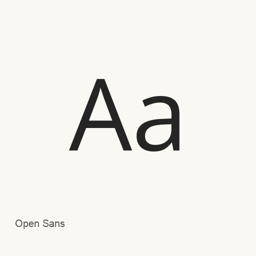
Open Sans
Steve Matteson / The Open Sans Project Authors · Humanist sans-serif variable font by Steve Matteson, with upright and italic styles, adjustable weight and width, and broad multilingual coverage.
- Installationen (30 Tage)
- 277
- Installationen (1 Jahr)
- 2898
- Letzte 365 Tage
- Neueste Version
- latest
- 7. Okt. · 7. Okt.
- Downloadgröße
- —
- arm64 / x86_64 · git
- Update-Rhythmus
- Unregelmäßig
- 1 Version in 30 Tagen
Open Sans ist eine Schriftart, die Sie auf einem Mac installieren können. Der Entwickler ist Steve Matteson / The Open Sans Project Authors.
Eckdaten
- Schriftdateien
- 2 · TTF
- Installationsort
~/Library/Fonts- Entwickler
- Steve Matteson / The Open Sans Project Authors
- Installationsbefehl
brew install --cask font-open-sans- Homebrew
- Installierbar; Updates über Homebrew
- Auch bekannt als
- font-open-sans
Beschreibung
Open Sans is a humanist sans-serif typeface designed by Steve Matteson. Its upright stress, open forms and neutral, friendly appearance were designed for legibility in print, web and mobile interfaces. The official description identifies Latin, Greek and Cyrillic coverage and notes the addition of Hebrew when the family became a variable font in March 2021.
Variable styles
The current Google Fonts metadata provides normal and italic TrueType fonts with a weight axis from 300 to 800 and a width axis from 75 to 100. The files installed by this Homebrew cask are OpenSans[wdth,wght].ttf and OpenSans-Italic[wdth,wght].ttf. Applications with variable-font support can select intermediate axis values; support depends on the application.
Installation and licensing
Install with brew install --cask font-open-sans. This is a font package, not a standalone Mac application. Homebrew obtains the ofl/opensans directory from the main branch of the Google Fonts Git repository and installs the fonts in the user font library. The project uses the SIL Open Font License; review OFL.txt for redistribution and modification terms.
The backend records a single rolling version called latest, not a numbered upstream release. It cannot be assigned an exact release date or version-specific change list from the current branch alone. A Git checkout also does not expose a fixed downloadable archive Content-Length, so no archive size is asserted.
Sources:
- https://raw.githubusercontent.com/google/fonts/main/ofl/opensans/DESCRIPTION.en_us.html
- https://raw.githubusercontent.com/google/fonts/main/ofl/opensans/METADATA.pb
- https://github.com/googlefonts/opensans
- https://formulae.brew.sh/api/cask/font-open-sans.json
Download size: Unknown.
Systemvoraussetzungen
| macOS | App-Version | Chips | Download | Quelle |
|---|---|---|---|---|
| Build für macOS 27, 26, 15, 14, 13, 12, 11 | latest | Intel | github.com/google/fonts.git | HomebrewGeprüft am |
| Build für macOS 27, 26, 15, 14, 13, 12, 11 | latest | Apple silicon | github.com/google/fonts.git | HomebrewGeprüft am |
So installieren Sie Open Sans auf dem Mac
- Führen Sie im Terminal Folgendes aus:
brew install --cask font-open-sans - Homebrew installiert die Schrift in ~/Library/Fonts, wo die App „Schriftsammlung“ sie verwenden kann.
Ohne Homebrew installieren
Laden Sie dieselbe Datei herunter, die Homebrew verwendet: github.com/google/fonts.git
Open Sans deinstallieren und Daten optional bereinigen
brew uninstall --cask font-open-sansEine normale Deinstallation entfernt die App, behält aber ihre Einstellungen und Caches.
Neu in latest
Neu · OpenNavo-Redaktion
Für diese Version gibt es keine eigenen Versionshinweise.
Installationsdetails
- Tap
- homebrew/cask
- Download-URL
- https://github.com/google/fonts.git
- Homebrew-Definition
- github.com/homebrew/homebrew-cask/blob/HEAD/Casks/font/font-o/font-open-sans.rb
- formulae.brew.sh
- formulae.brew.sh/cask/font-open-sans
- Quellcode
- github.com/googlefonts/opensans
Inhalte bei Installation und Deinstallation
Installation
fontQuelldatei: OpenSans-Italic[wdth,wght].
ttf Angegebenes Ziel: /
$HOME/ Library/ Fonts/ OpenSans-Italic[wdth,wght]. ttf Vollständige Deklaration ansehen
{ "font": [ "OpenSans-Italic[wdth,wght].
ttf" ], "target": "/$HOME/ }Library/ Fonts/ OpenSans-Italic[wdth,wght]. ttf" Installation
fontQuelldatei: OpenSans[wdth,wght].
ttf Angegebenes Ziel: /
$HOME/ Library/ Fonts/ OpenSans[wdth,wght]. ttf Vollständige Deklaration ansehen
{ "font": [ "OpenSans[wdth,wght].
ttf" ], "target": "/$HOME/ }Library/ Fonts/ OpenSans[wdth,wght]. ttf"
Häufige Fragen zu Open Sans
Wie deinstalliere ich Open Sans vollständig auf dem Mac?
Führen Sie brew uninstall --cask font-open-sans aus.
Quellen
Jede Angabe auf dieser Seite nennt ihre Quelle und ihr Prüfdatum. Abgelaufene Angaben werden nur mit „Stand“ und Datum angezeigt und nicht mehr als aktuell dargestellt.
- Homebrew-Definition: github.com/homebrew/homebrew-cask/blob/HEAD/Casks/font/font-o/font-open-sans.rb · Geprüft am
- formulae.brew.sh: formulae.brew.sh/cask/font-open-sans