M3Unify
Doug Adams · Export music files, organize copies, and create M3U playlists for folders and portable media.
brew install --cask m3unify- 30-day installs
- 7
- #2265 in App
- 1-year installs
- 35
- Last 365 days
- Latest version
- 3.0.1
- Download size
- 25MB
- dmg
- Release cadence
- Irregular
- 1 release in 30 days
About
M3Unify is a macOS file exporter and M3U playlist creator for copying tracks from the Music app or Finder to a location you choose, such as a folder, external drive, USB drive, or SD card. It is intended for preparing music copies and playlists for portable or car audio players.
With M3Unify, you can:
- Copy selected tracks and optionally organize them into Album or Artist/Album subfolders using track tags.
- Rename exported files with substitution patterns based on track tags.
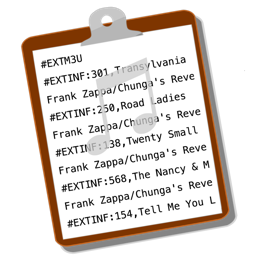
- Create M3U playlists, preview them, and format Extended M3U track information with tag-based patterns.
- Export album artwork as
folder.files and optionally convert audio to AAC or MP3.jpg - Import Playlist XML files exported from the Music app, provided they point to local, accessible audio files.
Install with brew install --cask m3unify, then open M3Unify from Applications. The current app requires macOS 12 or later and does not work with Microsoft Windows. The unregistered demo is limited to 15 tracks at a time; the official site lists the full version at $5, with registration instructions provided after purchase. Support for the iTunes app has been removed.
Sources: Official M3Unify page · Homebrew cask
At a glance
- System
- macOS 12 or later
- Chip
- Apple silicon · Intel
- Auto-updates
- No
- Developer
- Doug Adams
- Homebrew
- Available; updated by Homebrew
- Also known as
- m3unify
- Homepage
- dougscripts.com/apps/m3unifyapp.php
- Token
- m3unify
Checked
How to install M3Unify on Mac
Homebrew installs the app in your Applications folder.
Install without Homebrew
Download the same file Homebrew uses: Install Details
Uninstall M3Unify and optional data cleanup
brew uninstall --cask m3unifyA regular uninstall removes the app and keeps its settings and caches.
Deep clean (optional)
brew uninstall --zap --cask m3unify--zap also deletes the settings, caches and other files listed in the Homebrew definition. They can include data shared with other apps and cannot be restored, and it does not guarantee that nothing is left. Back up any data you need first. To keep settings and caches, leave out --zap.
Questions about M3Unify
Is M3Unify safe?
M3Unify is in Homebrew’s official catalog and has not been disabled. Since September 2026, Homebrew disables apps that fail macOS Gatekeeper checks. When installing, Homebrew checks the download from dougscripts.com against its SHA-256 checksum. It was installed 7 times through Homebrew in the last 30 days.
How do I completely uninstall M3Unify on a Mac?
Run brew uninstall --cask m3unify. It quits the app. To delete its settings and caches as well, run brew uninstall --zap --cask m3unify. --zap also deletes the settings, caches and other files listed in the Homebrew definition. They can include data shared with other apps and cannot be restored, and it does not guarantee that nothing is left. Back up any data you need first. To keep settings and caches, leave out --zap. That also deletes 3 files and folders, including ~/.
Does M3Unify run on Apple silicon (M1 and later) Macs?
Homebrew installs it on both Apple silicon and Intel Macs, from the same download. It needs macOS 12 or later.
Where does M3Unify store its settings and data?
Its settings are in ~/. These locations come from Homebrew’s clean-up list.
What is the latest version of M3Unify?
The latest version is 3.0.1, added to Homebrew on Nov 13, 2026. Run brew upgrade --cask m3unify to update it.
Similar Apps
- BitMuseA native macOS player for local music libraries, with audio-format support, playback-path visibility, library tools, and optional DSP.
- AudiusAudius is a music streaming and sharing platform for artists, labels, and fans, available as a macOS desktop app.
- SongKongA desktop music tag editor that identifies songs, previews metadata and artwork changes, and helps organize music collections.
- Tiny Player for MacA minimalist macOS music player for MP3, FLAC, AAC, AIFF, and WAV audio, with playlists, cover art, and quick search.