Free42 Binary
Thomas Okken · A macOS HP-42S calculator simulator using binary floating-point arithmetic.
brew install --cask free42-binary- 30-day installs
- 10
- #2099 in App
- 1-year installs
- 28
- Last 365 days
- Latest version
- 3.5.4
- Download size
- 15MB
- zip
- Release cadence
- Weekly
- 5 releases in 30 days
About
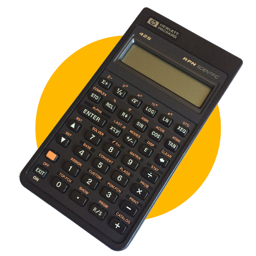
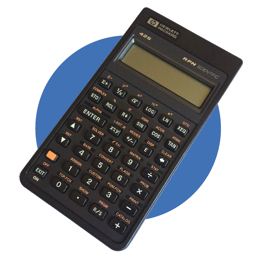
Free42 Binary is a macOS re-implementation of the HP-42S scientific programmable calculator and HP-82240 printer. It does not require an HP-42S ROM image and retains the HP-42S interface and ability to run HP-42S programs, with additional features beyond the original calculator.
- Simulates the HP-42S calculator and HP-82240 printer.
- Adds calculator functions beyond the original HP-42S, including program import and export, time and date functions, and enhanced debugging features.
- Supports copying and pasting calculator data and programs, and saving, importing, and switching between calculator states.
- This Binary edition uses double-precision binary floating-point. It is faster and uses less memory than the Decimal edition, but decimal fractions such as 0.1 are not represented exactly; this can cause some HP-42S programs to fail.
Install with brew install --cask free42-binary, then open Free42 Binary from Applications. The official download page specifies macOS 10.13 (High Sierra) or later. If exact decimal arithmetic is important for compatibility with HP-42S programs, the publisher recommends Free42 Decimal instead.
Sources: Free42, Homebrew cask
At a glance
- Price
- Free
- Chip
- Apple silicon · Intel
- Auto-updates
- No
- Developer
- Thomas Okken
- Homebrew
- Available; updated by Homebrew
- Also known as
- free42-binary
- Homepage
- thomasokken.com/free42
- Token
- free42-binary
Checked
How to install Free42 Binary on Mac
Homebrew installs the app in your Applications folder.
Install without Homebrew
Download the same file Homebrew uses: Install Details
Uninstall Free42 Binary and optional data cleanup
brew uninstall --cask free42-binaryA regular uninstall removes the app and keeps its settings and caches.
Deep clean (optional)
brew uninstall --zap --cask free42-binary--zap also deletes the settings, caches and other files listed in the Homebrew definition. They can include data shared with other apps and cannot be restored, and it does not guarantee that nothing is left. Back up any data you need first. To keep settings and caches, leave out --zap.
Questions about Free42 Binary
Is Free42 Binary safe?
Free42 Binary is in Homebrew’s official catalog and has not been disabled. Since September 2026, Homebrew disables apps that fail macOS Gatekeeper checks. The download comes from thomasokken.com; Homebrew does not verify a checksum for it. It was installed 10 times through Homebrew in the last 30 days.
Is Free42 Binary free?
Yes, Free42 Binary is free to use. Source: thomasokken.com/free42/privacy.html, checked Oct 16, 2026.
How do I completely uninstall Free42 Binary on a Mac?
Run brew uninstall --cask free42-binary. To delete its settings and caches as well, run brew uninstall --zap --cask free42-binary. --zap also deletes the settings, caches and other files listed in the Homebrew definition. They can include data shared with other apps and cannot be restored, and it does not guarantee that nothing is left. Back up any data you need first. To keep settings and caches, leave out --zap. That also deletes 7 files and folders, including ~/.
Does Free42 Binary run on Apple silicon (M1 and later) Macs?
Homebrew installs it on both Apple silicon and Intel Macs, from the same download.
Where does Free42 Binary store its settings and data?
Its settings are in ~/. Its data is in ~/. These locations come from Homebrew’s clean-up list.
What is the latest version of Free42 Binary?
The latest version is 3.5.4, added to Homebrew on Nov 16, 2026. Run brew upgrade --cask free42-binary to update it.
Similar Apps
- Plus42 BinaryA macOS scientific, programmable RPN calculator simulator based on the HP-42S, with algebraic equations, units, directories, and plotting.
- Macro RecorderRecords mouse and keyboard actions, lets you edit the recording, and replays it to automate repetitive desktop tasks.
- ManicTimeAutomatically records computer activity so you can review, tag, and report time spent on projects.
- Alfred prereleaseA macOS launcher and productivity app for finding apps and files, searching the web, and streamlining frequent tasks.