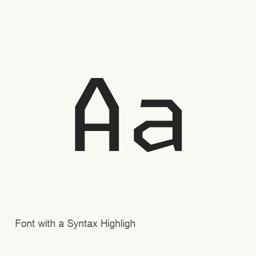
Font with a Syntax Highlighter
Lettermatic · An OpenType font that uses colored glyphs and contextual alternates to add basic syntax highlighting to supported text.
Font with a Syntax Highlighter is a font you can install on a Mac.
About
Font with a Syntax Highlighter is a font designed to colorize some code syntax through OpenType features. It is intended for displaying code as text, rather than acting as a separate highlighting application.
- Uses colored glyphs and contextual alternates to apply syntax-related colors within the font.
- The official description explains its use for HTML, CSS, and JavaScript syntax, with pattern matching that is less flexible than a full syntax-highlighting library.
- The Homebrew cask installs a selection of OTF files, including NightOwl, LightOwl, and unqualified font-name variants, in regular, light, black, italic, and wide styles as listed in the package artifacts.
- Highlighting depends on the application supporting OpenType features. The font’s approach has limits, including cases where multiline text or more complex syntax patterns are not highlighted as expected.
Install it with brew install --cask font-with-a-syntax-highlighter. After installation, select one of the installed font files by its font name in a compatible application; this installs a font, not an app. For coding, choose it in an editor or terminal that supports OpenType features. The font’s features and supported text patterns should not be treated as a replacement for a full syntax-highlighting engine.
Version changes: Unknown.
New What’s new in latest From Homebrew commits
This release has no separate notes.
Install and uninstall
Homebrew installs the font in ~/Library/Fonts, where Font Book can use it.
Install without Homebrew
Download the same file Homebrew uses: github.com/hlotvonen/FontWithASyntaxHighlighter/archive/refs/heads/main.tar.gz
$ brew uninstall --cask \ font-with-a-syntax-highlighterA regular uninstall removes the app and keeps its settings and caches.
Questions
How do I update Font with a Syntax Highlighter?
Run brew upgrade --cask font-with-a-syntax-highlighter to get the latest version Homebrew records.
Can I install Font with a Syntax Highlighter without Homebrew?
Yes, download it from the official website, blog.glyphdrawing.club/font-with-built-in-syntax-highlighting.