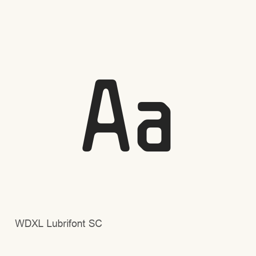
WDXL Lubrifont SC
NightFurySL2001 · A Google Fonts typeface installed as the WDXLLubrifontSC-Regular.ttf font file.
- 30-day installs
- 0
- 1-year installs
- 13
- Last 365 days
- Latest version
- latest
- Apr 24, 2025 · Apr 24, 2025
- Download size
- 10MB
- arm64 / x86_64 · ttf
- Release cadence
- Irregular
- 0 releases in 30 days
WDXL Lubrifont SC is a font you can install on a Mac. It is made by NightFurySL2001.
Quick facts
- Font files
- 1 · TTF
- Installs to
~/Library/Fonts- Developer
- NightFurySL2001
- Install
brew install --cask font-wdxl-lubrifont-sc- Homebrew
- Available; updated by Homebrew
- Also known as
- font-wdxl-lubrifont-sc
About
WDXL Lubrifont SC is a typeface listed on Google Fonts. This Homebrew cask installs one font file, WDXLLubrifontSC-Regular., in the user’s ~/ folder. The installed artifact is the Regular style; this cask does not install other styles.
To install it, run brew install --cask font-wdxl-lubrifont-sc. After installation, select WDXL Lubrifont SC in the font menu of an application that supports user-installed fonts. Installing this cask adds a font file; it does not install a separate app. The included file identifies the installed style but does not establish full Unicode coverage or ligature support.
System requirements
| macOS | Version | Chips | Download | Source |
|---|---|---|---|---|
| Build for macOS 27, 26, 15, 14, 13, 12, 11 | latest | Intel | github.com/google/fonts/raw/main/ofl/wdxllubrifontsc/WDXLLubrifontSC-Regular.ttf | HomebrewChecked |
| Build for macOS 27, 26, 15, 14, 13, 12, 11 | latest | Apple silicon | github.com/google/fonts/raw/main/ofl/wdxllubrifontsc/WDXLLubrifontSC-Regular.ttf | HomebrewChecked |
How to install WDXL Lubrifont SC on Mac
- In Terminal, run:
brew install --cask font-wdxl-lubrifont-sc - Homebrew installs the font in ~/Library/Fonts, where Font Book can use it.
Install without Homebrew
Download the same file Homebrew uses: github.com/google/fonts/raw/main/ofl/wdxllubrifontsc/WDXLLubrifontSC-Regular.ttf
Uninstall WDXL Lubrifont SC and optional data cleanup
brew uninstall --cask font-wdxl-lubrifont-scA regular uninstall removes the app and keeps its settings and caches.
What’s new in latest
New · OpenNavo editorial
- NamingRemoved a hyphen from the font name
- UnchangedFont version remains 2.001
Install Details
- Tap
- homebrew/cask
- Download URL
- https://github.com/google/fonts/raw/main/ofl/wdxllubrifontsc/WDXLLubrifontSC-Regular.ttf
- Homebrew definition
- github.com/homebrew/homebrew-cask/blob/HEAD/Casks/font/font-w/font-wdxl-lubrifont-sc.rb
- formulae.brew.sh
- formulae.brew.sh/cask/font-wdxl-lubrifont-sc
- Source code
- github.com/google/fonts
Installation and removal contents
Install
fontSource file: WDXLLubrifontSC-Regular.
ttf Declared destination: /
$HOME/ Library/ Fonts/ WDXLLubrifontSC-Regular. ttf View full declaration
{ "font": [ "WDXLLubrifontSC-Regular.
ttf" ], "target": "/$HOME/ }Library/ Fonts/ WDXLLubrifontSC-Regular. ttf"
Questions about WDXL Lubrifont SC
How do I completely uninstall WDXL Lubrifont SC on a Mac?
Run brew uninstall --cask font-wdxl-lubrifont-sc.
Sources
Every fact on this page names its source and check date. Facts past their validity read “as of” their date and are no longer stated as current.
- Homebrew definition: github.com/homebrew/homebrew-cask/blob/HEAD/Casks/font/font-w/font-wdxl-lubrifont-sc.rb · Checked
- formulae.brew.sh: formulae.brew.sh/cask/font-wdxl-lubrifont-sc