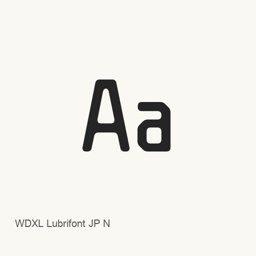
WDXL Lubrifont JP N
NightFurySL2001 · A Google Fonts typeface offered through Homebrew as the WDXLLubrifontJPN-Regular.ttf font file.
WDXL Lubrifont JP N is a font you can install on a Mac.
About
WDXL Lubrifont JP N is a typeface listed on Google Fonts. The Homebrew cask installs one font file, WDXLLubrifontJPN-Regular., in the user’s fonts folder.
- The cask provides the Regular font file only; it does not install an application.
- After installation, select the installed font by name in a compatible application that lets you choose fonts.
- The supplied package information identifies the font as JP N, but does not specify language coverage, Unicode coverage, or other font styles.
To install it with Homebrew, run brew install --cask font-wdxl-lubrifont-jp-n. Once installed, choose WDXL Lubrifont JP N in the font settings of the application where you want to use it.
New What’s new in latest OpenNavo editorial
- NamingFamily name: WD-XL Lubrifont JP N → WDXL Lubrifont JP N
Install and uninstall
Homebrew installs the font in ~/Library/Fonts, where Font Book can use it.
Install without Homebrew
Download the same file Homebrew uses: github.com/google/fonts/raw/main/ofl/wdxllubrifontjpn/WDXLLubrifontJPN-Regular.ttf
$ brew uninstall --cask \font-wdxl-lubrifont-jp-nA regular uninstall removes the app and keeps its settings and caches.
Questions
Is WDXL Lubrifont JP N safe?
WDXL Lubrifont JP N is in Homebrew’s official catalog and has not been disabled. Since September 2026, Homebrew disables apps that fail macOS Gatekeeper checks. The download comes from github.com; Homebrew does not verify a checksum for it. It was installed 2 times through Homebrew in the last 30 days.
How do I completely uninstall WDXL Lubrifont JP N on a Mac?
Run brew uninstall --cask font-wdxl-lubrifont-jp-n.