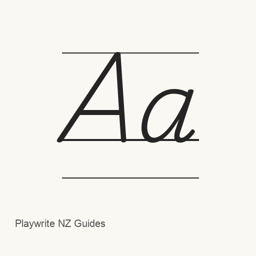
Playwrite NZ Guides
TypeTogether · A Google Fonts handwriting-style font distributed as one regular TrueType font file.
Playwrite NZ Guides is a font you can install on a Mac.
About
Playwrite NZ Guides is a handwriting-style font from Google Fonts. The Homebrew cask installs one file, PlaywriteNZGuides-Regular.ttf, in the user's Library Fonts folder; it does not install a separate application.
- The supplied font file is the Regular style.
- The cask places the file at
~/Library/Fonts/PlaywriteNZGuides-Regular.ttf. - To install it, run
brew install --cask font-playwrite-nz-guides. - After installation, select Playwrite NZ Guides in the font menu of an application that supports user-installed fonts.
The available evidence identifies the font and its Regular file, but does not establish additional styles, full Unicode coverage, or ligature support.
New What’s new in latest OpenNavo editorial
- Font fileUpdated PlaywriteNZGuides-Regular.ttf to version 1.004.
Install and uninstall
Homebrew installs the font in ~/Library/Fonts, where Font Book can use it.
Install without Homebrew
Download the same file Homebrew uses: github.com/google/fonts/raw/main/ofl/playwritenzguides/PlaywriteNZGuides-Regular.ttf
$ brew uninstall --cask \ font-playwrite-nz-guidesA regular uninstall removes the app and keeps its settings and caches.
Questions
How do I update Playwrite NZ Guides?
Run brew upgrade --cask font-playwrite-nz-guides to get the latest version Homebrew records.
Can I install Playwrite NZ Guides without Homebrew?
Yes, download it from the official website, fonts.google.com/specimen/Playwrite+NZ+Guides.