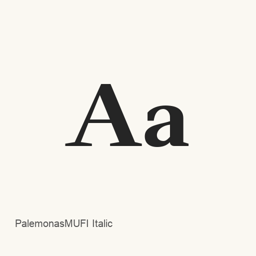
Palemonas MUFI Bold
A.Gurskas, O.Talijunas, V.Tumasonis. · A bold Palemonas MUFI font distributed as the single file `PalemMUFI-bd.ttf`.
Palemonas MUFI Bold is a font you can install on a Mac.
About
Palemonas MUFI Bold is a font distributed as one TrueType font file: PalemMUFI-bd.ttf. The supplied package identifies this specific bold font; it does not establish additional styles or variants.
- The cask installs the font file at
~/Library/Fonts/PalemMUFI-bd.ttf. - This package installs a font, not an application.
- After installation, select the installed font by name in a compatible application that offers font selection. Use it in an editor or terminal only if that application and your intended use support this font.
Install with Homebrew Cask:
brew install --cask font-palemonasmufi-bold
The available evidence does not establish Unicode coverage, ligature support, licensing terms, or further font-family variants.
Sources: MUFI font-family page · Official font download
Version changes: Unknown.
New What’s new in 2.000 From Homebrew commits
This release has no separate notes.
Install and uninstall
Homebrew installs the font in ~/Library/Fonts, where Font Book can use it.
Install without Homebrew
Download the same file Homebrew uses: mufi.info/q.php?o=mufifontfiledownload&name=PalemMUFI-bd.ttf
$ brew uninstall --cask \ font-palemonasmufi-boldA regular uninstall removes the app and keeps its settings and caches.
Questions
How do I update Palemonas MUFI Bold?
Run brew upgrade --cask font-palemonasmufi-bold to get the latest version Homebrew records.
Can I install Palemonas MUFI Bold without Homebrew?
Yes, download it from the official website, mufi.info/q.php?p=mufi/fonts/fontfamily/6.