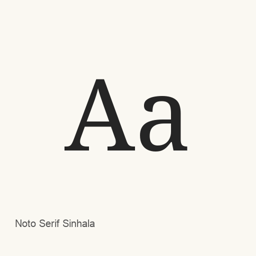
Noto Serif Sinhala
Monotype Imaging Inc. · A Sinhala serif font distributed as one variable TrueType font file.
Noto Serif Sinhala is a font you can install on a Mac.
About
Noto Serif Sinhala is a serif typeface for Sinhala. This Homebrew cask installs one font file, NotoSerifSinhala[wdth,wght].ttf, in the user’s Fonts folder.
- The installed file is a variable TrueType font, with
wdthandwghtaxes indicated in its filename. - The cask provides this specific font file; it does not install a separate application.
- To use it, select Noto Serif Sinhala in a compatible application’s font menu. For example, choose it in a document or design application when working with Sinhala text.
Install with brew install --cask font-noto-serif-sinhala. After installation, select the font in the application where you want to use it; availability there depends on that application recognizing installed fonts.
The cask installs only the listed variable font file. Its presence does not establish the typeface’s complete Unicode coverage or support for any particular shaping or text feature.
Source: Google Fonts
New What’s new in latest OpenNavo editorial
- Font fileUpdated the declared font file to version 2.007.
- Release typeThis is a repository revision, not a formal font release.
Install and uninstall
Homebrew installs the font in ~/Library/Fonts, where Font Book can use it.
Install without Homebrew
Download the same file Homebrew uses: github.com/google/fonts/raw/main/ofl/notoserifsinhala/NotoSerifSinhala%5Bwdth%2Cwght%5D.ttf
$ brew uninstall --cask \ font-noto-serif-sinhalaA regular uninstall removes the app and keeps its settings and caches.
Questions
How do I update Noto Serif Sinhala?
Run brew upgrade --cask font-noto-serif-sinhala to get the latest version Homebrew records.
Can I install Noto Serif Sinhala without Homebrew?
Yes, download it from the official website, fonts.google.com/specimen/Noto+Serif+Sinhala.