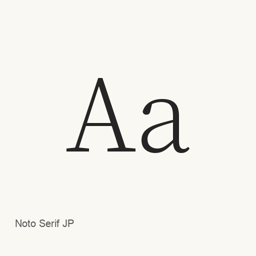
Noto Serif JP
Adobe · A Japanese serif font distributed by Google Fonts as a single variable TrueType font file.
Noto Serif JP is a font you can install on a Mac.
About
Noto Serif JP is a serif typeface for Japanese, listed on Google Fonts. The Homebrew cask installs one font file, NotoSerifJP[wght].ttf, into ~/Library/Fonts; it is a variable font file.
To install it, run brew install --cask font-noto-serif-jp. After installation, select Noto Serif JP in the font settings of an application that supports custom fonts. Installing the cask adds the font file; it does not install a separate application.
The supplied package information identifies the installed file but does not establish the font’s full character coverage or additional styles. Those details should not be inferred from the filename.
New What’s new in latest OpenNavo editorial
- Font fileUpdated the declared Noto Serif JP variable font file.
Install and uninstall
Homebrew installs the font in ~/Library/Fonts, where Font Book can use it.
Install without Homebrew
Download the same file Homebrew uses: github.com/google/fonts/raw/main/ofl/notoserifjp/NotoSerifJP%5Bwght%5D.ttf
$ brew uninstall --cask \ font-noto-serif-jpA regular uninstall removes the app and keeps its settings and caches.
Questions
How do I update Noto Serif JP?
Run brew upgrade --cask font-noto-serif-jp to get the latest version Homebrew records.
Can I install Noto Serif JP without Homebrew?
Yes, download it from the official website, fonts.google.com/specimen/Noto+Serif+JP.