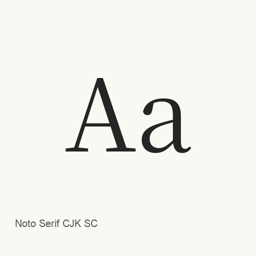
Noto Serif CJK SC
Adobe · A Simplified Chinese serif font family supplied as seven static OTF weights, from ExtraLight through Black.
- 30-day installs
- 144
- 1-year installs
- 1.6K
- Last 365 days
- Latest version
- 2.003
- Jul 30, 2024 · Jul 30, 2024
- Download size
- 139MB
- arm64 / x86_64 · zip
- Release cadence
- Irregular
- 0 releases in 30 days
Noto Serif CJK SC is a font you can install on a Mac. It is made by Adobe.
Quick facts
- Font files
- 7 · OTF
- Installs to
~/Library/Fonts- Developer
- Adobe
- Install
brew install --cask font-noto-serif-cjk-sc- Homebrew
- Available; updated by Homebrew
- Also known as
- font-noto-serif-cjk-sc
About
Noto Serif CJK SC is a font family for Simplified Chinese text, provided here as static OpenType fonts. The Homebrew cask installs seven OTF files; it does not install an application.
- Includes Regular, ExtraLight, Light, Medium, SemiBold, Bold, and Black weights.
- The installed files are the Simplified Chinese language-specific OTFs, not the other language or variable-font formats described by the project.
- To use the fonts, install them with
brew install --cask font-noto-serif-cjk-sc, then select the installed Noto Serif CJK SC weight in the font menu of your editor or other font-enabled application. - The seven files are individual static weights; this package does not provide the project's variable fonts or combined font collections.
The project documents other Noto Serif CJK formats and language variants separately. This cask installs only the seven Simplified Chinese OTF files listed above. The font files do not, by themselves, establish complete Unicode coverage or support for typographic ligatures.
Sources: Noto Serif CJK · Noto CJK fonts
System requirements
| macOS | Version | Chips | Download | Source |
|---|---|---|---|---|
| Build for macOS 27, 26, 15, 14, 13, 12, 11 | 2.003 | Intel | github.com/notofonts/noto-cjk/releases/download/Serif2.003/09_NotoSerifCJKsc.zipSHA-256 4bcdbff95cedfb6a4c0640403f0de8b69480d869331c24c8eff91f7bb834df04 | HomebrewChecked |
| Build for macOS 27, 26, 15, 14, 13, 12, 11 | 2.003 | Apple silicon | github.com/notofonts/noto-cjk/releases/download/Serif2.003/09_NotoSerifCJKsc.zipSHA-256 4bcdbff95cedfb6a4c0640403f0de8b69480d869331c24c8eff91f7bb834df04 | HomebrewChecked |
How to install Noto Serif CJK SC on Mac
- In Terminal, run:
brew install --cask font-noto-serif-cjk-sc - Homebrew installs the font in ~/Library/Fonts, where Font Book can use it.
Install without Homebrew
Download the same file Homebrew uses: github.com/notofonts/noto-cjk/releases/download/Serif2.003/09_NotoSerifCJKsc.zip
SHA-256 only checks that the download is complete; it is not a security certification. See the SHA-256 and download address
Uninstall Noto Serif CJK SC and optional data cleanup
brew uninstall --cask font-noto-serif-cjk-scA regular uninstall removes the app and keeps its settings and caches.
What’s new in 2.003
New · OpenNavo editorial
- FormatsAnnouncement lists OTF, OTC, Super OTC, Subset OTF, and Variable OTF/TTF.
Install Details
- Tap
- homebrew/cask
- Download URL
- https://github.com/notofonts/noto-cjk/releases/download/Serif2.003/09_NotoSerifCJKsc.zip
- SHA-256
- 4bcdbff95cedfb6a4c0640403f0de8b69480d869331c24c8eff91f7bb834df04
- Homebrew definition
- github.com/homebrew/homebrew-cask/blob/HEAD/Casks/font/font-n/font-noto-serif-cjk-sc.rb
- formulae.brew.sh
- formulae.brew.sh/cask/font-noto-serif-cjk-sc
- Source code
- github.com/notofonts/noto-cjk
Installation and removal contents
Install
fontSource file: OTF/
SimplifiedChinese/ NotoSerifCJKsc-Black. otf Declared destination: /
$HOME/ Library/ Fonts/ NotoSerifCJKsc-Black. otf View full declaration
{ "font": [ "OTF/
SimplifiedChinese/ ], "target": "/NotoSerifCJKsc-Black. otf" $HOME/ }Library/ Fonts/ NotoSerifCJKsc-Black. otf" Install
fontSource file: OTF/
SimplifiedChinese/ NotoSerifCJKsc-Bold. otf Declared destination: /
$HOME/ Library/ Fonts/ NotoSerifCJKsc-Bold. otf View full declaration
{ "font": [ "OTF/
SimplifiedChinese/ ], "target": "/NotoSerifCJKsc-Bold. otf" $HOME/ }Library/ Fonts/ NotoSerifCJKsc-Bold. otf" Install
fontSource file: OTF/
SimplifiedChinese/ NotoSerifCJKsc-ExtraLight. otf Declared destination: /
$HOME/ Library/ Fonts/ NotoSerifCJKsc-ExtraLight. otf View full declaration
{ "font": [ "OTF/
SimplifiedChinese/ ], "target": "/NotoSerifCJKsc-ExtraLight. otf" $HOME/ }Library/ Fonts/ NotoSerifCJKsc-ExtraLight. otf" Install
fontSource file: OTF/
SimplifiedChinese/ NotoSerifCJKsc-Light. otf Declared destination: /
$HOME/ Library/ Fonts/ NotoSerifCJKsc-Light. otf View full declaration
{ "font": [ "OTF/
SimplifiedChinese/ ], "target": "/NotoSerifCJKsc-Light. otf" $HOME/ }Library/ Fonts/ NotoSerifCJKsc-Light. otf" Install
fontSource file: OTF/
SimplifiedChinese/ NotoSerifCJKsc-Medium. otf Declared destination: /
$HOME/ Library/ Fonts/ NotoSerifCJKsc-Medium. otf View full declaration
{ "font": [ "OTF/
SimplifiedChinese/ ], "target": "/NotoSerifCJKsc-Medium. otf" $HOME/ }Library/ Fonts/ NotoSerifCJKsc-Medium. otf" Install
fontSource file: OTF/
SimplifiedChinese/ NotoSerifCJKsc-Regular. otf Declared destination: /
$HOME/ Library/ Fonts/ NotoSerifCJKsc-Regular. otf View full declaration
{ "font": [ "OTF/
SimplifiedChinese/ ], "target": "/NotoSerifCJKsc-Regular. otf" $HOME/ }Library/ Fonts/ NotoSerifCJKsc-Regular. otf" Install
fontSource file: OTF/
SimplifiedChinese/ NotoSerifCJKsc-SemiBold. otf Declared destination: /
$HOME/ Library/ Fonts/ NotoSerifCJKsc-SemiBold. otf View full declaration
{ "font": [ "OTF/
SimplifiedChinese/ ], "target": "/NotoSerifCJKsc-SemiBold. otf" $HOME/ }Library/ Fonts/ NotoSerifCJKsc-SemiBold. otf"
Questions about Noto Serif CJK SC
How do I completely uninstall Noto Serif CJK SC on a Mac?
Run brew uninstall --cask font-noto-serif-cjk-sc.
What is the latest version of Noto Serif CJK SC?
The latest version is 2.003, added to Homebrew on Jul 30, 2024. Run brew upgrade --cask font-noto-serif-cjk-sc to update it.
Sources
Every fact on this page names its source and check date. Facts past their validity read “as of” their date and are no longer stated as current.
- Homebrew definition: github.com/homebrew/homebrew-cask/blob/HEAD/Casks/font/font-n/font-noto-serif-cjk-sc.rb · Checked
- formulae.brew.sh: formulae.brew.sh/cask/font-noto-serif-cjk-sc