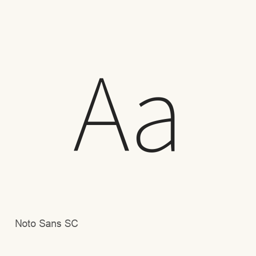
Noto Sans SC
Google · Open-source sans-serif variable font for Simplified Chinese, with weights from 100 to 900 and additional Latin, Cyrillic and Vietnamese coverage.
Noto Sans SC is a font you can install on a Mac.
About
Noto Sans SC is the Simplified Chinese member of the Noto sans-serif font collection. Google Fonts identifies its designer as Google, its primary script as Simplified Han, and its license as the SIL Open Font License. The font metadata also lists Latin, Latin Extended, Cyrillic and Vietnamese subsets.
The Homebrew cask installs the single NotoSansSC[wght].ttf variable font into the user font library. Its weight axis ranges from 100 to 900, allowing applications with variable-font support to select intermediate weights. This is a typeface installation, not a standalone macOS application or font-management utility.
The Google Fonts source metadata points to the official Noto CJK repository. That repository maintains separate Sans and Serif release histories; a Noto CJK release number must not be assumed to be the version of this Google Fonts file. Homebrew records this cask as latest and downloads from the mutable main branch without a checksum, so its record does not establish an exact numbered upstream release.
Sources: https://github.com/google/fonts/tree/main/ofl/notosanssc | https://github.com/notofonts/noto-cjk | https://formulae.brew.sh/cask/font-noto-sans-sc
New What’s new in latest Oct 7 · OpenNavo editorial
Exact-version release details unavailable: Homebrew records this font as latest and downloads a mutable Google Fonts file without a checksum. No numbered upstream release is established.
Install and uninstall
Homebrew installs the font in ~/Library/Fonts, where Font Book can use it.
Install without Homebrew
Download the same file Homebrew uses: github.com/google/fonts/raw/main/ofl/notosanssc/NotoSansSC%5Bwght%5D.ttf
$ brew uninstall --cask \ font-noto-sans-scA regular uninstall removes the app and keeps its settings and caches.
Questions
How do I update Noto Sans SC?
Run brew upgrade --cask font-noto-sans-sc to get the latest version Homebrew records.
Can I install Noto Sans SC without Homebrew?
Yes, download it from the official website, fonts.google.com/specimen/Noto+Sans+SC.