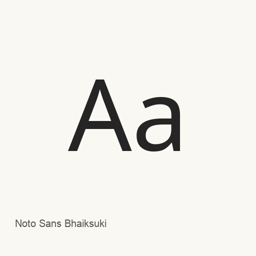
Noto Sans Bhaiksuki
Monotype Imaging Inc. · A Bhaiksuki font from Google Fonts, distributed by Homebrew as a single regular font file.
Noto Sans Bhaiksuki is a font you can install on a Mac.
About
Noto Sans Bhaiksuki is a font for displaying Bhaiksuki script text. The supplied Homebrew cask installs one file: NotoSansBhaiksuki-Regular., the regular style.
- Includes the regular font file only; other styles are not part of this cask’s installed files.
- This is a font package, not an application.
- After installation, select Noto Sans Bhaiksuki in a font-compatible application to use it. For example, choose it in an editor or other app where you want Bhaiksuki text to appear.
Install with Homebrew:
brew install --cask font-noto-sans-bhaiksuki
The cask places the font in ~/. The available source identifies the font with the Bhaiksuki script; it does not establish broader character coverage or additional font features.
Sources: Google Fonts
New What’s new in latest OpenNavo editorial
- Font fileAdded the Regular font file, identified as Version 2.002.
Install and uninstall
Homebrew installs the font in ~/Library/Fonts, where Font Book can use it.
Install without Homebrew
Download the same file Homebrew uses: github.com/google/fonts/raw/main/ofl/notosansbhaiksuki/NotoSansBhaiksuki-Regular.ttf
$ brew uninstall --cask \font-noto-sans-bhaiksukiA regular uninstall removes the app and keeps its settings and caches.
Questions
Is Noto Sans Bhaiksuki safe?
Noto Sans Bhaiksuki is in Homebrew’s official catalog and has not been disabled. Since September 2026, Homebrew disables apps that fail macOS Gatekeeper checks. The download comes from github.com; Homebrew does not verify a checksum for it.
How do I completely uninstall Noto Sans Bhaiksuki on a Mac?
Run brew uninstall --cask font-noto-sans-bhaiksuki.