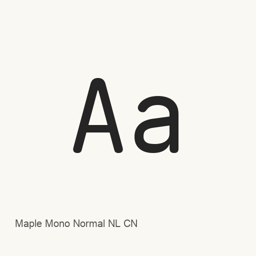
Maple Mono Normal NL CN
subframe7536 · A Chinese-variant release of Maple Mono Normal, a monospaced font supplied in regular, italic, and multiple weight styles.
Maple Mono Normal NL CN is a font you can install on a Mac.
About
Maple Mono Normal NL CN is a monospaced font variant in the Maple Mono family, intended for displaying code and other text in compatible applications. It is a font package, not an application. The Maple Mono site describes the Normal preset as resetting unusual glyph styles and using a slashed zero.
This cask installs 16 font files. They include upright and italic styles in weights from Thin through ExtraBold, including Regular, Medium, and SemiBold. The site describes Maple Mono as designed for programming and lists Chinese characters among its areas of support; the CN variant is identified in this package’s name. The specific files installed are the Normal NL CN variant, not every Maple Mono variant.
Install with brew install --cask font-maple-mono-normal-nl-cn. After installation, select the installed font by name in a compatible editor or terminal’s font settings to use it for coding. It does not install a standalone app.
New What’s new in 7.9 Dec 5, 2025 · OpenNavo editorial
- GlyphsAdded missing IPA glyphs.
- ConfigCorrected a configuration key and listed all options in config.json.
- FeaturesFixed feature freezing with --apply-fea-file enabled.
Install and uninstall
Homebrew installs the font in ~/Library/Fonts, where Font Book can use it.
Install without Homebrew
Download the same file Homebrew uses: github.com/subframe7536/Maple-font/releases/download/v7.9/MapleMonoNormalNL-CN-unhinted.zip
SHA-256 only checks that the download is complete; it is not a security certification. See the SHA-256 and download address
$ brew uninstall --cask \font-maple-mono-normal-nl-cnA regular uninstall removes the app and keeps its settings and caches.
Facts and sources
- Version 7.9
- Recorded by Homebrew on Dec 5, 2025Released by the vendor on Dec 5, 2025
Questions
Is Maple Mono Normal NL CN safe?
Maple Mono Normal NL CN is in Homebrew’s official catalog and has not been disabled. Since September 2026, Homebrew disables apps that fail macOS Gatekeeper checks. When installing, Homebrew checks the download from github.com against its SHA-256 checksum.
How do I completely uninstall Maple Mono Normal NL CN on a Mac?
Run brew uninstall --cask font-maple-mono-normal-nl-cn.
What is the latest version of Maple Mono Normal NL CN?
The latest version is 7.9, added to Homebrew on Dec 5, 2025. Run brew upgrade --cask font-maple-mono-normal-nl-cn to update it.