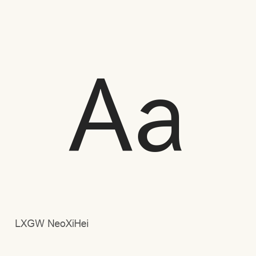
LXGW NeoXiHei
落霞孤鹜 (LXGW) · A Simplified Chinese sans-serif font derived from IPAex Gothic, with Chinese Mainland glyph forms and support for selected additional scripts and symbols.
LXGW NeoXiHei is a font you can install on a Mac.
About
LXGW NeoXiHei is a Simplified Chinese sans-serif typeface derived from IPAex Gothic. It adapts glyph forms toward Chinese Mainland standards and simplifies some character components. The project describes coverage of about 22,000 characters, including the CJK Unified Ideographs basic block and selected characters from Extensions A–I; this Homebrew cask installs the single file LXGWNeoXiHei., not the separate Plus edition.
Characteristics include:
- Redesigned Greek and Cyrillic letters, with Latin forms kept broadly consistent with the source font; Vietnamese Latin characters are also supported.
- Unicode Variation Sequences (UVS) let users select certain punctuation widths and positions.
- Includes symbols for I Ching trigrams and hexagrams, Tai Xuan Jing, mahjong, Chinese chess, counting rods, and tally marks.
- The project is in stable maintenance, focused on serious defects, necessary Unicode additions, and name or metadata changes. Its source-derived design has one weight, rather than a multi-weight family.
Install with brew install --cask font-lxgw-neoxihei. The cask installs LXGWNeoXiHei. in the user’s Fonts folder. Then select LXGW NeoXiHei in an application that supports custom fonts; this package installs a font, not an application. The project’s stated license is IPA Font License 1.0. Review its terms for redistribution or embedding, which have specific conditions.
Sources: Project and font details · README
New What’s new in 1.305 Aug 20 · OpenNavo editorial
- CharactersAdds 𤒹 and 𫛪.
- MaintenanceMoves into a stable maintenance phase.
Install and uninstall
Homebrew installs the font in ~/Library/Fonts, where Font Book can use it.
Install without Homebrew
Download the same file Homebrew uses: github.com/lxgw/LxgwNeoXiHei/releases/download/v1.305/LXGWNeoXiHei.ttf
SHA-256 only checks that the download is complete; it is not a security certification. See the SHA-256 and download address
$ brew uninstall --cask \font-lxgw-neoxiheiA regular uninstall removes the app and keeps its settings and caches.
Facts and sources
- Version 1.305
- Recorded by Homebrew on Aug 20Released by the vendor on Aug 20
Questions
Is LXGW NeoXiHei safe?
LXGW NeoXiHei is in Homebrew’s official catalog and has not been disabled. Since September 2026, Homebrew disables apps that fail macOS Gatekeeper checks. When installing, Homebrew checks the download from github.com against its SHA-256 checksum. It was installed 6 times through Homebrew in the last 30 days.
How do I completely uninstall LXGW NeoXiHei on a Mac?
Run brew uninstall --cask font-lxgw-neoxihei.
What is the latest version of LXGW NeoXiHei?
The latest version is 1.305, added to Homebrew on Aug 20. Run brew upgrade --cask font-lxgw-neoxihei to update it.