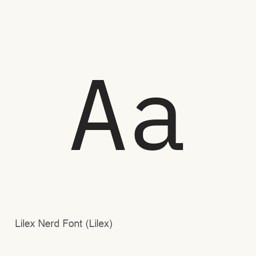
Lilex Nerd Font (Lilex)
Nerd Fonts project · Lilex font files patched with Nerd Fonts glyphs, supplied in proportional, monospaced, and proportional-glyph variants.
Lilex Nerd Font (Lilex) is a font you can install on a Mac.
About
Lilex Nerd Font is the Lilex typeface distributed with Nerd Fonts additions. This Homebrew cask installs 30 font files, including regular, thin, extra-light, and medium weights, with italic styles for many of them.
The installed files include three naming variants: LilexNerdFont, LilexNerdFontMono, and LilexNerdFontPropo. These distinguish font files and glyph-width variants; the cask supplies specific files rather than every possible style. Nerd Fonts adds extra glyphs, including icons, to programming fonts. Available glyphs depend on the supplied font files.
Install with:
brew install --cask font-lilex-nerd-font
After installation, open your editor or terminal’s font settings and select the installed Lilex Nerd Font style you want to use. This package installs fonts, not an application.
Source: Nerd Fonts project
New What’s new in 3.5.1 Aug 21 · OpenNavo editorial
- ChangesAdded the promised Devicons to the collection.
Install and uninstall
Homebrew installs the font in ~/Library/Fonts, where Font Book can use it.
Install without Homebrew
Download the same file Homebrew uses: github.com/ryanoasis/nerd-fonts/releases/download/v3.5.1/Lilex.tar.xz
SHA-256 only checks that the download is complete; it is not a security certification. See the SHA-256 and download address
$ brew uninstall --cask \ font-lilex-nerd-fontA regular uninstall removes the app and keeps its settings and caches.
Facts and sources
- Version 3.5.1
- Released by the vendor on Aug 21
Questions
How do I update Lilex Nerd Font (Lilex)?
Run brew upgrade --cask font-lilex-nerd-font to get the latest version Homebrew records.
Can I install Lilex Nerd Font (Lilex) without Homebrew?
Yes, download it from the official website, github.com/ryanoasis/nerd-fonts.