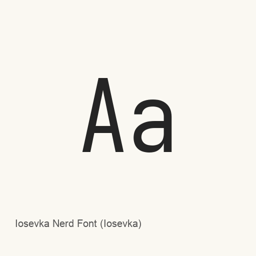
Iosevka Nerd Font
Nerd Fonts contributors / ryanoasis · Iosevka programming fonts patched with Nerd Fonts icon glyphs for terminal prompts, editors and developer interfaces, including Mono and Propo variants.
Iosevka Nerd Font is a font you can install on a Mac.
About
Iosevka Nerd Font is a font collection, not a standalone Mac application. It combines the Iosevka typeface with the Nerd Fonts project's additional icon glyphs, intended for terminals, editors and developer interfaces that display symbols alongside text.
Glyphs and variants
Nerd Fonts adds glyphs from sets such as Font Awesome, Devicons, Octicons, Powerline, Material Design Icons and Codeicons. The recorded Homebrew cask installs Iosevka Nerd Font, Iosevka Nerd Font Mono and Iosevka Nerd Font Propo files with multiple weights and italic or oblique styles. Mono, standard and Propo variants differ in the sizing of patched glyphs; choose a variant suitable for the application using the font.
Installation and use
Install with brew install --cask font-iosevka-nerd-font. Homebrew installs the font files in the user's Library/Fonts directory. Then select an installed Iosevka Nerd Font family in your terminal or editor preferences. Installing a font does not itself configure your shell prompt, plugins or editor theme. Nerd Fonts provides a glyph cheat sheet and documentation for supported codepoints.
Version scope
The catalog's 3.5.1 is the Nerd Fonts distribution release, not an upstream Iosevka typeface version. Its official release notes describe adding the promised Devicons, removing fi/fl ligatures from SpaceMono and flattening forgotten font subdirectories. The SpaceMono change concerns another family and is not presented as an Iosevka-specific change. Only one backend-recorded version is available for this exact cask.
Visual assets
This font package has no standalone application GUI or application icon. No unrelated application screenshot or fabricated icon has been attached.
Sources
New What’s new in 3.5.1 Aug 21 · OpenNavo editorial
- DistributionIncludes the promised new Devicons.
Install and uninstall
Homebrew installs the font in ~/Library/Fonts, where Font Book can use it.
Install without Homebrew
Download the same file Homebrew uses: github.com/ryanoasis/nerd-fonts/releases/download/v3.5.1/Iosevka.tar.xz
SHA-256 only checks that the download is complete; it is not a security certification. See the SHA-256 and download address
$ brew uninstall --cask \font-iosevka-nerd-fontA regular uninstall removes the app and keeps its settings and caches.
Facts and sources
- Version 3.5.1
- Released by the vendor on Aug 21
Questions
Is Iosevka Nerd Font safe?
Iosevka Nerd Font is in Homebrew’s official catalog and has not been disabled. Since September 2026, Homebrew disables apps that fail macOS Gatekeeper checks. When installing, Homebrew checks the download from github.com against its SHA-256 checksum. It was installed 267 times through Homebrew in the last 30 days.
How do I completely uninstall Iosevka Nerd Font on a Mac?
Run brew uninstall --cask font-iosevka-nerd-font.
What is the latest version of Iosevka Nerd Font?
The latest version is 3.5.1. Run brew upgrade --cask font-iosevka-nerd-font to update it.