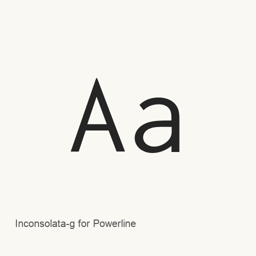
Inconsolata-g for Powerline
Ralph Levien · A Powerline-modified Inconsolata font, distributed as one OpenType font file.
Inconsolata-g for Powerline is a font you can install on a Mac.
About
Inconsolata-g for Powerline is a font in the powerline/ collection. Its project notes identify it as a modification of Inconsolata by Leonardo Maffi, with patching credited to PaBLoX_CL.
- The Homebrew cask installs the single file
Inconsolata-g for Powerline..otf - The file is an OpenType font; the supplied package artifact targets the user’s
~/directory.Library/ Fonts - This package installs a font, not a separate application.
Install it with brew install --cask font-inconsolata-g-for-powerline. After installation, select Inconsolata-g for Powerline in a compatible application’s font settings to use it. The available evidence does not establish Unicode coverage, ligature support, or additional styles.
Sources: Inconsolata-g project files
Download size: Unknown.
Version changes: Unknown.
New What’s new in latest From Homebrew commits
This release has no separate notes.
Install and uninstall
Homebrew installs the font in ~/Library/Fonts, where Font Book can use it.
Install without Homebrew
Download the same file Homebrew uses: github.com/powerline/fonts.git
$ brew uninstall --cask \font-inconsolata-g-for-powerlineA regular uninstall removes the app and keeps its settings and caches.
Questions
Is Inconsolata-g for Powerline safe?
Inconsolata-g for Powerline is in Homebrew’s official catalog and has not been disabled. Since September 2026, Homebrew disables apps that fail macOS Gatekeeper checks. The download comes from github.com; Homebrew does not verify a checksum for it. It was installed 3 times through Homebrew in the last 30 days.
How do I completely uninstall Inconsolata-g for Powerline on a Mac?
Run brew uninstall --cask font-inconsolata-g-for-powerline.