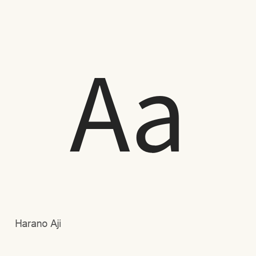
Harano Aji
Masamichi Hosoda · Japanese Mincho and Gothic fonts adapted to Adobe-Japan1, with Japanese typesetting glyphs and multiple installed weights.
Harano Aji is a font you can install on a Mac.
About
Harano Aji is a Japanese font family comprising Mincho (serif) and Gothic (sans serif) designs. The fonts are rearranged from Source Han Serif and Source Han Sans to align with Adobe-Japan1 (AJ1), making them suitable for Japanese typesetting workflows such as pTeX and pLaTeX.
- The Homebrew cask installs 14 OTF files: Mincho and Gothic styles in a range of weights, including Regular, Light, Medium, Bold, and Heavy. Only the listed files are installed; this is not every possible variant of either family.
- The project describes coverage for Adobe-Japan1-6 kanji and JIS X 0208 and JIS X 0213 kanji. Some non-kanji glyphs are missing, and the project notes that glyphs without a matching source glyph cannot be included.
- Japanese kana and vertical-writing glyphs are included, with some glyph substitutions and positioning behavior available through OpenType features. Certain glyphs, including the small forms of こ and コ, are absent.
- TeX Live 2020 and later include Harano Aji; the project notes that it is the default Japanese font there for all but a small number of engines.
Install the cask with brew install --cask font-harano-aji. After installation, select the installed Harano Aji Mincho or Gothic font and a desired installed weight in a font-aware application. This installs fonts, not an application. For pTeX or pLaTeX workflows, the project documents use with those systems; missing glyphs cannot be used.
Sources: Harano Aji Fonts project · Project README
New What’s new in 20250811 Aug 11, 2025 · OpenNavo editorial
- ReleaseVersion 20250811
Install and uninstall
Homebrew installs the font in ~/Library/Fonts, where Font Book can use it.
Install without Homebrew
Download the same file Homebrew uses: github.com/trueroad/HaranoAjiFonts/archive/refs/tags/20250811.tar.gz
SHA-256 only checks that the download is complete; it is not a security certification. See the SHA-256 and download address
$ brew uninstall --cask \font-harano-ajiA regular uninstall removes the app and keeps its settings and caches.
Facts and sources
- Version 20250811
- Recorded by Homebrew on Aug 11, 2025Released by the vendor on Aug 11, 2025
Questions
Is Harano Aji safe?
Harano Aji is in Homebrew’s official catalog and has not been disabled. Since September 2026, Homebrew disables apps that fail macOS Gatekeeper checks. When installing, Homebrew checks the download from github.com against its SHA-256 checksum. It was installed 2 times through Homebrew in the last 30 days.
How do I completely uninstall Harano Aji on a Mac?
Run brew uninstall --cask font-harano-aji.
What is the latest version of Harano Aji?
The latest version is 20250811, added to Homebrew on Aug 11, 2025. Run brew upgrade --cask font-harano-aji to update it.