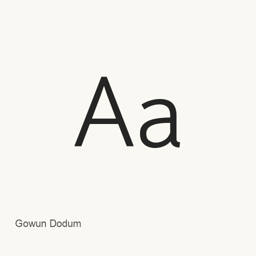
Gowun Dodum
Yanghee Ryu · Install the Gowun Dodum font on macOS with Homebrew Cask.
Gowun Dodum is a font you can install on a Mac.
About
Gowun Dodum is a font available through Google Fonts. This Homebrew Cask installs the GowunDodum-Regular.ttf font file in the current user’s Library/Fonts folder; it does not install an application.
- The cask installs one font file:
GowunDodum-Regular.ttf. - The installed file is the Regular style; this cask does not install other font styles.
- To use it, select Gowun Dodum in the font menu of an application that supports custom fonts.
Install with Homebrew using brew install --cask font-gowun-dodum. After installation, choose Gowun Dodum from the font selector in your preferred compatible application.
New What’s new in latest Jun 11, 2021 · OpenNavo editorial
- SourceRegular font file added on 2021-06-11.
Install and uninstall
Homebrew installs the font in ~/Library/Fonts, where Font Book can use it.
Install without Homebrew
Download the same file Homebrew uses: github.com/google/fonts/raw/main/ofl/gowundodum/GowunDodum-Regular.ttf
$ brew uninstall --cask \ font-gowun-dodumA regular uninstall removes the app and keeps its settings and caches.
Questions
How do I update Gowun Dodum?
Run brew upgrade --cask font-gowun-dodum to get the latest version Homebrew records.
Can I install Gowun Dodum without Homebrew?
Yes, download it from the official website, fonts.google.com/specimen/Gowun+Dodum.