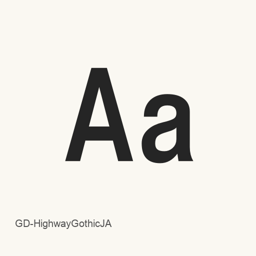
GD-HighwayGothicJA
pumpCurry · An OTF Japanese Gothic font inspired by the lettering used on Japanese highway signs.
GD-HighwayGothicJA is a font you can install on a Mac.
About
GD-HighwayGothicJA is a Japanese Gothic typeface inspired by lettering used on Japanese road signs and guidance displays. Its design aims for legibility, with mostly even stroke widths, deep counters, and broadly consistent spacing. The Latin characters use a Helvetica-like width design intended to evoke older highway sign lettering.
This Homebrew cask installs the OTF variant, named GD-HighwayGothicJA-OTF on the official site. It places one font file, GDhwGoJA-OTF112b2., in the user’s fonts folder. The official page presents examples for Japanese place names and highway-related signs, as well as Latin letters and numerals. The font is a typeface, not an application; after installation, select it by name in a compatible application that offers font selection to use it.
Install with Homebrew Cask:
brew install --cask font-gd-highwaygothicja
The official licensing information distinguishes personal use from commercial use. Some commercial uses require contacting the author in advance, and certain uses require a contract; redistribution of the font file is not allowed without permission. Check the official licensing terms before using the font in commercial work.
New What’s new in 112b2 OpenNavo editorial
Switches the font production tool from OTEdit to FontCreator 11.
Install and uninstall
Homebrew installs the font in ~/Library/Fonts, where Font Book can use it.
Install without Homebrew
Download the same file Homebrew uses: 542.jp/font/data/GDHighwayGoJA-Rev112b2-OTF.zip
SHA-256 only checks that the download is complete; it is not a security certification. See the SHA-256 and download address
$ brew uninstall --cask \font-gd-highwaygothicjaA regular uninstall removes the app and keeps its settings and caches.
Questions
Is GD-HighwayGothicJA safe?
GD-HighwayGothicJA is in Homebrew’s official catalog and has not been disabled. Since September 2026, Homebrew disables apps that fail macOS Gatekeeper checks. When installing, Homebrew checks the download from 542.jp against its SHA-256 checksum. It was installed 1 time through Homebrew in the last 30 days.
How do I completely uninstall GD-HighwayGothicJA on a Mac?
Run brew uninstall --cask font-gd-highwaygothicja.
What is the latest version of GD-HighwayGothicJA?
The latest version is 112b2. Run brew upgrade --cask font-gd-highwaygothicja to update it.