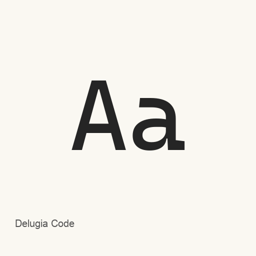
Delugia Code
Aaron Bell · A monospaced Delugia Mono Powerline font with basic Powerline glyphs, installed as six light, regular, and bold font files with italic variants.
Delugia Code is a font you can install on a Mac.
About
Delugia Code is a font package for the specific Delugia Mono Powerline variant. It is a monospaced font generated from Cascadia Mono and adds basic Powerline glyphs. This variant does not have ligatures.
The Homebrew cask installs six font files:
- Regular:
DelugiaMonoPL.ttf - Bold:
DelugiaMonoPL-Bold.ttf - Italic:
DelugiaMonoPL-Italic.ttf - Bold italic:
DelugiaMonoPL-BoldItalic.ttf - Light:
DelugiaMonoPLLight.ttf - Light italic:
DelugiaMonoPLLight-Italic.ttf
Install it with brew install --cask font-delugia-mono-powerline. This installs the fonts, not a separate application. After installation, choose the installed Delugia Mono Powerline face in a compatible application, such as a code editor or terminal, to use it there. The Powerline variant provides basic Powerline glyphs; it is not the Complete variant, which the project describes as including additional Nerd Fonts glyphs. The available font files document the installed styles, but do not establish full Unicode coverage or ligature support.
Sources: Delugia project · Project README
New What’s new in 2404.23 May 2, 2024 · OpenNavo editorial
- UpdatesBased on Cascadia Code v2404.23
Install and uninstall
Homebrew installs the font in ~/Library/Fonts, where Font Book can use it.
Install without Homebrew
Download the same file Homebrew uses: github.com/adam7/delugia-code/releases/download/v2404.23/delugia-mono-powerline.zip
SHA-256 only checks that the download is complete; it is not a security certification. See the SHA-256 and download address
$ brew uninstall --cask \font-delugia-mono-powerlineA regular uninstall removes the app and keeps its settings and caches.
Facts and sources
- Version 2404.23
- Released by the vendor on May 2, 2024
Questions
Is Delugia Code safe?
Delugia Code is in Homebrew’s official catalog and has not been disabled. Since September 2026, Homebrew disables apps that fail macOS Gatekeeper checks. When installing, Homebrew checks the download from github.com against its SHA-256 checksum. It was installed 6 times through Homebrew in the last 30 days.
How do I completely uninstall Delugia Code on a Mac?
Run brew uninstall --cask font-delugia-mono-powerline.
What is the latest version of Delugia Code?
The latest version is 2404.23. Run brew upgrade --cask font-delugia-mono-powerline to update it.