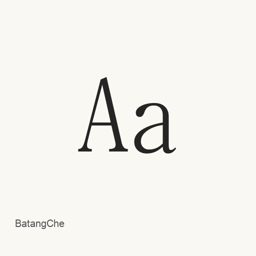
BatangChe
HanYang I&C Co. · BatangChe is a font package that installs the BatangChe-Regular.ttf font file.
brew install --cask font-batangche- 30-day installs
- 0
- 1-year installs
- 35
- Last 365 days
- Latest version
- latest
- Download size
- 6.8MB
- ttf
- Release cadence
- Irregular
- 0 releases in 30 days
About
BatangChe is a font package for adding the BatangChe Regular typeface to your system. The Homebrew cask installs one font file, BatangChe-Regular., into ~/; it does not install an application.
- Includes the Regular font file only; this cask does not install other styles or variants.
- The font project’s repository provides its font software under the SIL Open Font License 1.1.
- After installation, choose BatangChe in a compatible application’s font settings to use it. For coding, select it in an editor or terminal only if that application supports the font and it suits your use.
Install with brew install --cask font-batangche, then select BatangChe in the application where you want to use it. The included file establishes the available style, but does not establish complete Unicode coverage or ligature support.
At a glance
- Font files
- 1 · TTF
- Installs to
- ~/Library/Fonts
- Auto-updates
- No
- Developer
- HanYang I&C Co.
- Homebrew
- Available; updated by Homebrew
- Also known as
- font-batangche
- Homepage
- github.com/googlefonts/batang
- Token
- font-batangche
Checked
What’s new in latest
New · OpenNavo editorial
- MetadataCorrected the font filename and name metadata.
How to install BatangChe on Mac
Homebrew installs the font in ~/Library/Fonts, where Font Book can use it.
Install without Homebrew
Download the same file Homebrew uses: Install Details
Uninstall BatangChe and optional data cleanup
brew uninstall --cask font-batangcheA regular uninstall removes the app and keeps its settings and caches.
Questions about BatangChe
How do I completely uninstall BatangChe on a Mac?
Run brew uninstall --cask font-batangche.
Similar Fonts
- Adobe BlankA single-file font cask that installs AdobeBlank-Regular.ttf in the user’s Library/Fonts folder.
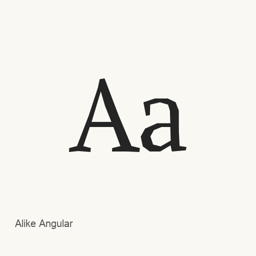
- Alike AngularA Google Fonts typeface installed as the AlikeAngular-Regular.ttf font file.
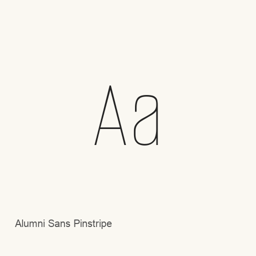
- Alumni Sans PinstripeA Google Fonts typeface available as Regular and Italic font files for installation on macOS.
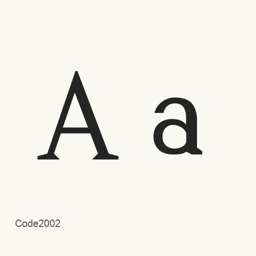
- Code2002A TrueType font available through Homebrew Cask as CODE2002.TTF.