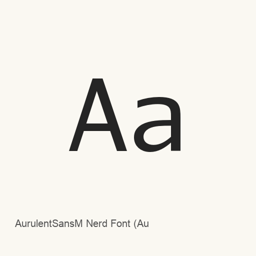
AurulentSansM Nerd Font (Aurulent Sans Mono)
Nerd Fonts project · A Nerd Font edition of Aurulent Sans Mono, supplied as regular, monospaced-glyph, and proportional-glyph OTF files.
AurulentSansM Nerd Font (Aurulent Sans Mono) is a font you can install on a Mac.
About
AurulentSansM Nerd Font is a patched version of Aurulent Sans Mono, a font in the Nerd Fonts collection. Nerd Fonts adds glyphs from icon sets to developer-oriented fonts. This Homebrew cask installs three specific OTF files; it is a font package, not an application.
The installed files are:
AurulentSansMNerdFont-Regular.otf AurulentSansMNerdFontMono-Regular.otf AurulentSansMNerdFontPropo-Regular.otf
The collection describes monospaced, double-width, or proportional options for Nerd Font glyphs. Here, the installed files provide regular, Mono, and Propo variants; the Mono and Propo names distinguish glyph-width variants, not a guarantee that every character in the font uses that width. The collection adds glyphs from icon sets, but the installed files alone do not establish full Unicode coverage or ligature support.
Install with brew install --cask font-aurulent-sans-mono-nerd-font. After installation, select the desired installed font by name in a compatible application. For coding or terminal use, choose it in an editor or terminal that supports custom fonts; installing the cask does not install or configure such an application.
Sources: Nerd Fonts
New What’s new in 3.5.1 Aug 21 · OpenNavo editorial
- PackagingFlattened overlooked font subdirectories.
- CollectionAdded the previously promised Devicons.
Install and uninstall
Homebrew installs the font in ~/Library/Fonts, where Font Book can use it.
Install without Homebrew
Download the same file Homebrew uses: github.com/ryanoasis/nerd-fonts/releases/download/v3.5.1/AurulentSansMono.tar.xz
SHA-256 only checks that the download is complete; it is not a security certification. See the SHA-256 and download address
$ brew uninstall --cask \font-aurulent-sans-mono-nerd-fontA regular uninstall removes the app and keeps its settings and caches.
Facts and sources
- Version 3.5.1
- Released by the vendor on Aug 21
Questions
Is AurulentSansM Nerd Font (Aurulent Sans Mono) safe?
AurulentSansM Nerd Font (Aurulent Sans Mono) is in Homebrew’s official catalog and has not been disabled. Since September 2026, Homebrew disables apps that fail macOS Gatekeeper checks. When installing, Homebrew checks the download from github.com against its SHA-256 checksum. It was installed 69 times through Homebrew in the last 30 days.
How do I completely uninstall AurulentSansM Nerd Font (Aurulent Sans Mono) on a Mac?
Run brew uninstall --cask font-aurulent-sans-mono-nerd-font.
What is the latest version of AurulentSansM Nerd Font (Aurulent Sans Mono)?
The latest version is 3.5.1. Run brew upgrade --cask font-aurulent-sans-mono-nerd-font to update it.