Dockspace
Harsh Jadon · A macOS app that adds widgets and app collections to the Dock; requires macOS 14 or later.
brew install --cask dockspace- 30-day installs
- 36
- #1507 in App
- 1-year installs
- 409
- Last 365 days
- Latest version
- 0.9
- Download size
- 7.9MB
- zip
- Release cadence
- Irregular
- 0 releases in 30 days
About
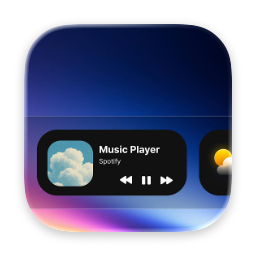
Dockspace is a macOS application for adding widgets and app collections to your Mac’s Dock. Its listed widgets include music controls, timers and stopwatches, upcoming events, and weather. App collections group several apps in one Dock slot; selecting the slot opens a popover for launching an app.
The official site also describes themes that can be chosen or customized, and live widgets that remain visible in the Dock. It lists music support for Spotify, Apple Music, and browser audio, and says events can be synced from Google Calendar or Reminders. These capabilities are presented as part of Dockspace, not as separate Homebrew packages.
To install the Homebrew cask, run brew install --cask dockspace, then open Dockspace from Applications. The cask installs Dockspace. in / and requires macOS 14 or later. The official site describes a free trial and a one-time paid unlock; availability and terms are provided by the publisher.
Sources: Official Dockspace site · Homebrew cask
At a glance
- System
- macOS 14 or later
- Chip
- Apple silicon · Intel
- Auto-updates
- Yes
- Developer
- Harsh Jadon
- Homebrew
- Available; the app updates itself
- Also known as
- dockspace
- Homepage
- getdockspace.app
- Token
- dockspace
Checked
How to install Dockspace on Mac
Homebrew installs the app in your Applications folder.
Install without Homebrew
Download the same file Homebrew uses: Install Details
Uninstall Dockspace and optional data cleanup
brew uninstall --cask dockspaceA regular uninstall removes the app and keeps its settings and caches.
Deep clean (optional)
brew uninstall --zap --cask dockspace--zap also deletes the settings, caches and other files listed in the Homebrew definition. They can include data shared with other apps and cannot be restored, and it does not guarantee that nothing is left. Back up any data you need first. To keep settings and caches, leave out --zap.
Questions about Dockspace
Is Dockspace safe?
Dockspace is in Homebrew’s official catalog and has not been disabled. Since September 2026, Homebrew disables apps that fail macOS Gatekeeper checks. When installing, Homebrew checks the download from s4.getdockspace.app against its SHA-256 checksum. It was installed 36 times through Homebrew in the last 30 days.
How do I completely uninstall Dockspace on a Mac?
Run brew uninstall --cask dockspace. It quits the app. To delete its settings and caches as well, run brew uninstall --zap --cask dockspace. --zap also deletes the settings, caches and other files listed in the Homebrew definition. They can include data shared with other apps and cannot be restored, and it does not guarantee that nothing is left. Back up any data you need first. To keep settings and caches, leave out --zap. That also deletes 5 files and folders, including ~/.
Does Dockspace run on Apple silicon (M1 and later) Macs?
Homebrew installs it on both Apple silicon and Intel Macs, from the same download. It needs macOS 14 or later.
Where does Dockspace store its settings and data?
Its settings are in ~/. Its data is in ~/. These locations come from Homebrew’s clean-up list.
What is the latest version of Dockspace?
The latest version is 0.9, added to Homebrew on Sep 3, 2026. Dockspace updates itself; to update it with Homebrew, run brew upgrade --cask --greedy dockspace.
Similar Apps
- VitalsAn Activity Monitor alternative for Mac that groups processes into apps, follows coding agent sessions and AI plan limits, and adds menu bar monitors, history and alerts.
- EquinoxCreate macOS dynamic wallpapers that change with the sun, a schedule, or the system’s light and dark appearance.
- ProcessSpyA macOS process monitor with CPU and memory history, process inspection, hierarchy views, and search.
- SpaceJumpA macOS menu bar utility for naming desktop Spaces and switching between them.