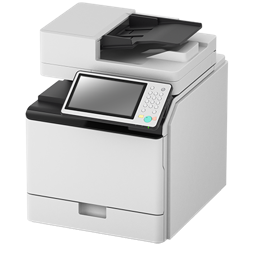
Canon UFR II/UFRII LT/LIPSLX/CARPS2 Printer Driver
Canon · A macOS printer driver for Canon imageRUNNER office printers, covering the UFR II, UFRII LT, LIPSLX, and CARPS2 driver families.
Canon UFR II/UFRII LT/LIPSLX/CARPS2 Printer Driver is Drivers & Hardware software for Mac.
About
Canon UFR II/UFRII LT/LIPSLX/CARPS2 Printer Driver is a macOS printer-driver package for Canon imageRUNNER office printers. Its name identifies the UFR II, UFRII LT, LIPSLX, and CARPS2 driver families; the supplied information does not identify particular printer models or describe model-specific capabilities.
- Intended for Canon imageRUNNER office printers.
- Covers the UFR II, UFRII LT, LIPSLX, and CARPS2 driver families named in the package.
- Supplied as a macOS installer package inside a ZIP archive.
- The Canon documentation is titled as a user’s guide for the macOS printer driver.
To install through Homebrew, run brew install --cask canon-ufrii-driver. The cask installs UFRII_LT_LIPS_LX_Installer.. After installation, select the relevant Canon printer and driver in your macOS printing setup; use Canon’s guide for setup instructions. The package is intended for macOS. Check the guide or printer documentation to confirm that the driver is appropriate for your specific printer.
Sources: Canon driver user’s guide · Homebrew cask
New What’s new in 10.19.26 OpenNavo editorial
- ChangesNot provided: exact changes for this Mac desktop version are unverified.
Install and uninstall
Homebrew runs the UFRII_LT_LIPS_LX_Installer.pkg installer, which asks for an administrator password.
Install without Homebrew
Download the same file Homebrew uses: downloads.canon.com/sss2026/drivers/UFRII_v10.19.26_mac.zip
SHA-256 only checks that the download is complete; it is not a security certification. See the SHA-256 and download address
$ brew uninstall --cask \canon-ufrii-driverA regular uninstall removes the app and keeps its settings and caches.
Facts and sources
- Version 10.19.26
- Recorded by Homebrew on Sep 30
Questions
Is Canon UFR II/UFRII LT/LIPSLX/CARPS2 Printer Driver safe?
Canon UFR II/UFRII LT/LIPSLX/CARPS2 Printer Driver is in Homebrew’s official catalog and has not been disabled. Since September 2026, Homebrew disables apps that fail macOS Gatekeeper checks. When installing, Homebrew checks the download from downloads.canon.com against its SHA-256 checksum. It was installed 21 times through Homebrew in the last 30 days.
How do I completely uninstall Canon UFR II/UFRII LT/LIPSLX/CARPS2 Printer Driver on a Mac?
Run brew uninstall --cask canon-ufrii-driver. It forgets 1 installer receipt.
Does Canon UFR II/UFRII LT/LIPSLX/CARPS2 Printer Driver run on Apple silicon (M1 and later) Macs?
Homebrew installs it on both Apple silicon and Intel Macs, from the same download.
What is the latest version of Canon UFR II/UFRII LT/LIPSLX/CARPS2 Printer Driver?
The latest version is 10.19.26, added to Homebrew on Sep 30. Run brew upgrade --cask canon-ufrii-driver to update it.
What else does installing Canon UFR II/UFRII LT/LIPSLX/CARPS2 Printer Driver add?
It installs through a .pkg installer, which asks for an administrator password.